
 Entry
Entry Dashboard
 Contacts
 Properties
 Email
Email Calendar
 Tasks
Tasks Acquisition Cockpit
 Audit-proof mail archiving
 Automatic brochure dispatch
 Billing
 Groups
 Intranet
 Marketing Box
 Marketplace
 Multi Property module
 Multilingual Module
 onOffice sync
 Presentation PDFs
 Process manager
 Project Management
 Property tracking
 Property value analyses
 Enquiry Manager
 Showcase TV
 Smart site 2.0
 Statistic Tab
 Statistics toolbox
 Success Cockpit
 Time Tracking
 Address from clipboard
 Text block
 Customer communication
 External Tools
 Favorite links
 Calculating with formulas
 Mass update
 onOffice-MLS
 Portals
 Property import
 Quick Access
 Settings
 Templates
 Step by step


You are here: Home / Tutorials / Step by step / General instructions / Dictionary

Step by step
Dictionary
Dictionary
field names, macro and info texts in onOffice can be translated into all languages. Call up the dictionary via the menu
In the pop-up window on the left side are the source texts and on the right side the translated texts.
In the upper right corner you define the target language, in the left corner the language from which you want to translate. This means that you can translate more than just ‘German texts’.
The option “only missing translations” only displays entries for which no translation has yet been stored.
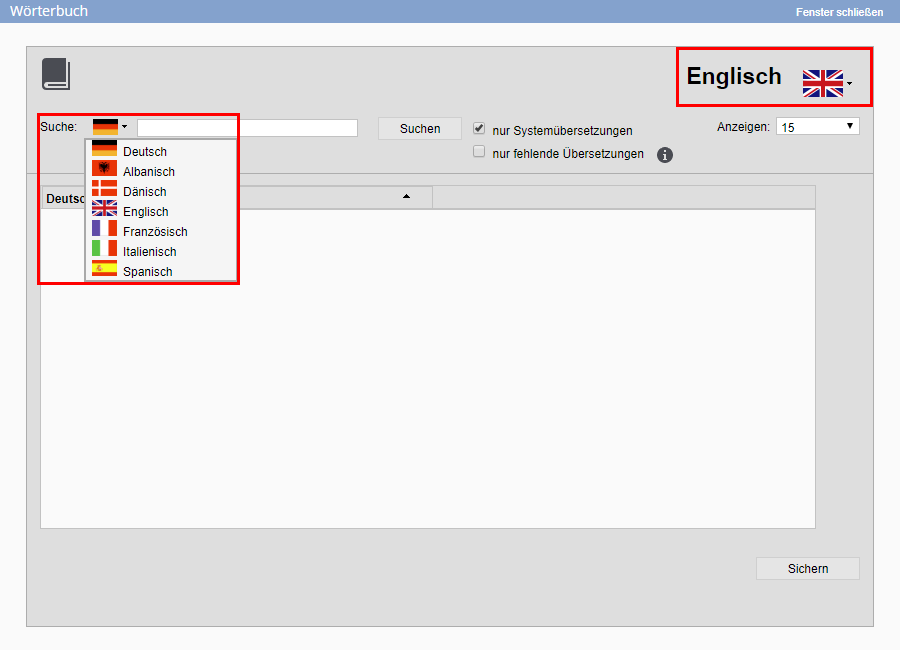
Dictionary
In the next step, enter the word or phrase you want to translate in the search field. The system creates a list with the appropriate text passages. In the list you can also see which parts are already translated and adjust the translation if necessary.
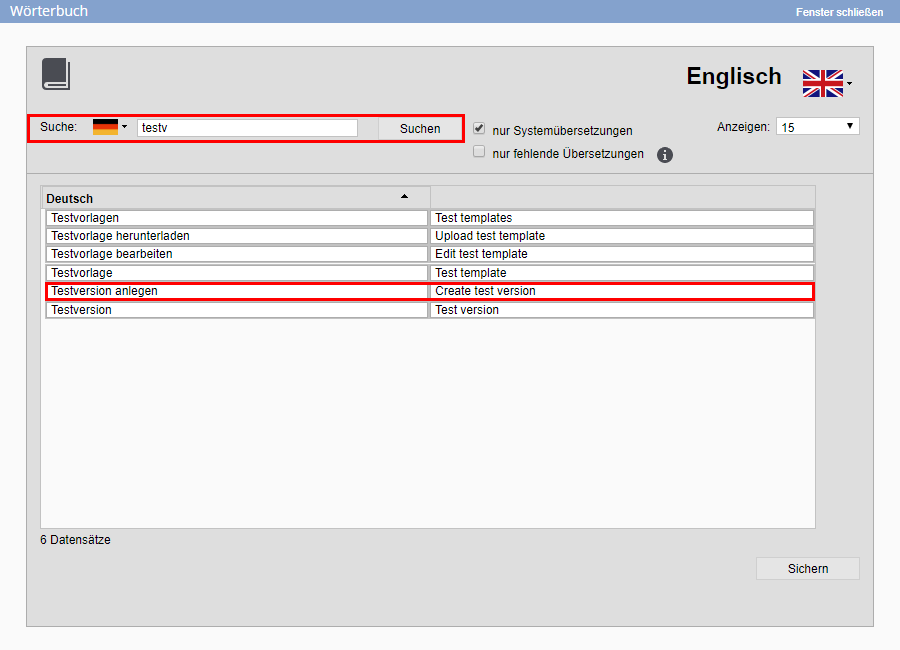 To translate, please fill in the appropriate word or text module on the right-hand side and then click on “Save”. To change an existing translation, click on it, change it, and then save the translation