 Entry
Entry Dashboard
 Contacts
 Properties
 Email
Email Calendar
 Tasks
Tasks Acquisition Cockpit
 Audit-proof mail archiving
 Automatic brochure dispatch
 Billing
 Groups
 Intranet
 Marketing Box
 Marketplace
 Multi Property module
 Multilingual Module
 onOffice sync
 Presentation PDFs
 Process manager
 Project Management
 Property tracking
 Property value analyses
 Enquiry Manager
 Showcase TV
 Smart site 2.0
 Statistic Tab
 Statistics toolbox
 Success Cockpit
 Time Tracking
 Address from clipboard
 Text block
 Customer communication
 External Tools
 Favorite links
 Calculating with formulas
 Mass update
 onOffice-MLS
 Portals
 Property import
 Quick Access
 Settings
 Templates
 Step by step


You are here: Home / Additional modules / Marketplace / Provider overview / Backbone - Property images

Marketplace
Backbone – Property images
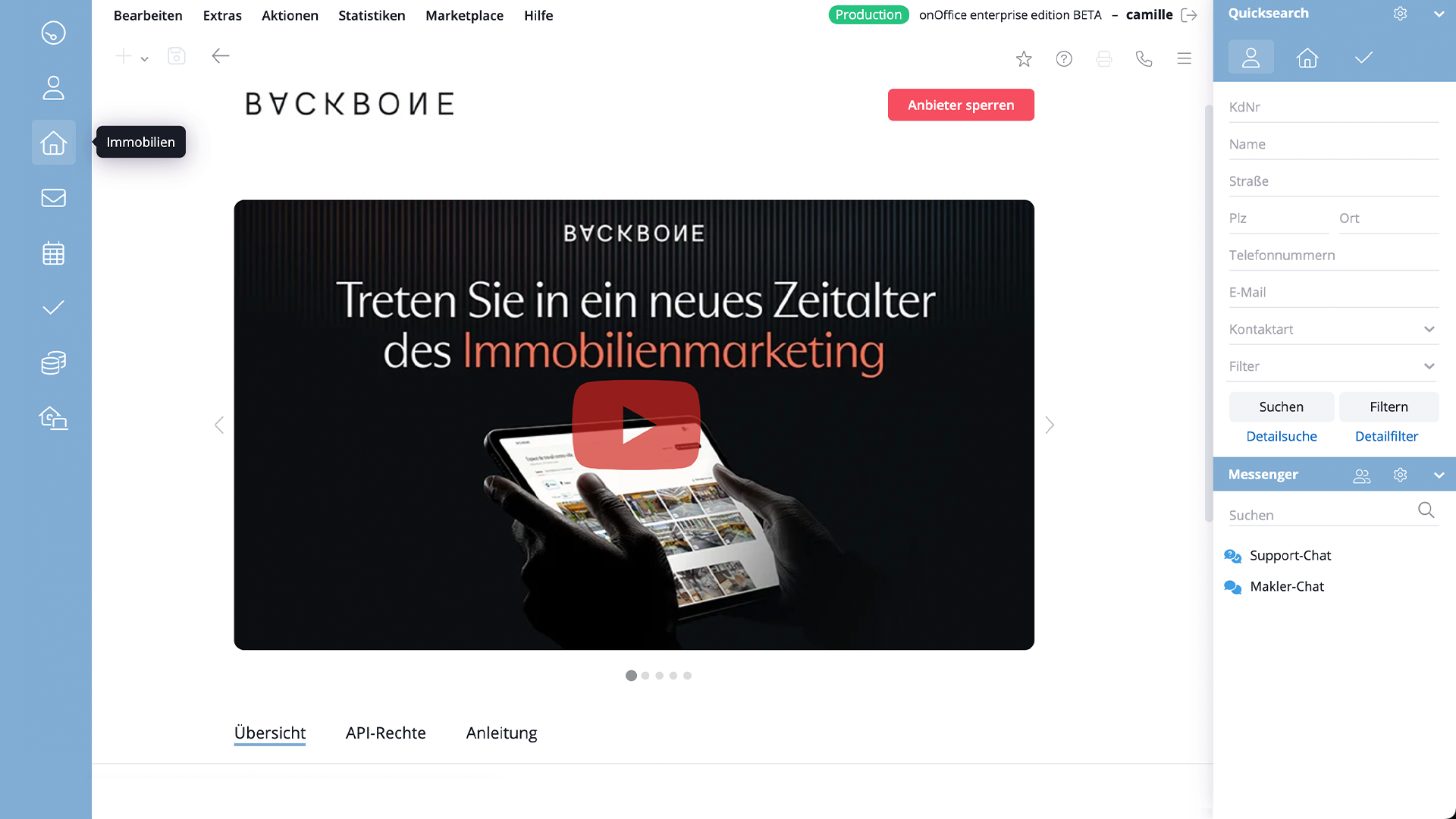
Backbone makes it easy to create and manage first-class marketing assets – quickly, professionally and completely digitally.
You can order photos, videos, 360° tours, floor plans with measurements and more directly via onOffice. Everything is delivered in record time.
As soon as “Backbone” is activated in the onOffice Marketplace, you can call up the service directly via the action bar of an property.
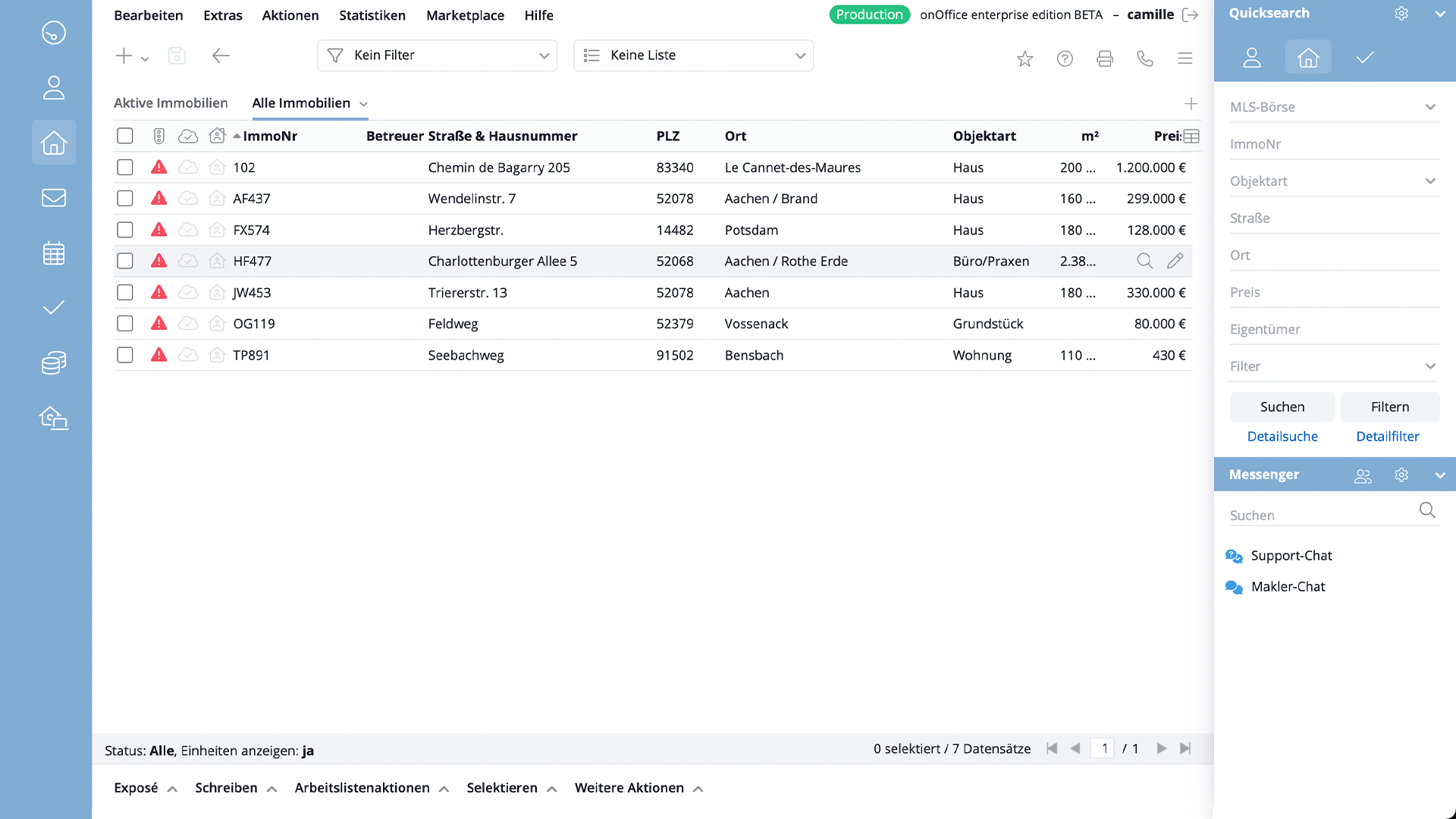
1. Go to “Real estate” in the menu on the left.
2) Select the property for which you would like to order visual content.
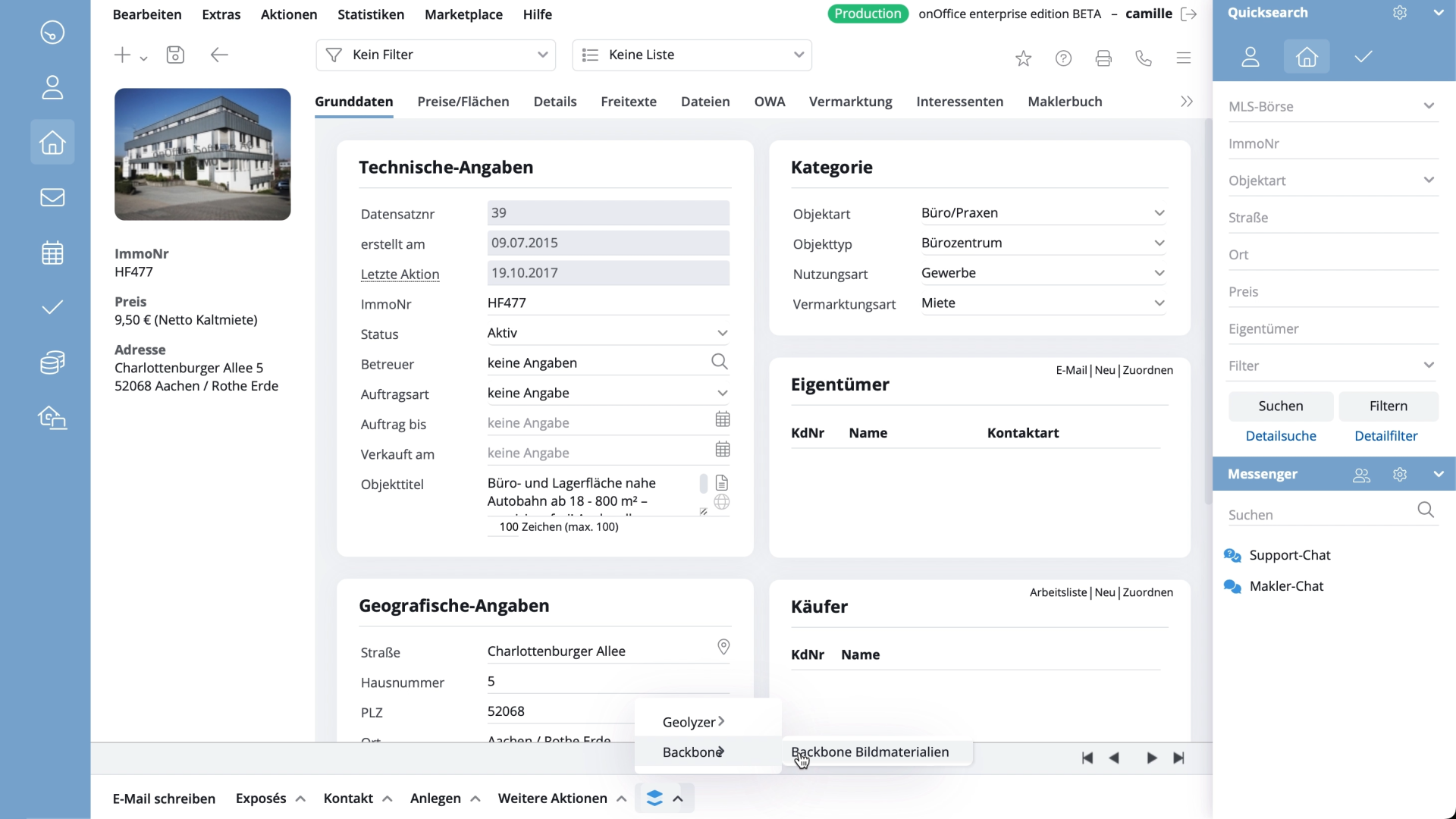
3) Scroll to the bottom of the page, open the menu with the stack buttons and select “Backbone image materials”.
4) A pop-up window opens. Fill in the required fields:
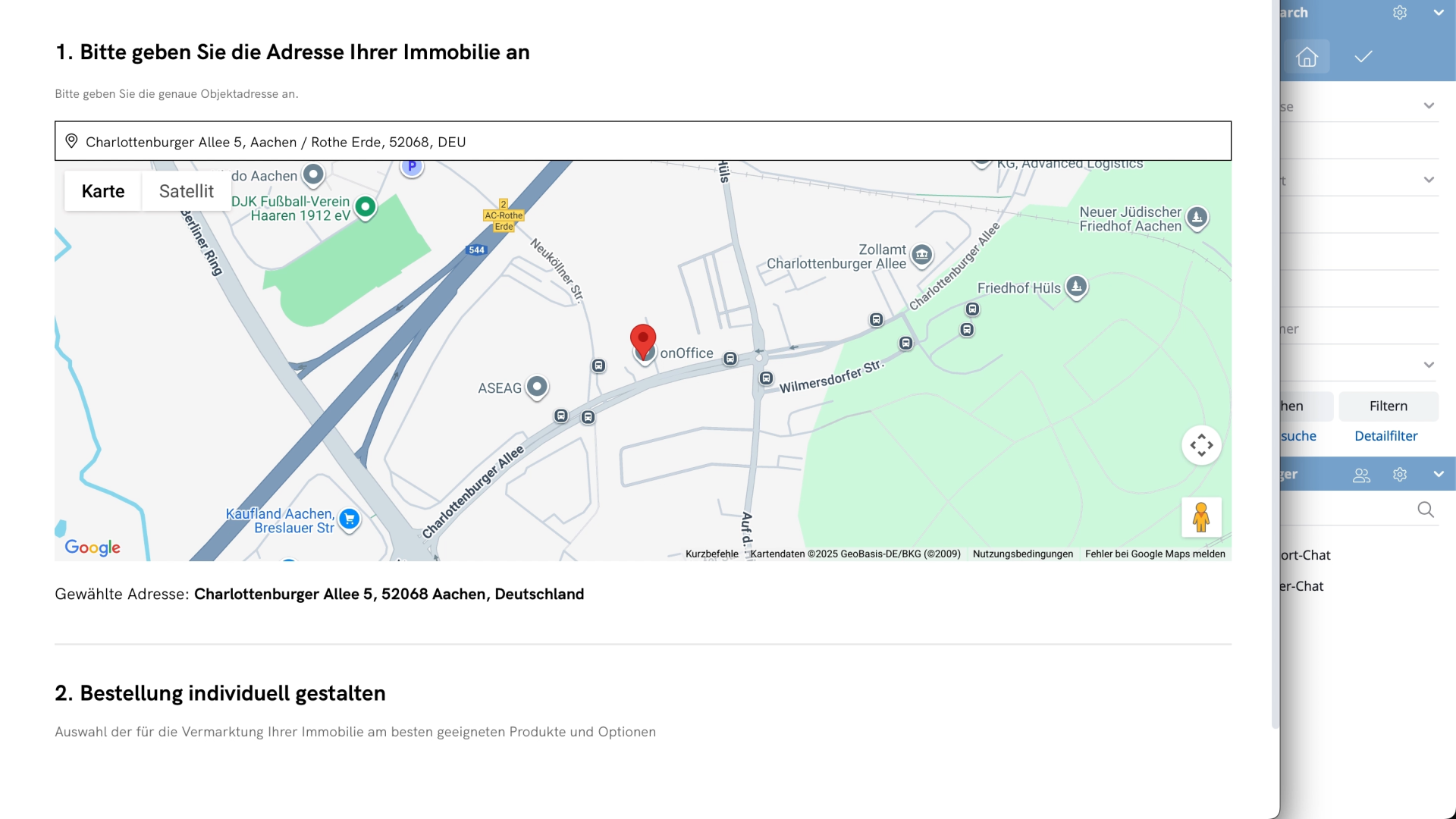
Location: Enter the address of the property in the search bar on the map.
Surface area: Set the size of the property using the slider.
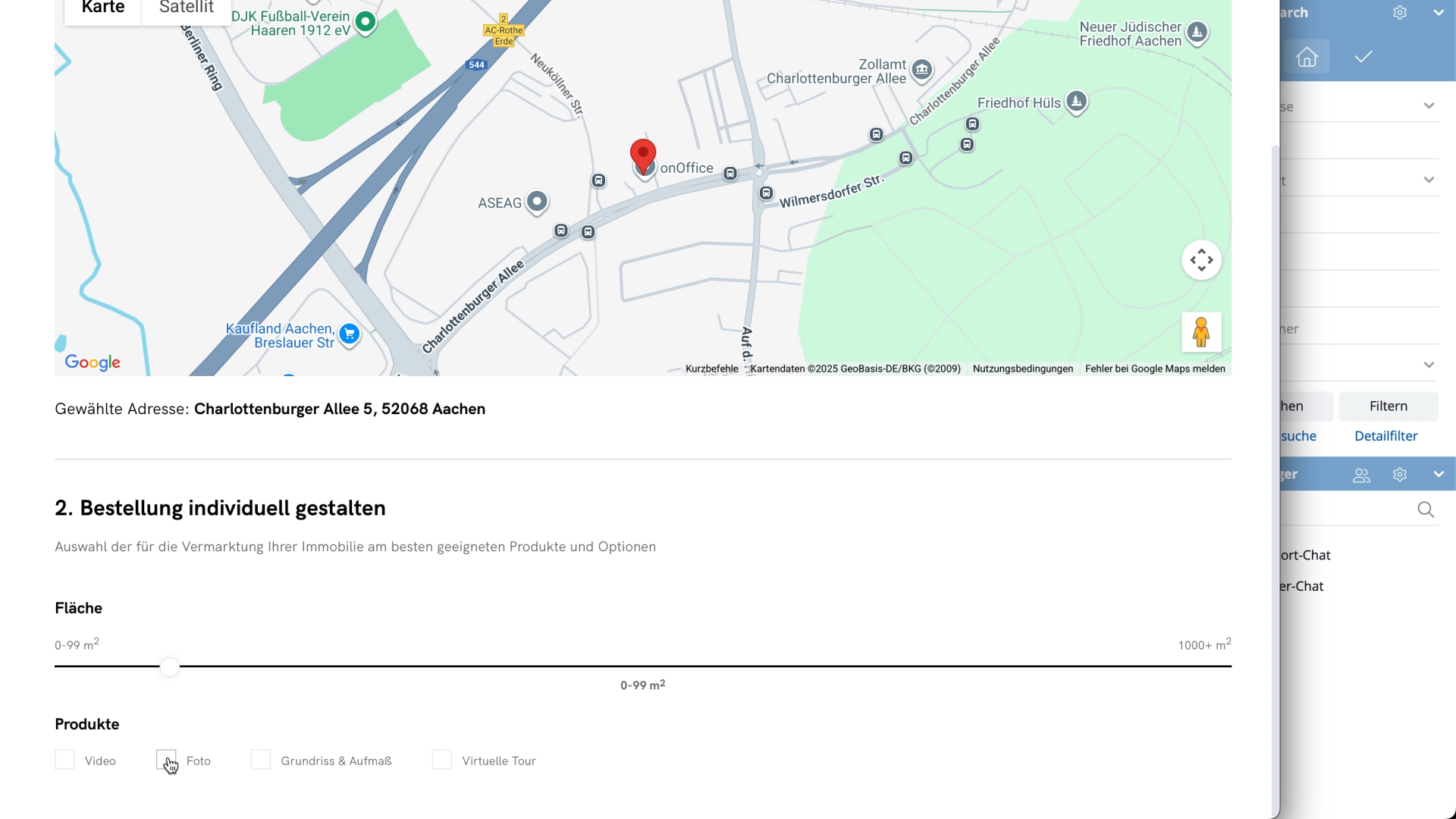
Services: Choose from photos, virtual tours, floor plans or videos. Each option can be customized so that you can put together exactly the combination you need.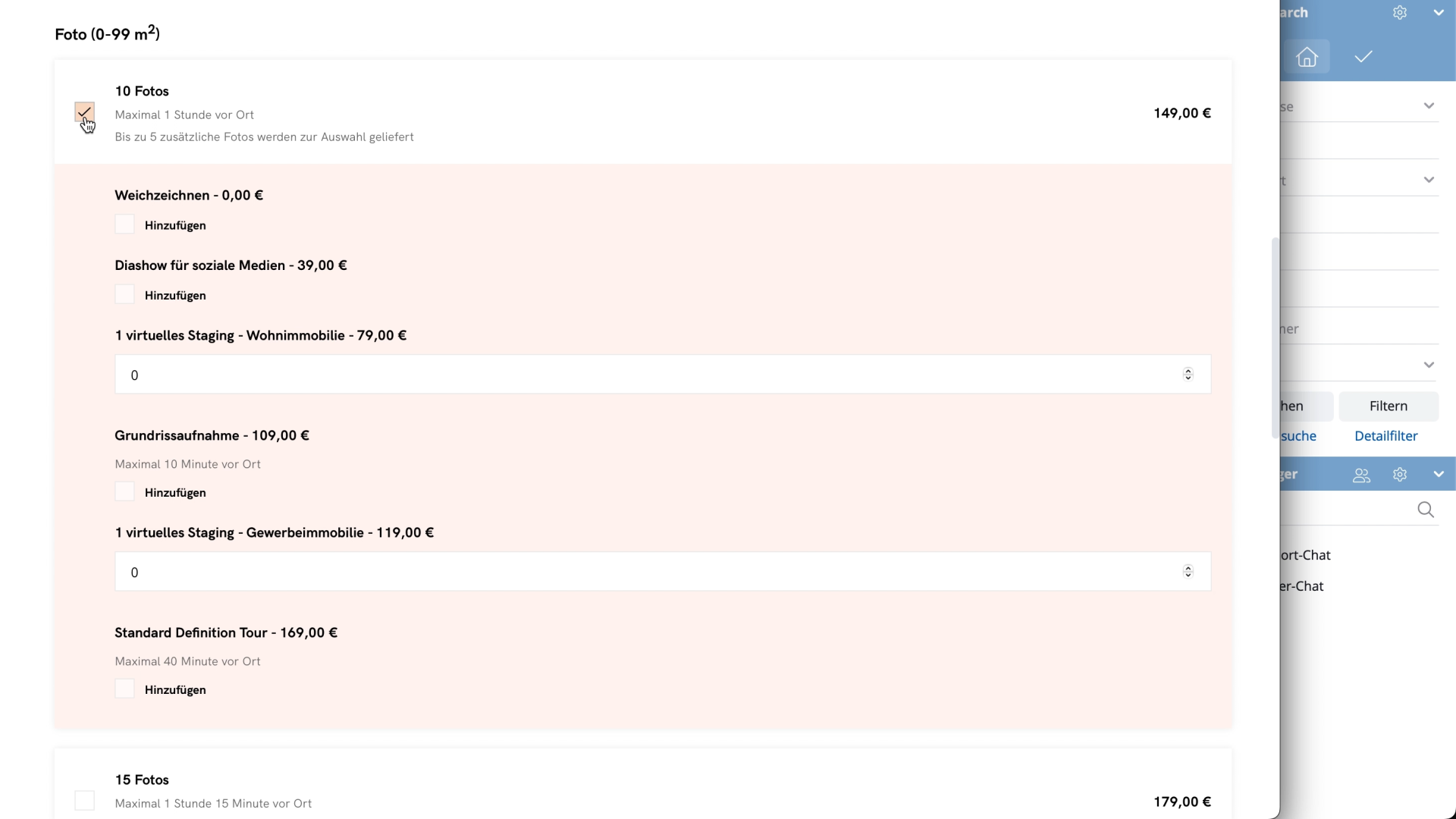
Scheduling: Specify whether you want to schedule the appointment yourself or have it coordinated by a third party and enter the requested details.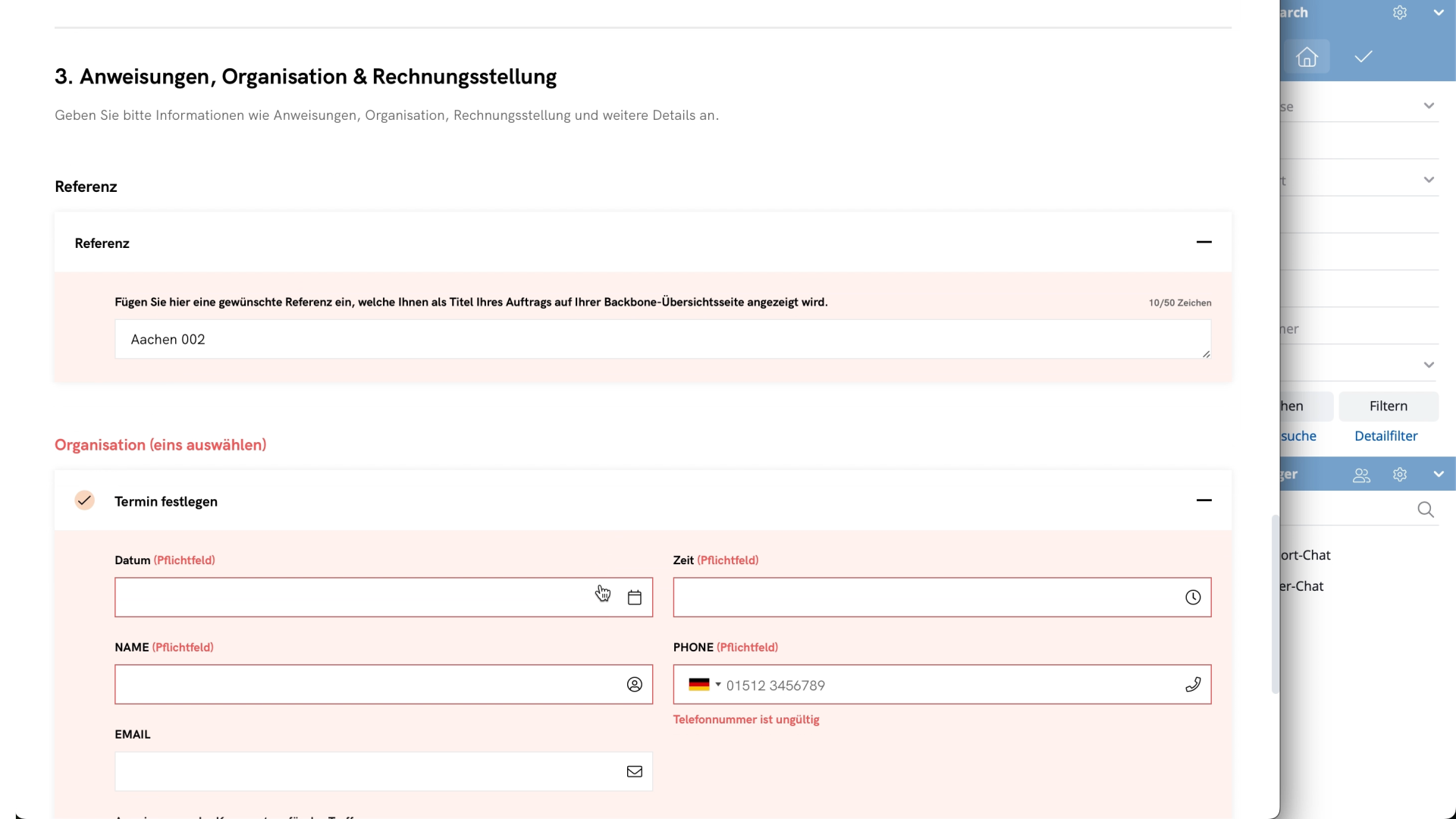
Settlement: Choose your preferred payment method.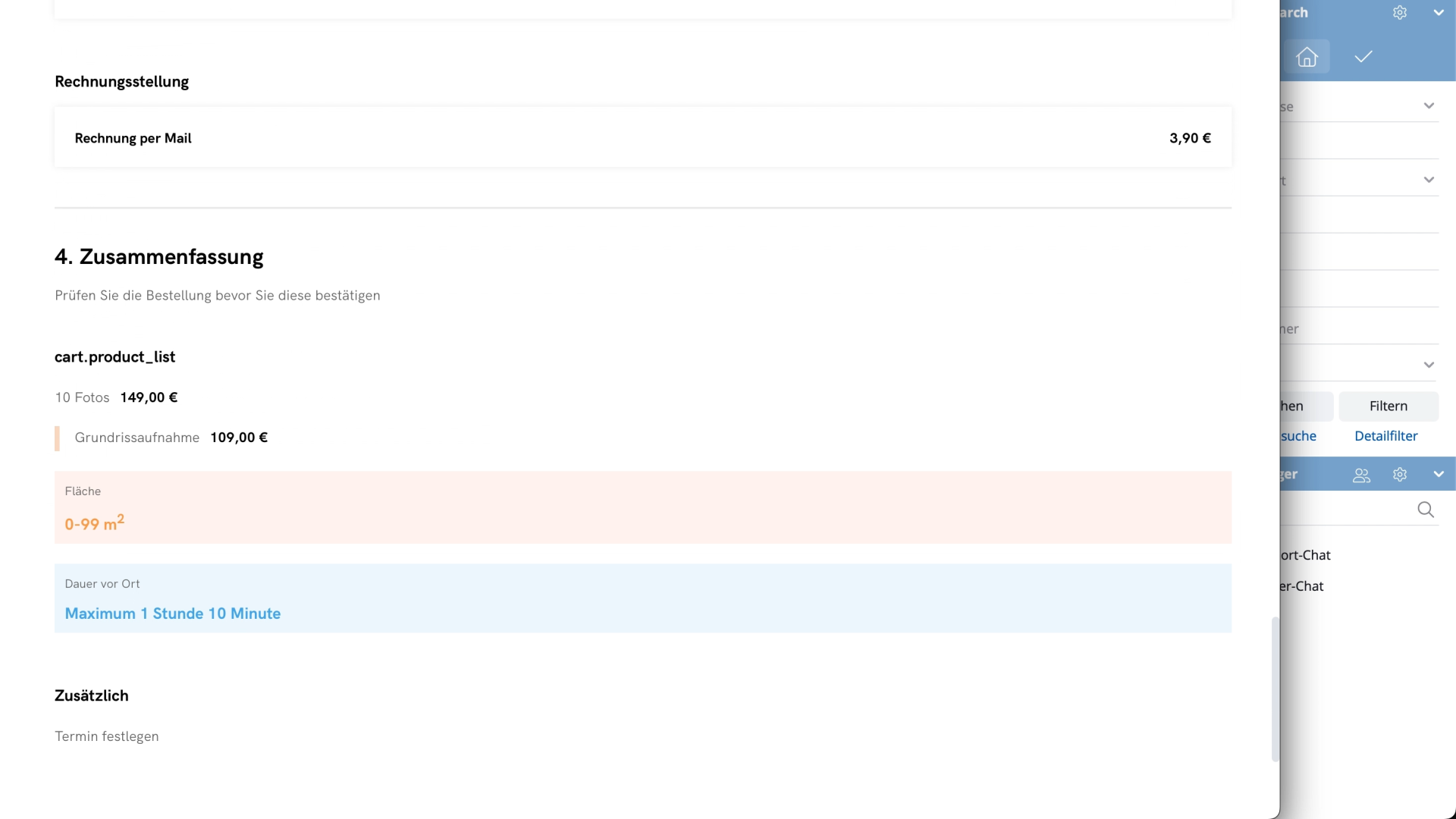
5) Check your order and click on “Agree and order” to complete the process.