
 Entry
Entry Dashboard
 Contacts
 Properties
 Email
Email Calendar
 Tasks
Tasks Acquisition Cockpit
 Audit-proof mail archiving
 Automatic brochure dispatch
 Billing
 Groups
 Intranet
 Marketing Box
 Marketplace
 Multi Property module
 Multilingual Module
 onOffice sync
 Presentation PDFs
 Process manager
 Project Management
 Property tracking
 Property value analyses
 Enquiry Manager
 Showcase TV
 Smart site 2.0
 Statistic Tab
 Statistics toolbox
 Success Cockpit
 Time Tracking
 Address from clipboard
 Text block
 Customer communication
 External Tools
 Favorite links
 Calculating with formulas
 Mass update
 onOffice-MLS
 Portals
 Property import
 Quick Access
 Settings
 Templates
 Step by step


You are here: Home / Additional modules / Marketplace / Provider overview / Mietz - Rentals

Marketplace
Mietz – Rentals
Introduction
Mietz is a software solution for the digital rental of residential properties. The platform covers the entire tenant acquisition and screening process—from creating listings to managing applicants and communicating with them. Through automated processes, centralized data storage, and intelligent analysis of applicant information, Mietz reduces manual effort, speeds up decision-making, and enables a significantly more efficient leasing process.
Activation
You can easily activate Mietz here in the Marketplace.
Use
Once activated, you can open Mietz directly from any property in onOffice. Open a property and click the “Rental” tab.
Mietz opens depending on the context of the property:
- If this is your first time using Mietz, you’ll be prompted to import your listings.
- If you’ve already imported the property into Mietz, you’ll be taken directly to the “Applications” page, where you can easily view your new leads.
Import
If this is your first time using Mietz, you’ll first need to import your properties into Mietz so they can be listed on the platform.
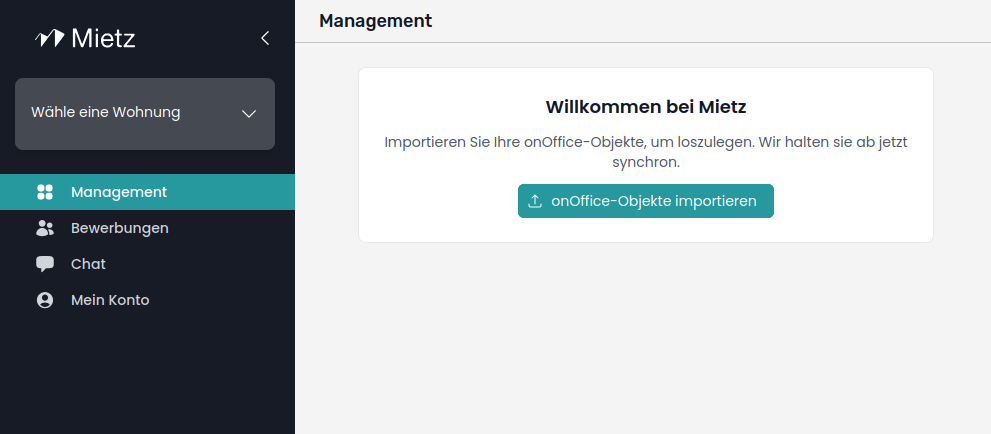
Click “Import onOffice Properties” to start the import.
You will then see a preview of the properties from your onOffice account that can be imported into Mietz.
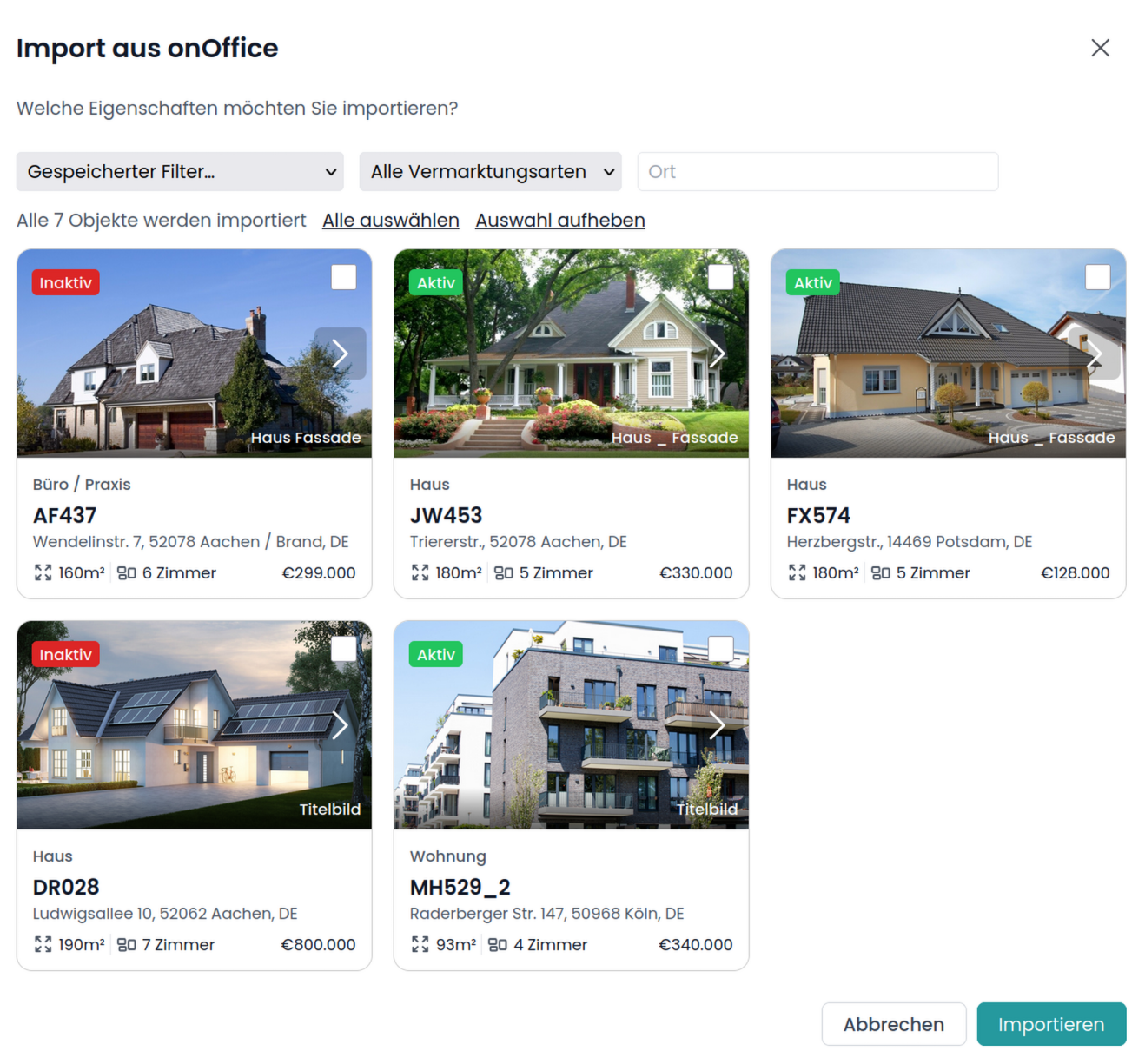
By default, all properties are imported. The publication and visibility of properties on Mietz depend on the settings you have configured in onOffice.
If you want to import only a few items, you can use the available filters and then select the desired items using the checkbox in the upper-right corner.
Click “Import” once you have confirmed your selection.
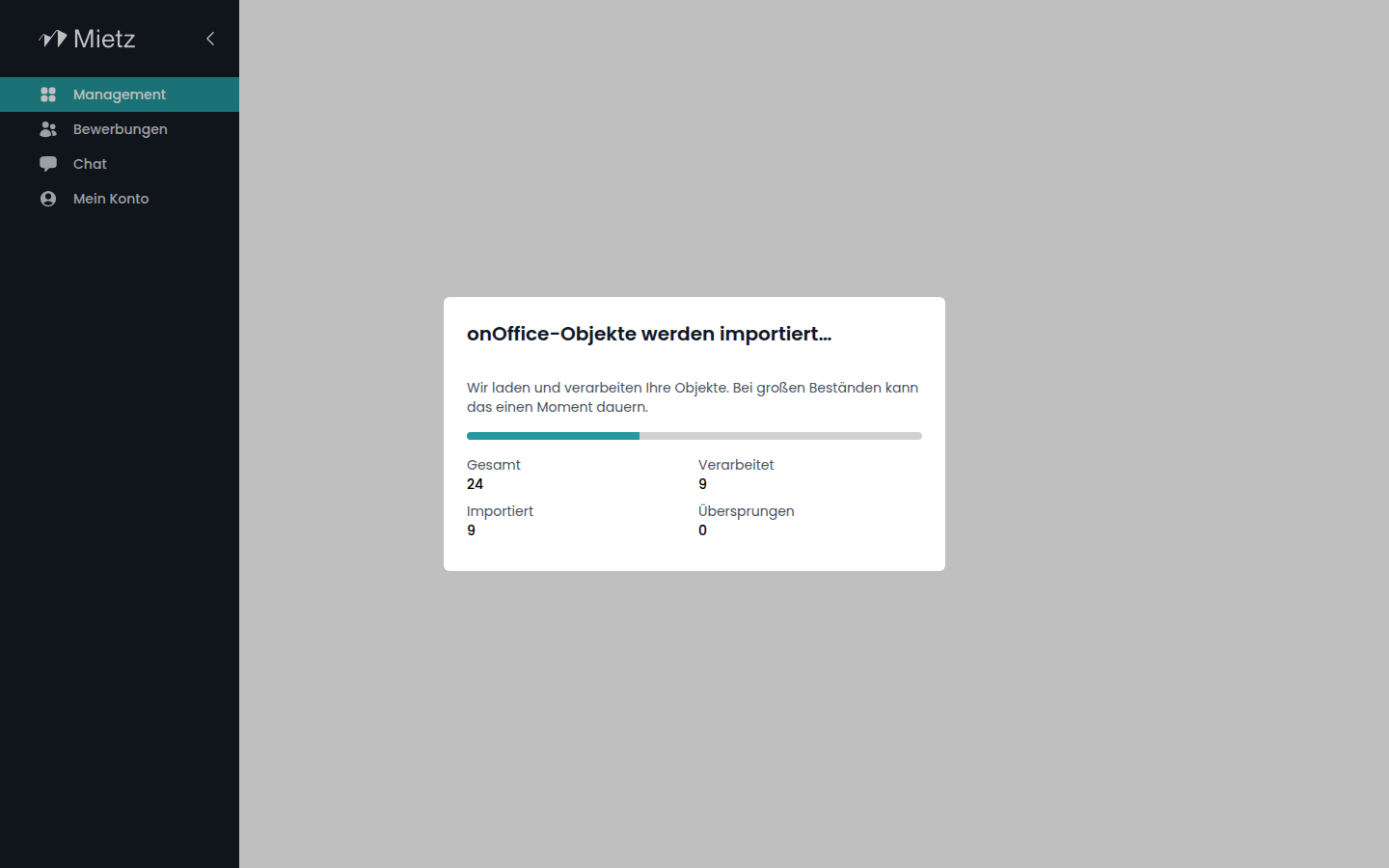
Once the import is complete, your imported properties will appear in the Managementsection.
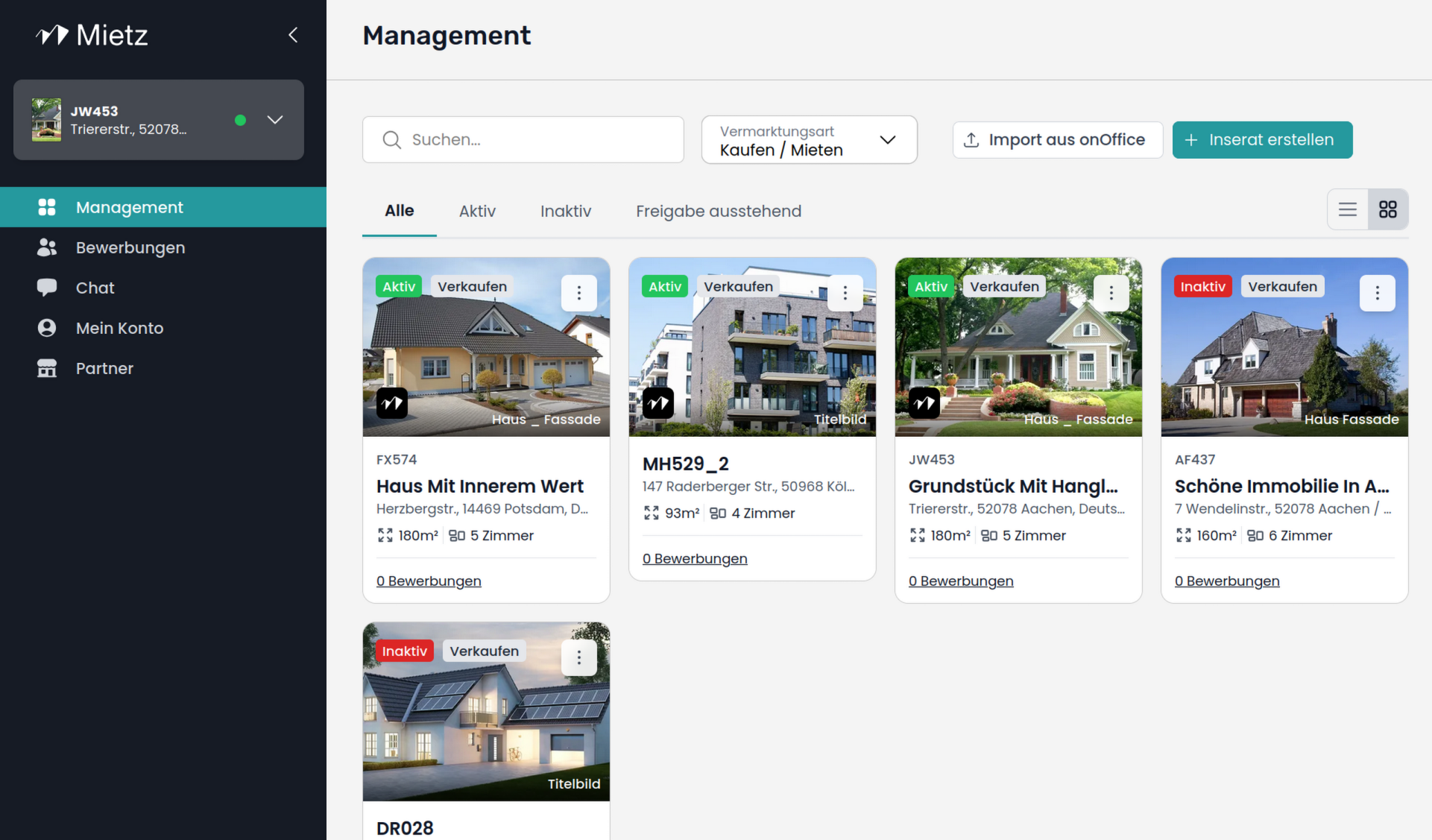
You can resync new or modified properties at any time by clicking the “Import from onOffice” button in the upper right corner.
Overview
Congratulations! You have successfully imported your properties into Mietz.
To actually publish your properties on Mietz, you need an active subscription. As soon as this is activated, your active listings will be published on Mietz.
Management
The “Management” section provides an overview of all imported properties. Here, you can quickly see which properties are listed and visible on Mietz, as well as edit their details.
Since your properties are synchronized with onOffice , Mietz automatically applies any changes. Therefore, there is no need to maintain your listings twice.
You can use the “Import from onOffice”feature at any time to add new properties.
Applications
Under “Applications,” you can review and manage potential tenants.
For each applicant, you’ll see:
• your name,
• submitted documents
• and your personal notes.
You can flag interesting candidates, select applicants for further interviews, or add personal notes.
You also have the option to filter and sort applicants based on relevant criteria—for example, whether they have submitted their documents.
Chat
Once you’ve started a conversation with a candidate, you can view your conversations in the “Chat” section. Messages you send are automatically forwarded to applicants via email. Candidates’ responses will then appear directly in the chat.
Do you need support? Please contact Mietz Support to schedule an appointment. We’d be happy to help you set it up.