 Entry
Entry Dashboard
 Contacts
 Properties
 Email
Email Calendar
 Tasks
Tasks Acquisition Cockpit
 Audit-proof mail archiving
 Automatic brochure dispatch
 Billing
 Groups
 Intranet
 Marketing Box
 Marketplace
 Multi Property module
 Multilingual Module
 onOffice sync
 Presentation PDFs
 Process manager
 Project Management
 Property tracking
 Property value analyses
 Enquiry Manager
 Showcase TV
 Smart site 2.0
 Statistic Tab
 Statistics toolbox
 Success Cockpit
 Time Tracking
 Address from clipboard
 Text block
 Customer communication
 External Tools
 Favorite links
 Calculating with formulas
 Mass update
 onOffice-MLS
 Portals
 Property import
 Quick Access
 Settings
 Templates
 Step by step


You are here: Home / Additional modules / Marketplace / Provider overview / Justhome - Real estate financing

Marketplace
Justhome – Real estate financing
Welcome to Justhome
Justhome offers you reliable financial pre-qualification of your prospective buyers, transparency in the financing process and therefore more deals with less effort. These step-by-step instructions will help you set up and use the system.
✅ After successful registration, you can find the Justhome app in the Marketplace tab at any time.
Interactive Brochure iFrame
Integration of the financing calculator in the interactive brochure
Thanks to the integration, your prospective buyers receive up-to-date bank conditions directly in the brochure. This way, your prospective buyers are optimally informed and receive the best conditions.
Steps for integration:
- Open the Justhome app
- Navigate to Advertising material → Interactive brochure iFrame
- Copy the centered layout
.png)
Integration in onOffice
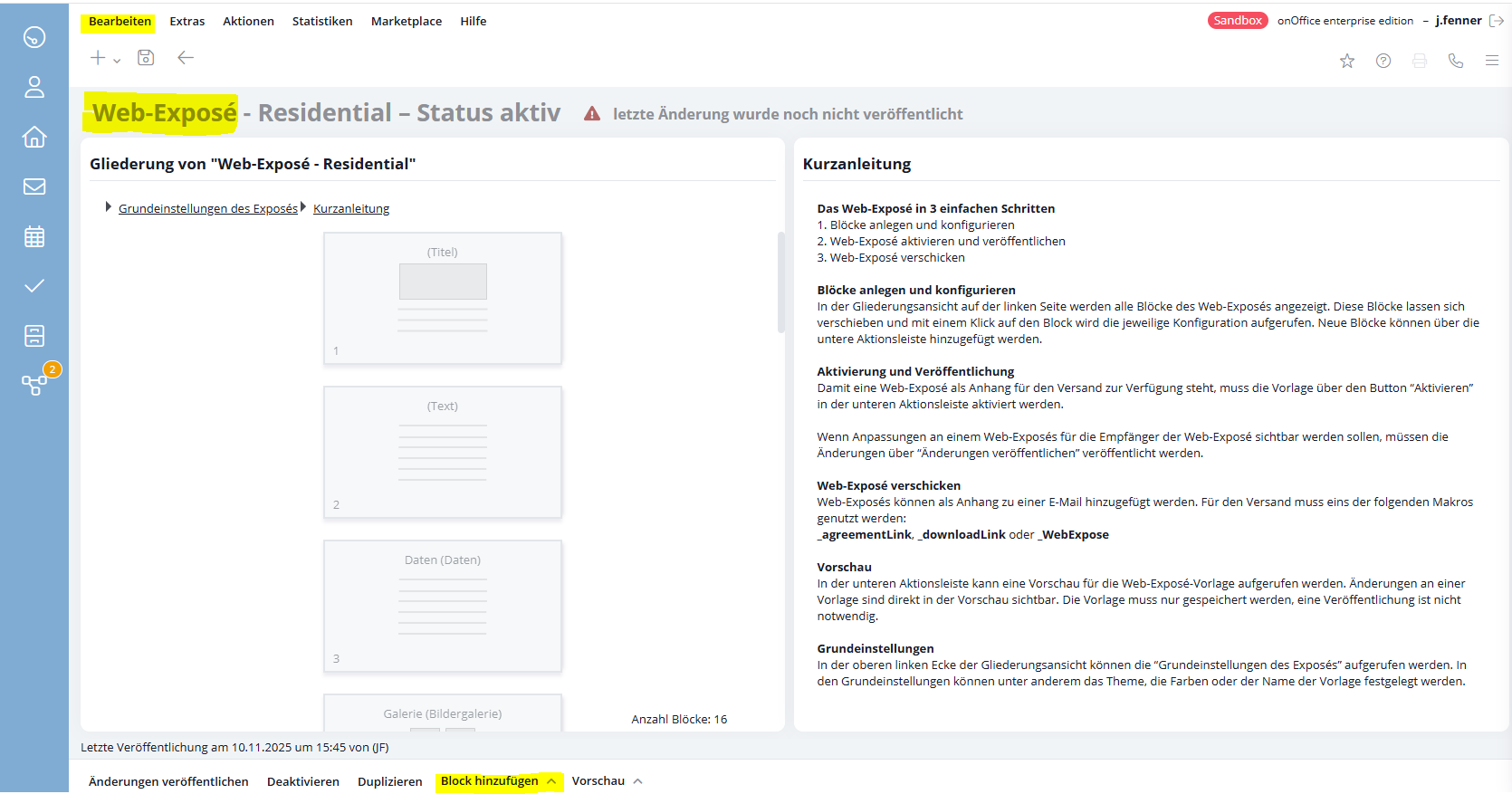
- Open in onOffice: Edit → Interactive brochure
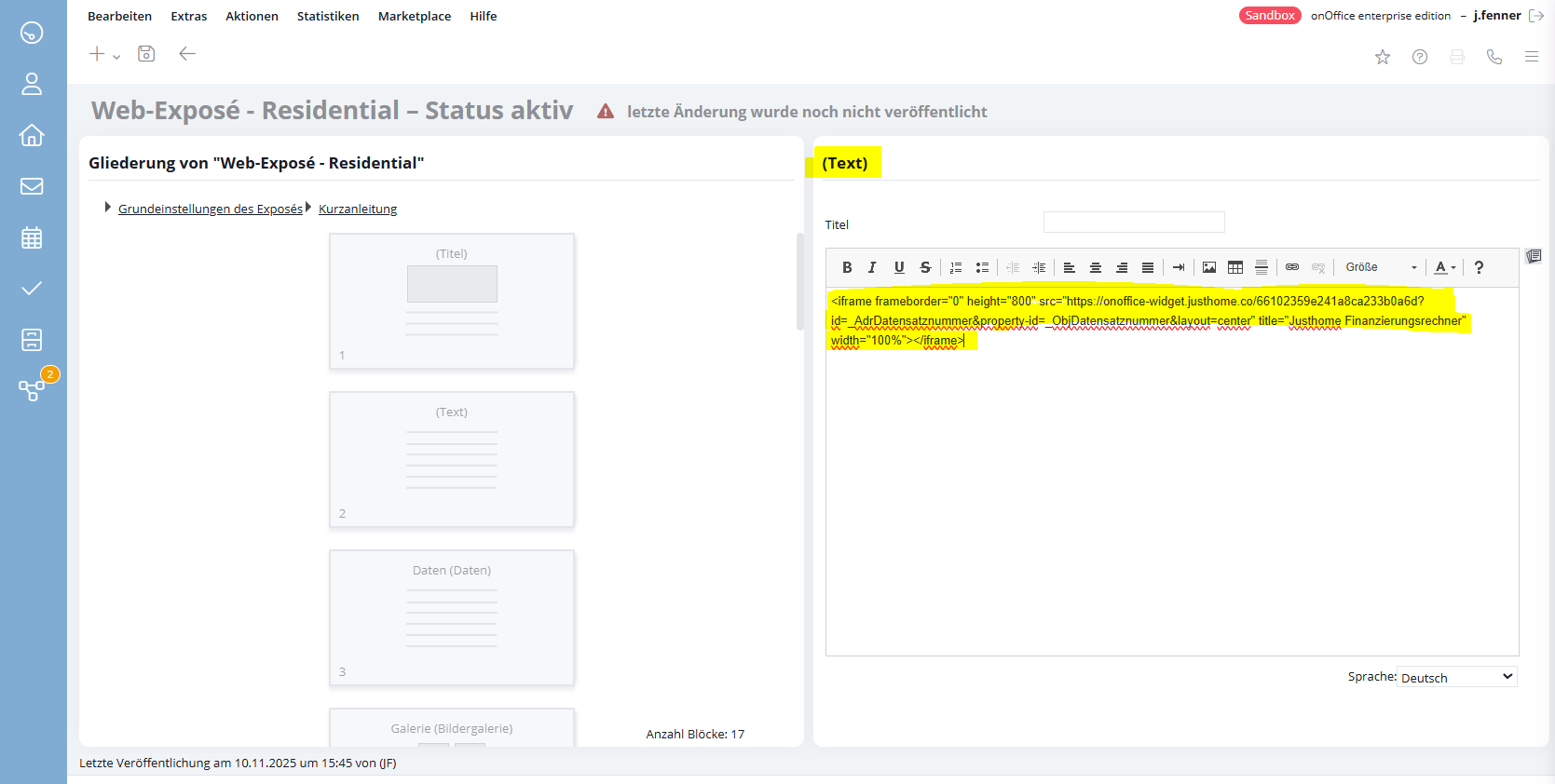
Add a new block - Select the block type => Text
- Paste the copied interactive brochure iFrame into the top right field
- The block can then be freely positioned in the brochure using drag & drop. Justhome recommends positioning it below the image gallery.
✉️ Justhome email templates for prospective buyers
Three professional e-mail templates from Justhome are available as standard for different use cases. For example, you can use them before or after your viewings to enable your buyers to quickly schedule a financing consultation.
These templates are already stored in the folder “oO – Marketplace templates”
in onOffice.
.png)
⚙️ Recommended automation: E-mail transfer for pre-qualification after conclusion of the brokerage agreement
For a successful cooperation with Justhome, we recommend that you set up the following email automation to inform your prospective buyers about the financing advice at Justhome early on in the purchase process. The advantage for you is that your customers are automatically pre-qualified via the financing world automatically generated in your design. This will quickly give you an initial assessment of which prospective buyer has the necessary financial means to make the purchase.
Steps for setting up the process template:
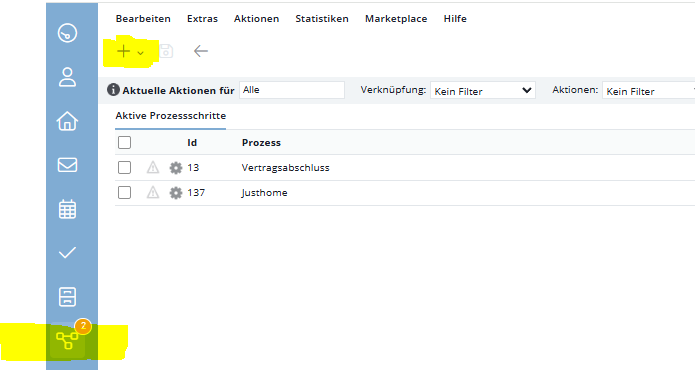
- Open the main bar → Processes in onOffice
- Click on the (+) drop-down arrow (see screenshot)
- Select “New process template”
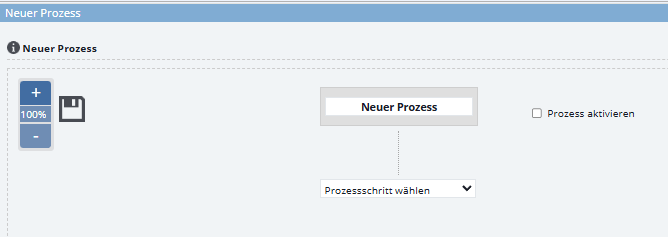
Configure process template
First define a title for the process template.
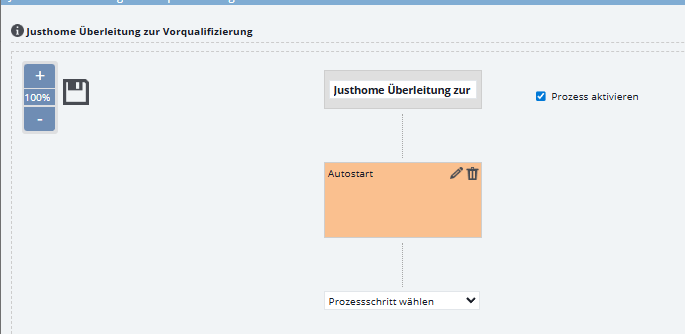
1. Process Step: Set up autostart
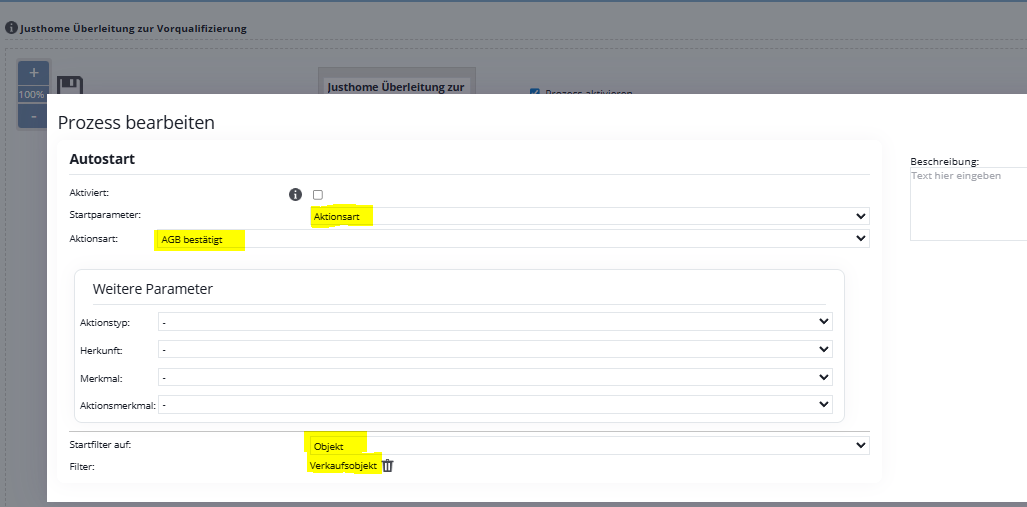
Then follow the steps below – you will find explanatory screenshots underneath:
- Select process step
- Start parameter: Activate autostart (see screenshot)
- Type of action: General Terms and Conditions confirmed (see screenshot)
- Start filter on ‘Property’
- If you are not only marketing properties for sale but also properties for rent, we also recommend using a property filter so that the process only starts for properties for sale.
2. Process Step: Select e-mail
In the second process step, you define which email is to be sent when and by whom:
- Select the “E-mail” option as the process step
- Fill in the fields according to the template (see screenshot below)
A note on this: You can either use the Justhome template from the “oO Marketplace templates” folder or you can copy the email template into one of your folders first so that you can customize the text to your liking. - Save the process.
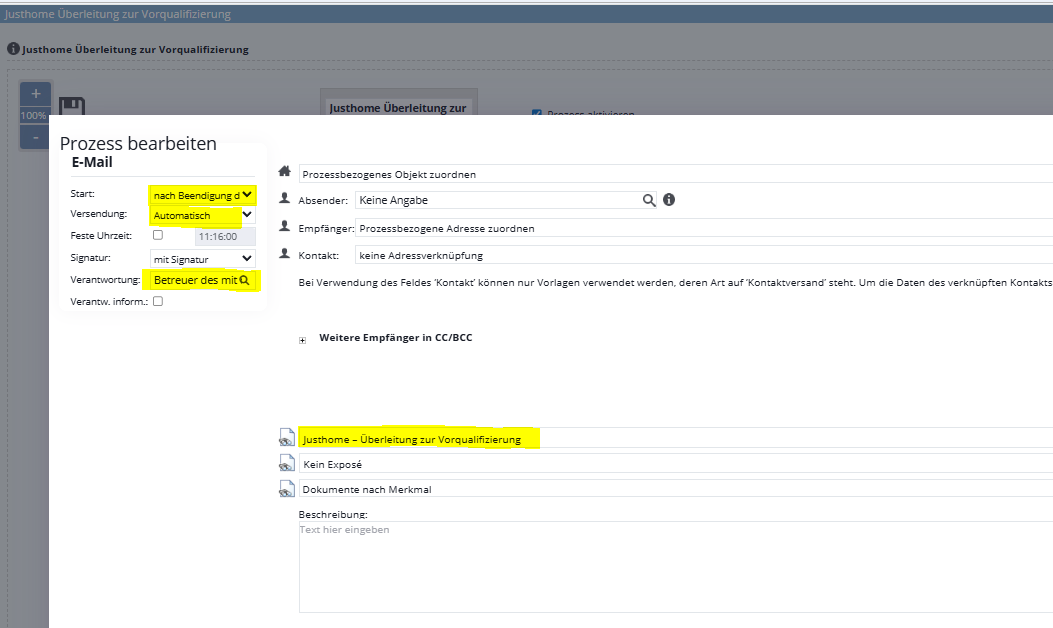
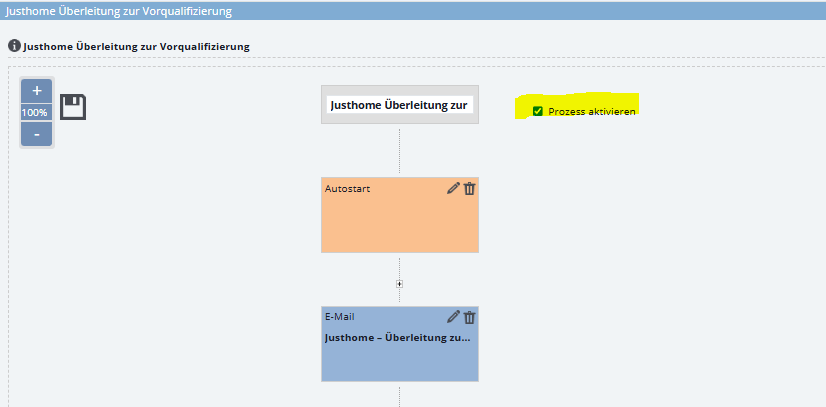
Very important at the end: Check that the process is activated ✅.
Support & Contact
If you have any questions during setup or use, our team will be happy to help you at any time.
Navigation through the Justhome app with explanations can be found via the following link:
More information in the demo appointment: Book a demo
Please do not hesitate to contact us – we will provide you with competent and reliable support in all matters relating to integration and application.