
 Entry
Entry Dashboard
 Contacts
 Properties
 Email
Email Calendar
 Tasks
Tasks Acquisition Cockpit
 Audit-proof mail archiving
 Automatic brochure dispatch
 Billing
 Groups
 Intranet
 Marketing Box
 Marketplace
 Multi Property module
 Multilingual Module
 onOffice sync
 Presentation PDFs
 Process manager
 Project Management
 Property tracking
 Property value analyses
 Enquiry Manager
 Showcase TV
 Smart site 2.0
 Statistic Tab
 Statistics toolbox
 Success Cockpit
 Time Tracking
 Address from clipboard
 Text block
 Customer communication
 External Tools
 Favorite links
 Calculating with formulas
 Mass update
 onOffice-MLS
 Portals
 Property import
 Quick Access
 Settings
 Templates
 Step by step


You are here: Home / Additional modules / Marketplace / Provider overview / More at Home - Cost estimate for property renovations

Marketplace
More at Home – Cost estimate for property renovations
Description
More deals, less uncertainty – with the renovation calculator from More at Home.
As a real estate agent, you know the key questions your clients ask: What does the renovation really cost? Is it worth buying? This is exactly where we come in. Our digital renovation calculator provides well-founded, realistic cost estimates in seconds – directly in conversation with your prospects.
You immediately create transparency, build trust and position yourself as a competent consultant instead of a mere intermediary. Buyers receive a clear basis for decision-making, sellers benefit from better marketing and higher closing rates.
Your advantage: faster decisions, more deals and a clear competitive advantage in acquisition.
More at Home turns questions into concrete figures – and viewings into successful deals.
Activation
Simply activate More at Home for free here in the Marketplace. You will then find the service in every property.
Utilization:
1. Open service
Call up the More at Home renovation calculator from the action bar of a property.
2. Create property
The existing data for the property is imported directly from onOffice and made available to you. Missing information is queried in the renovation calculator.
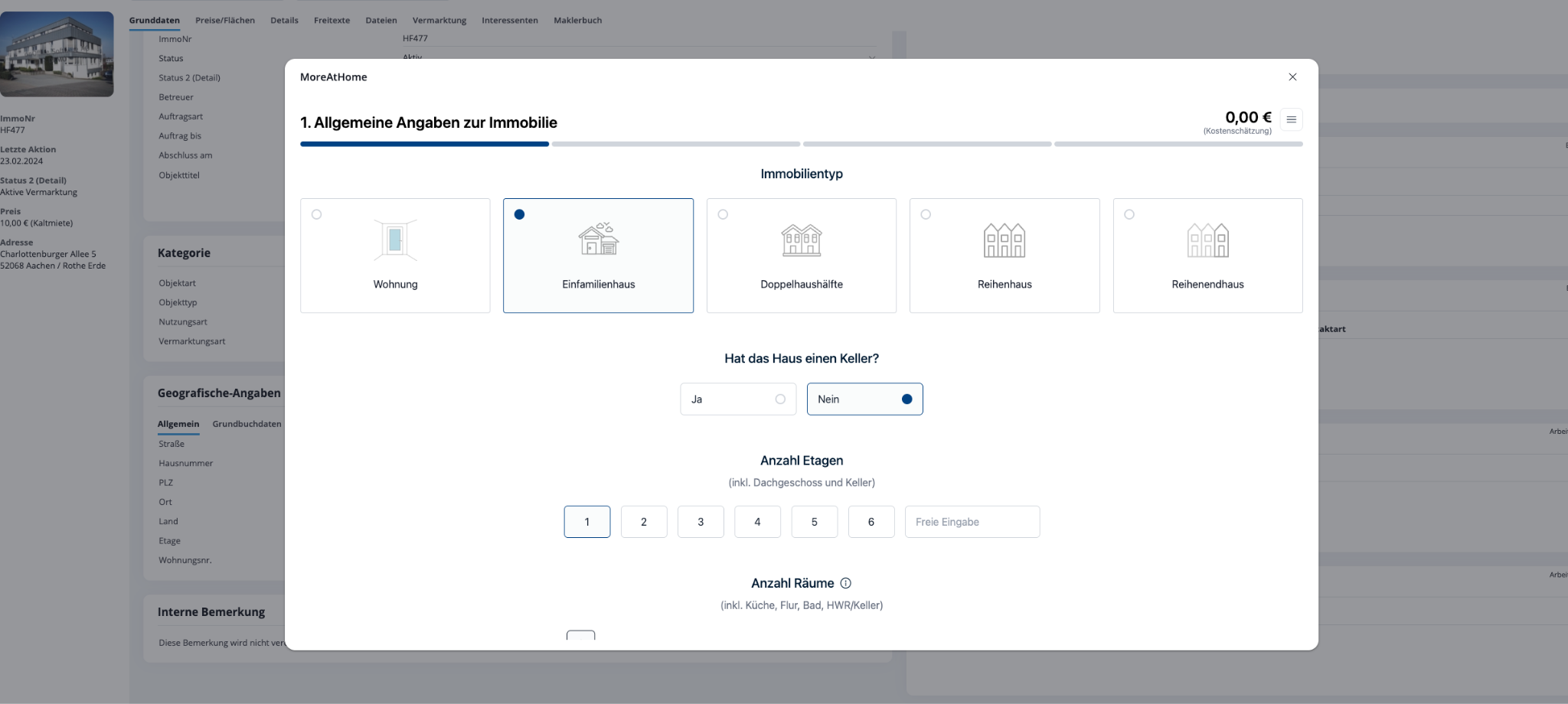
3. General data
In the first step, you enter the property data that has not yet been submitted. Among other things, the number of floors, the rooms, the year of construction and the quality of the refurbishment to be carried out.
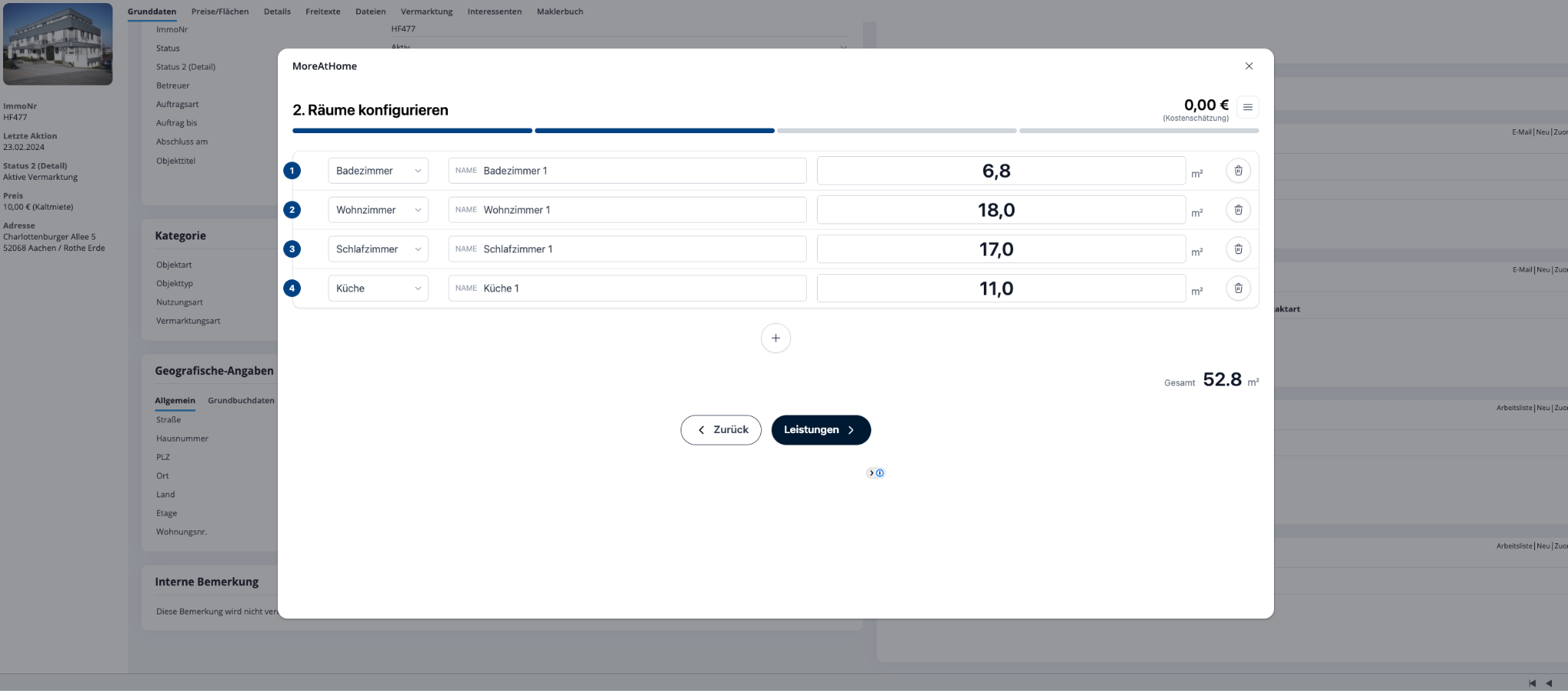
4. Rooms
In the next step, you have the option of entering the sizes of the individual rooms. You can also select which room it is and assign a suitable name if required.
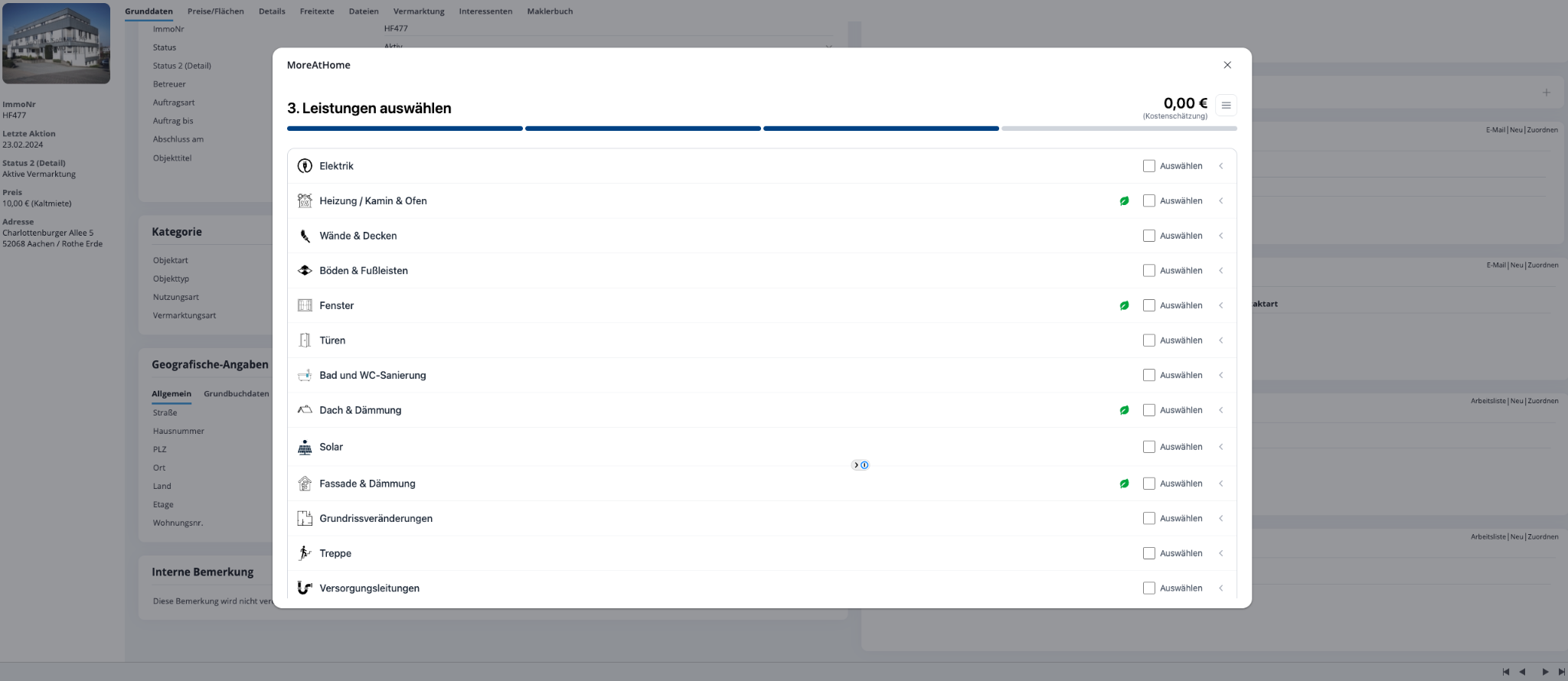
5. Select services
In the following step, you can now select which renovations are to be carried out on the property.
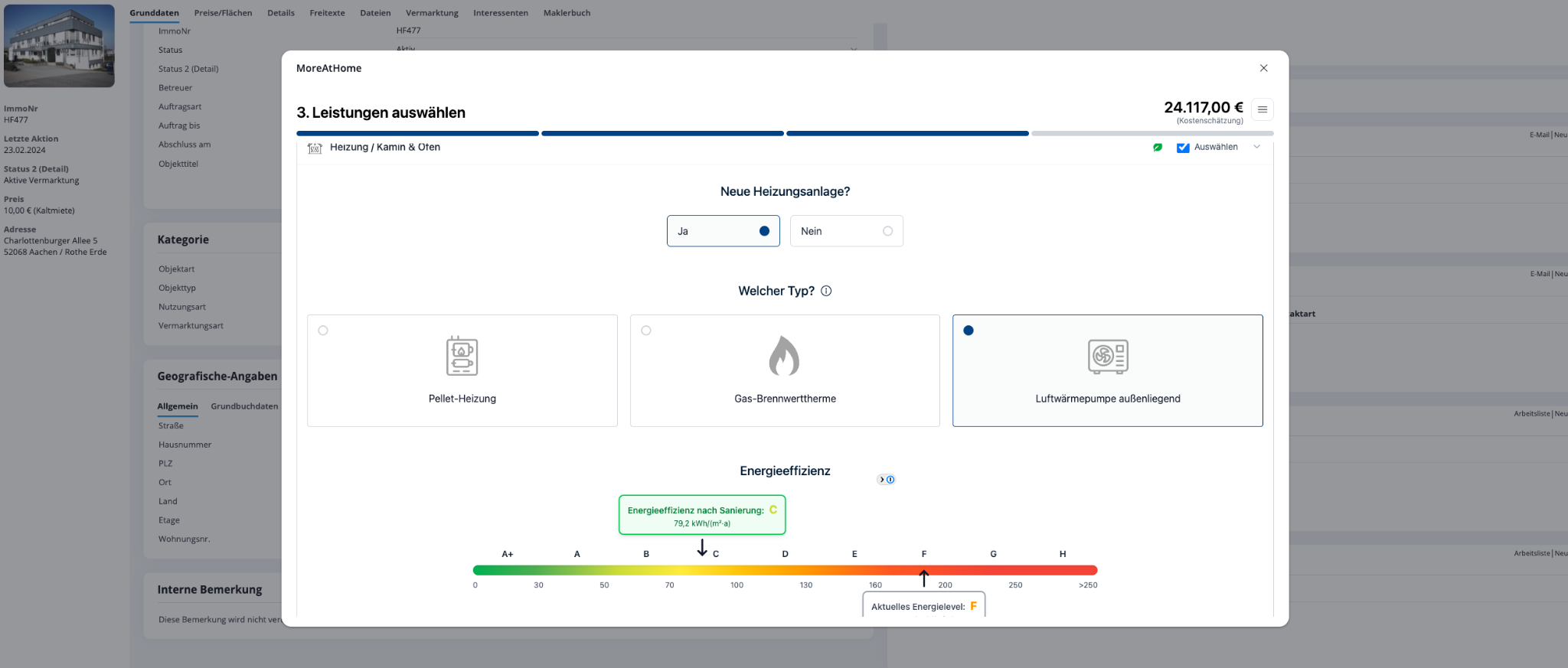
6. Services
Now you can select the parameters and refurbishment requests for each selected service. The renovation calculator provides you with the immediate renovation result in euros at the top right.
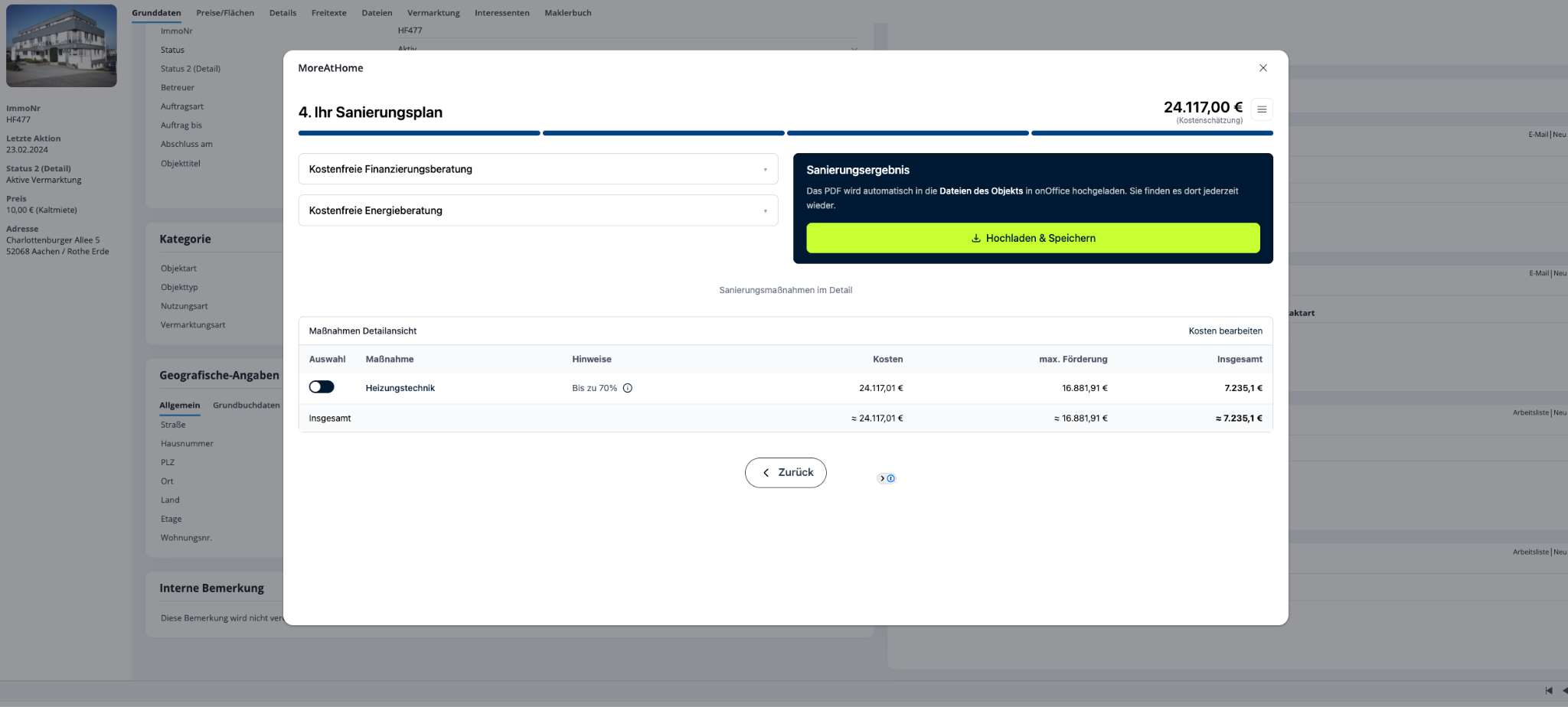
7. Renovation plan
In the last step, you have the option of saving the renovation calculation or cost estimate and downloading it directly.
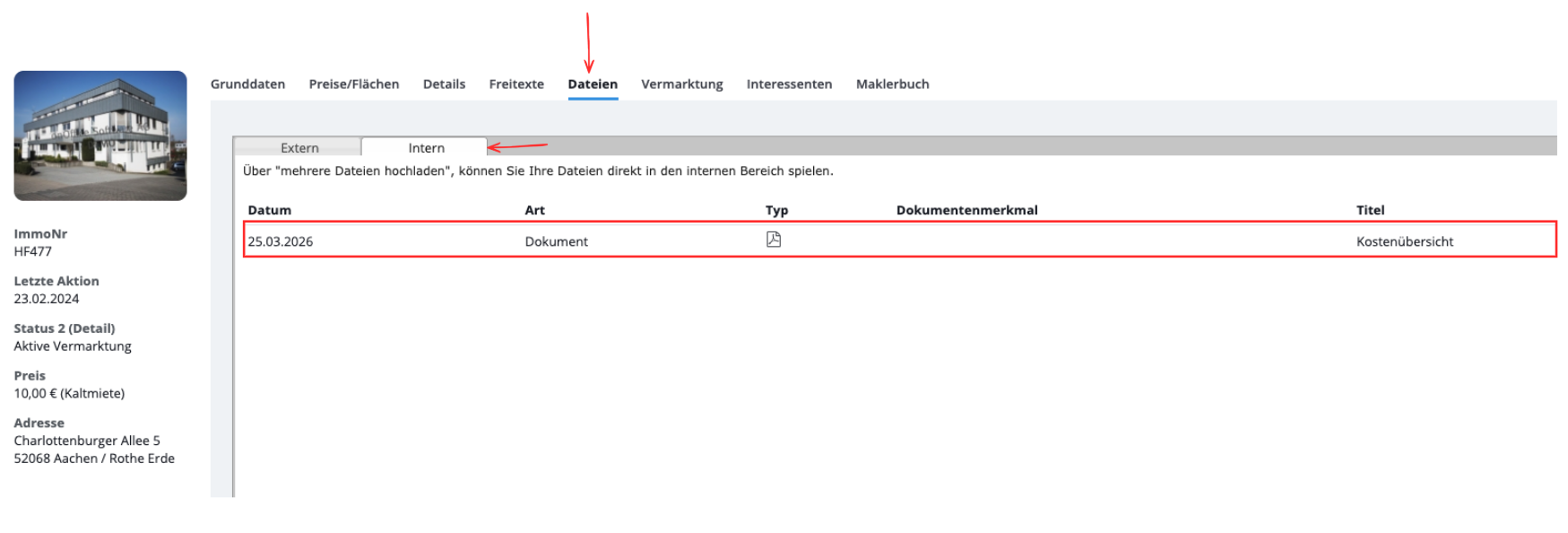
8. Files
In your property, you will find the cost estimate under Files -> Internal
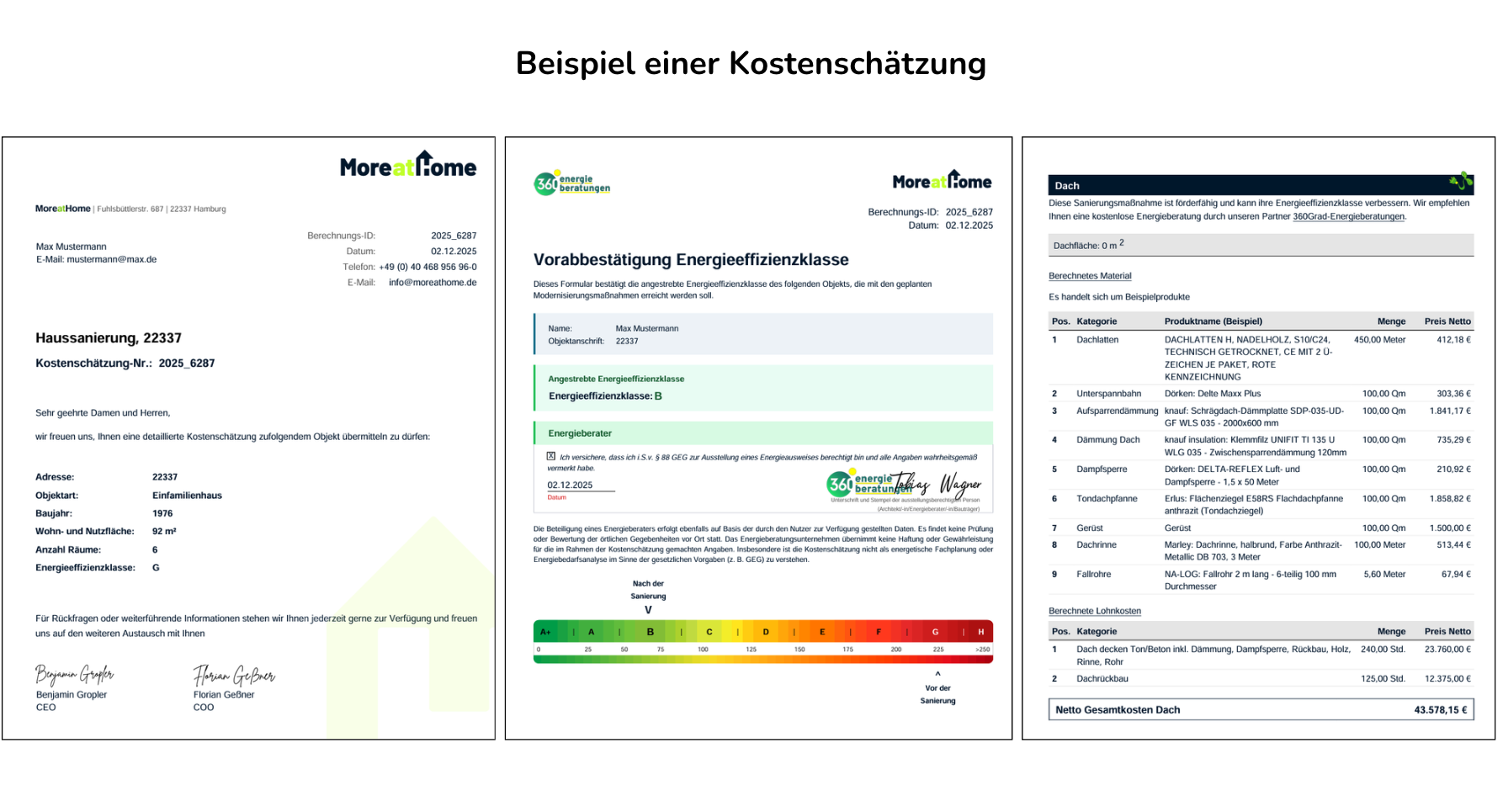
9.. Cost estimate
You will receive a comprehensive and detailed cost estimate as a PDF document.