 Entry
Entry Dashboard
 Contacts
 Properties
 Email
Email Calendar
 Tasks
Tasks Acquisition Cockpit
 Audit-proof mail archiving
 Automatic brochure dispatch
 Billing
 Groups
 Intranet
 Marketing Box
 Marketplace
 Multi Property module
 Multilingual Module
 onOffice sync
 Presentation PDFs
 Process manager
 Project Management
 Property tracking
 Property value analyses
 Enquiry Manager
 Showcase TV
 Smart site 2.0
 Statistic Tab
 Statistics toolbox
 Success Cockpit
 Time Tracking
 Address from clipboard
 Text block
 Customer communication
 External Tools
 Favorite links
 Calculating with formulas
 Mass update
 onOffice-MLS
 Portals
 Property import
 Quick Access
 Settings
 Templates
 Step by step


You are here: Home / Additional modules / Marketplace / Provider overview / on-geo GmbH - Lora real estate agent valuation

Marketplace
on-geo GmbH – Lora real estate agent valuation
Introduction
Imagine if there were a tool that automatically provided you with all the relevant data, enabling you to perform well-founded real estate appraisals in just a few minutes. Sounds like the future? That future is here now, and it’s called Lora Real Estate Agent valuation.
The Lora Real Estate agent valuation tool generates semi-automated appraisals based on the cost approach, income approach, and sales comparison approach, and automatically populates property values, market adjustments, rents, property capitalization rates, and comparable values as suggested values. No research required, no complexity.
With just a few clicks, you can integrate land registry extracts, information on contaminated sites, maps, and micro-, macro-, and housing market analyses from across Germany.
Whether it’s a real estate agency, an individual real estate agent, or as a supplement to your core business: Get fast, reliable results for your property listings with the Lora Agent Rating. Versatile enough to use in the office or on the go.
Activation
You can easily activate on-geo here in the Marketplace.
Use
Viewing the Lora real estate agent valuation from onOffice
1) In the action bar within the property listing, click “on-geo GmbH” and select “Lora Agent valuation”
.png)
2) Enter your username and password, then click Log In

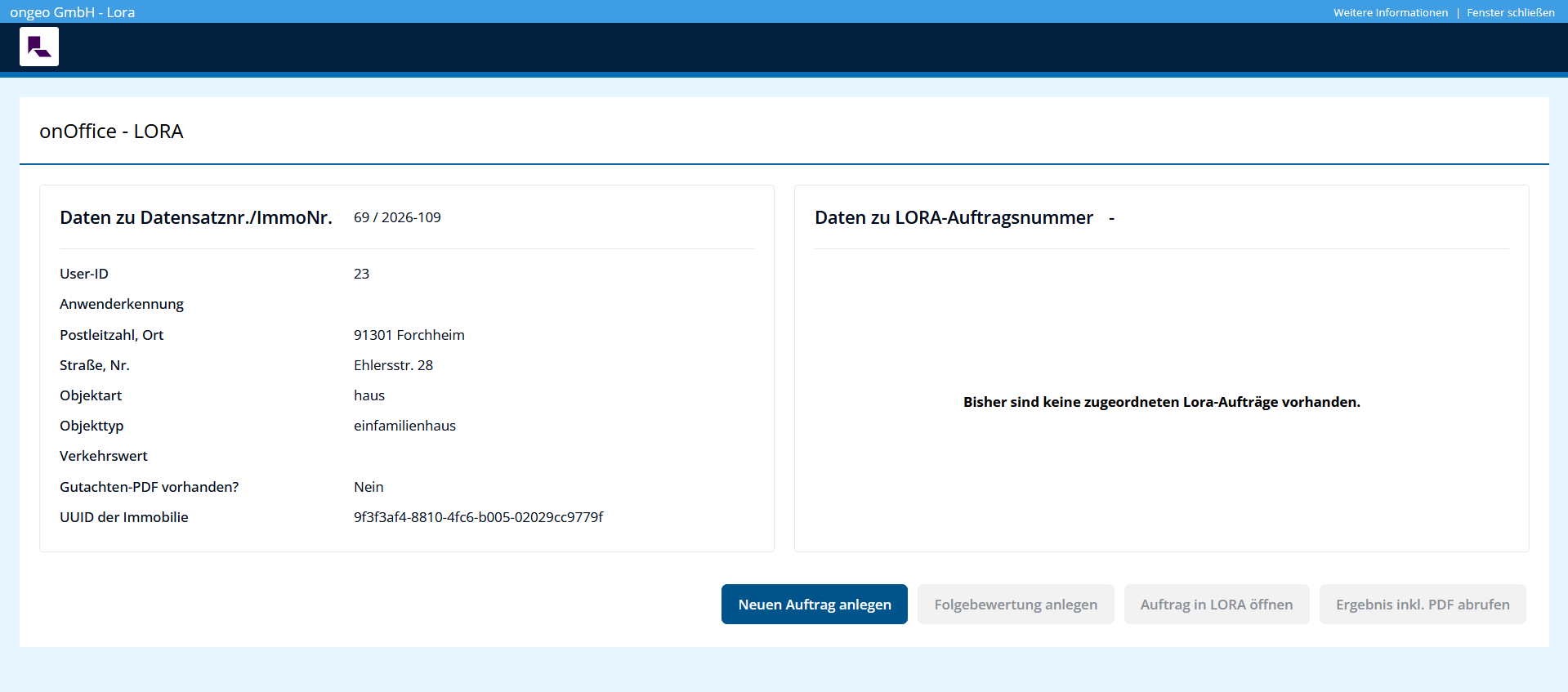
3) Click Create New Order
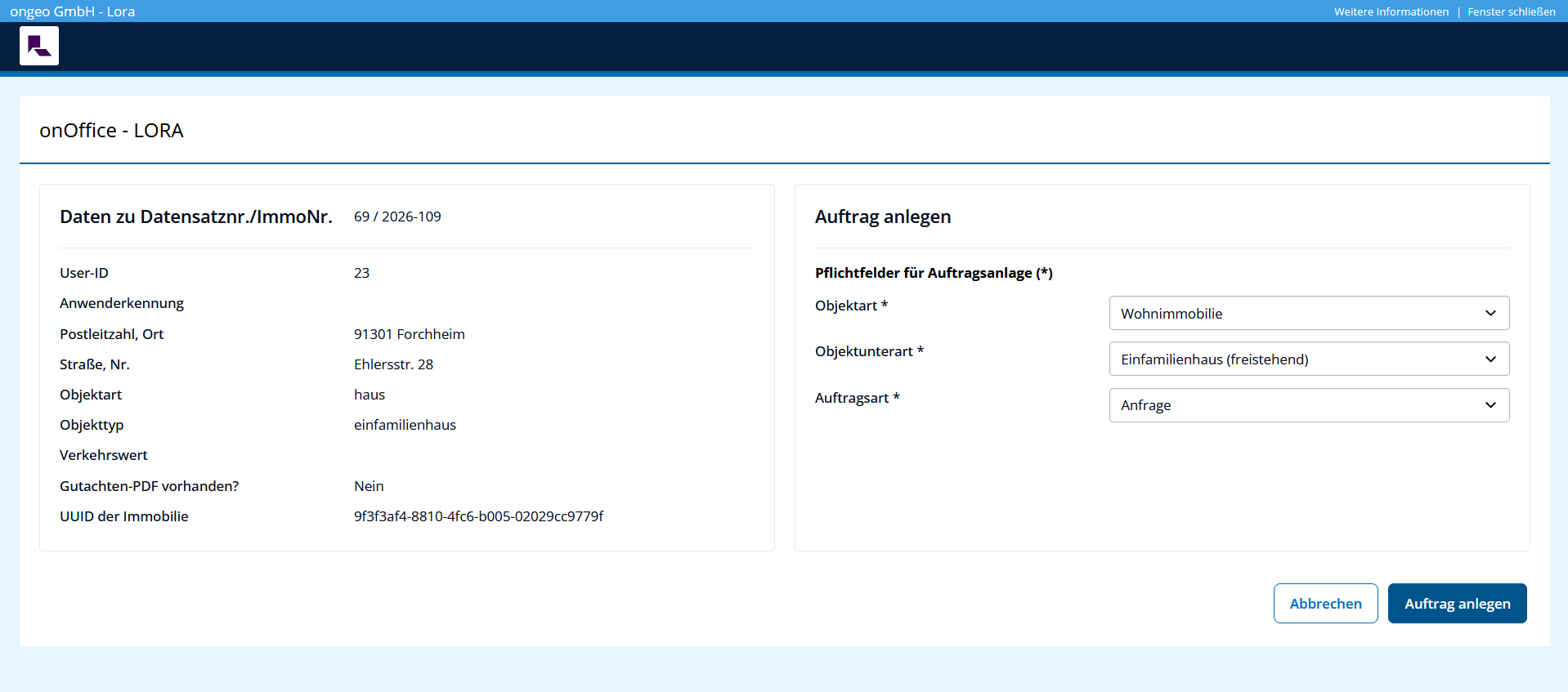
4) Click Create Order if the property details (property type*, etc.) are correct
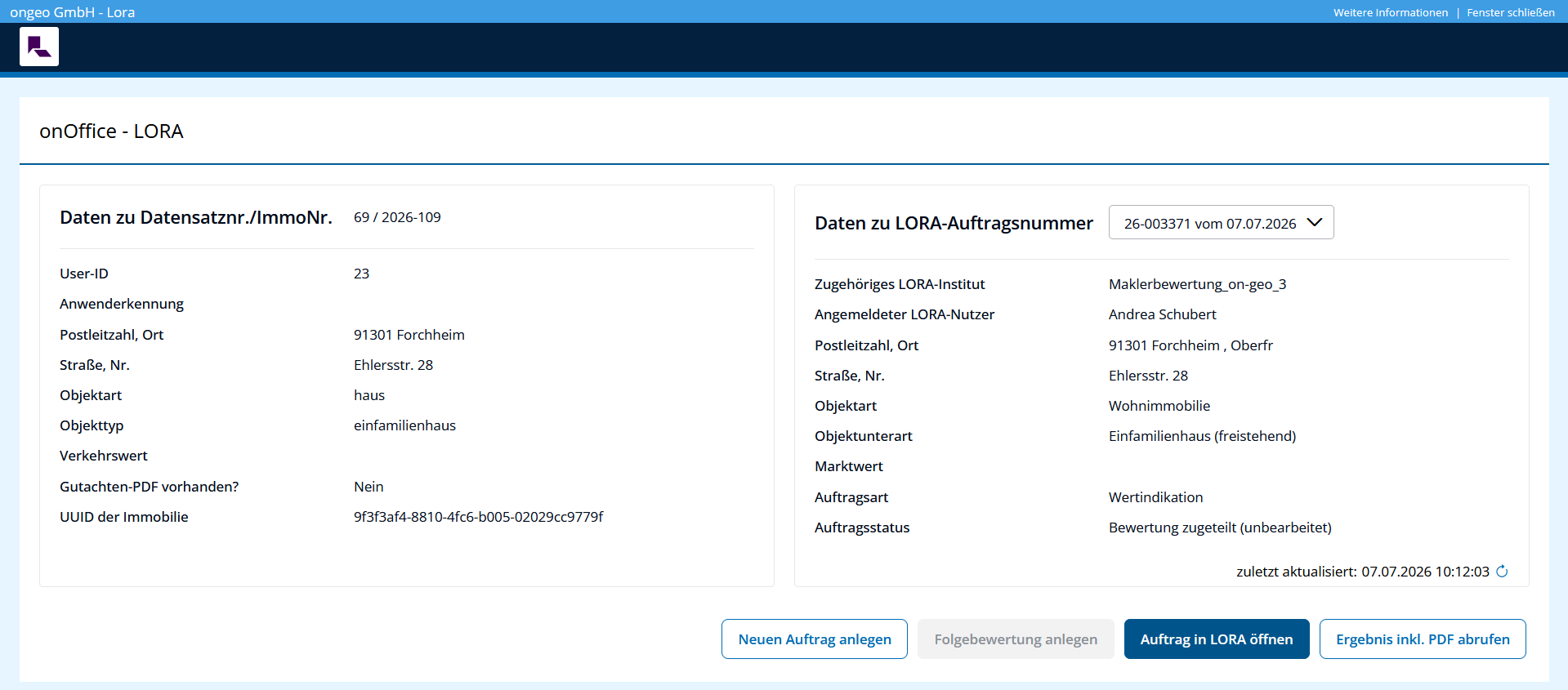
5) Click Open Order in LORA
6) Conduct an evaluation using the Lora Real Estate Agent Evaluation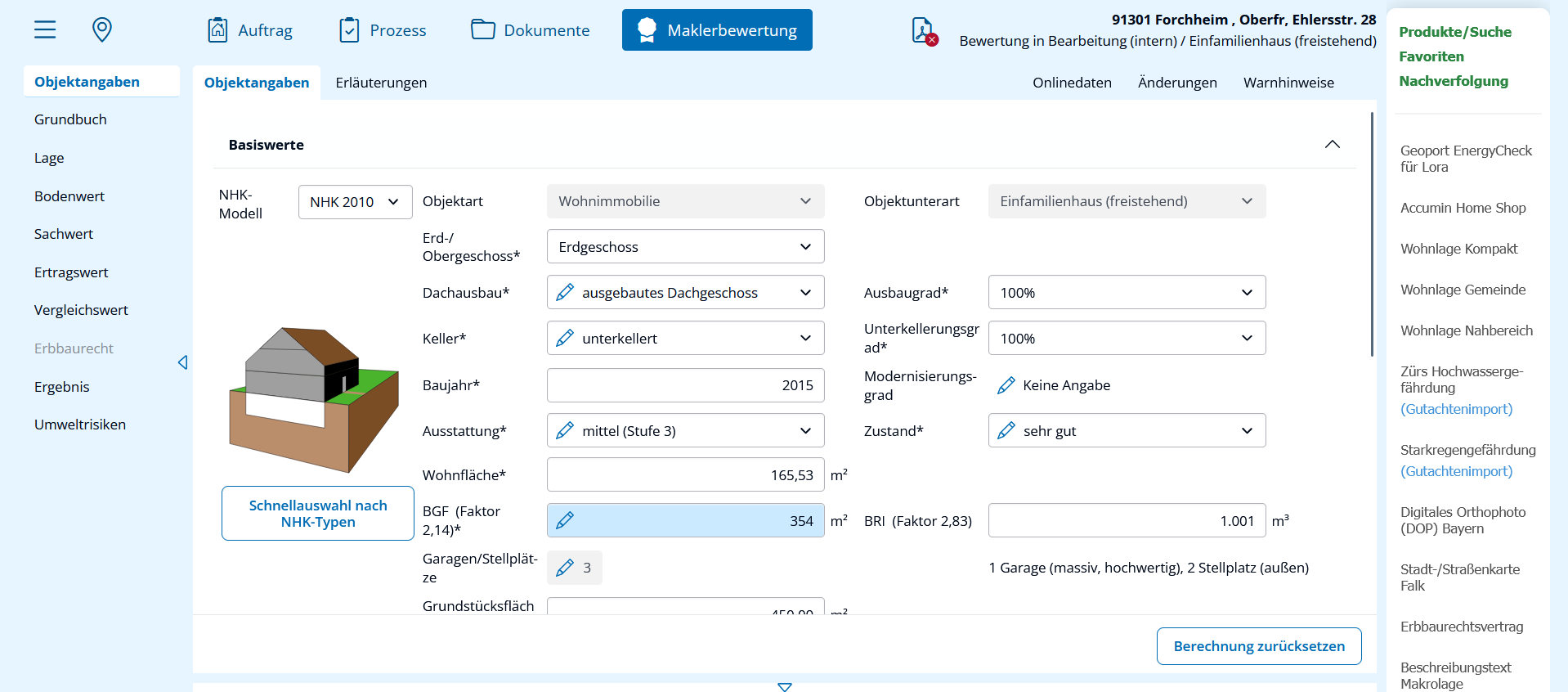
7) Click on Result and generate a market value estimate as a PDF printout
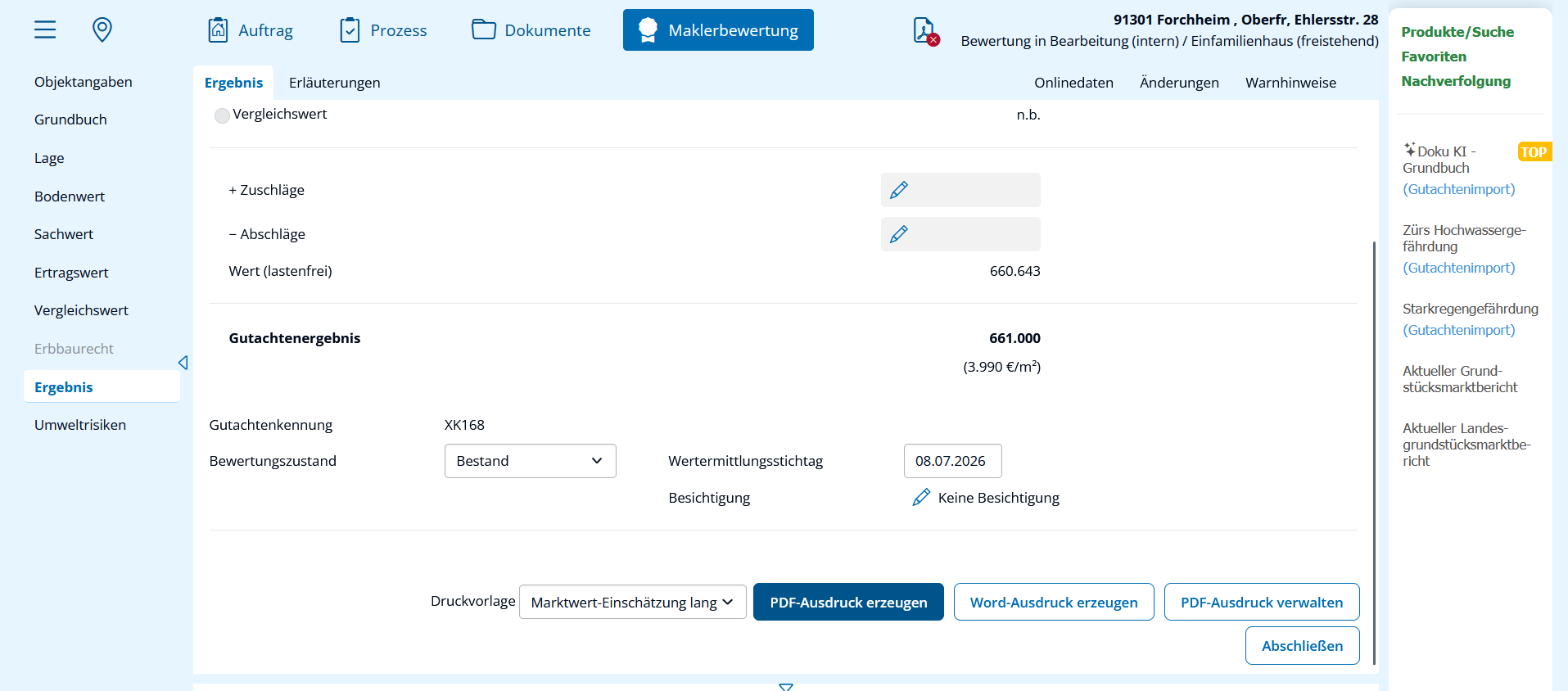
To access Lora from onOffice
Once the real estate agent evaluation in Lora has been completed (with the status “Assignment Completed”), the following functions can be used when accessing the same property again from onOffice:
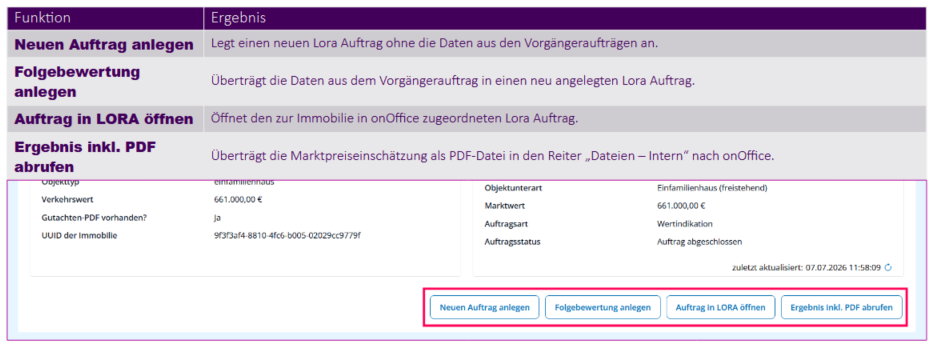
Additional information on calling Lora from onOffice
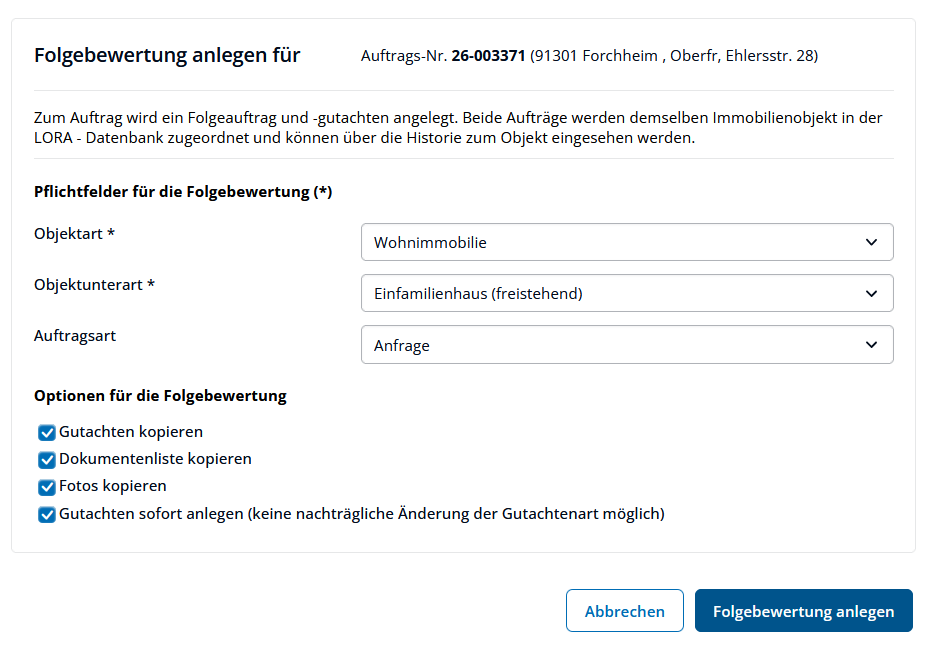
Create a Follow-Up Valuation
- transfers the data from the previous order to a newly created Lora order.
- The following can be changed for the subsequent order:
- Property type,
- Property subtype and
- Order Type
- The following items can be carried over to the next order:
- Expert report data,
- Document lists (documents) and
- Photos
- The “real estate agent valuation” appraisal type generally cannot be changed.
View results (including PDF)
- Exports the market price estimate as a PDF file to the “Files – Internal” tab in onOffice
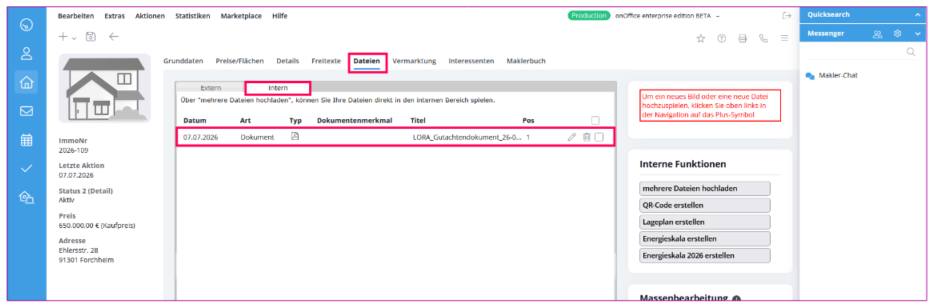
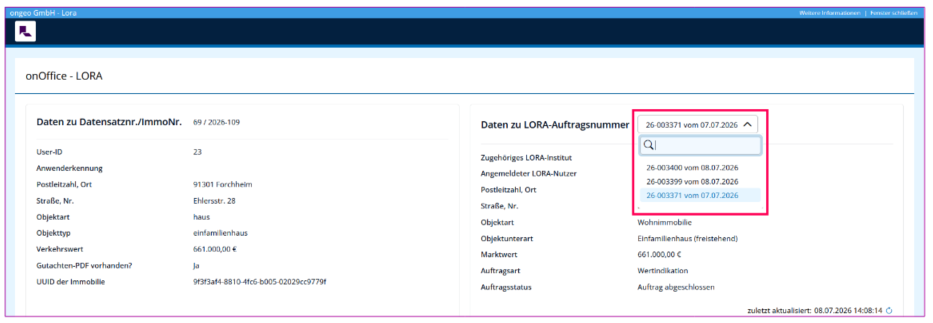
- If there are already multiple LORA orders for a property in onOffice, they can be viewed under “Data for LORA Order Number”: