

You are here: Home / Additional modules / Marketplace / Provider overview / shadowmap - Create an interactive 3D sun simulation
Marketplace
shadowmap – Create an interactive 3D sun simulation
Inhaltsverzeichnis
Description
Enhance your property listings with Shadowmap’s 3D sun simulation and provide your clients with maximum transparency. This integration helps attract more attention and generate more inquiries for your property.
Shadowmap visualizes the sun’s path and shadow patterns for each property—every day of the year. Embedded directly in the property listing, prospects can immediately understand a property’s lighting conditions—a crucial factor in purchasing decisions.
Your benefits:
- Interactive 3D Sun Simulation
- A Better Understanding of the Property for Buyers
- Greater visibility and more inquiries
- Available worldwide for any address
- Easy integration into your property listing
Stand out from the competition and turn sunlight into a real selling point.
Activation
You can easily activate shadowmap here in the Marketplace.
Utilization
Once activated, Shadowmap is available directly within each unlocked property.
With just a few clicks, you can simulate the sun’s path for any given day, analyze the shadow pattern, create a shareable link for prospective buyers, and copy an HTML embed code for your website.
Activation is a one-time fee of €24.99 (net) per property. The solar simulation will then remain available for the entire life of the property.
Instruction
Step 1 – Open Shadowmap
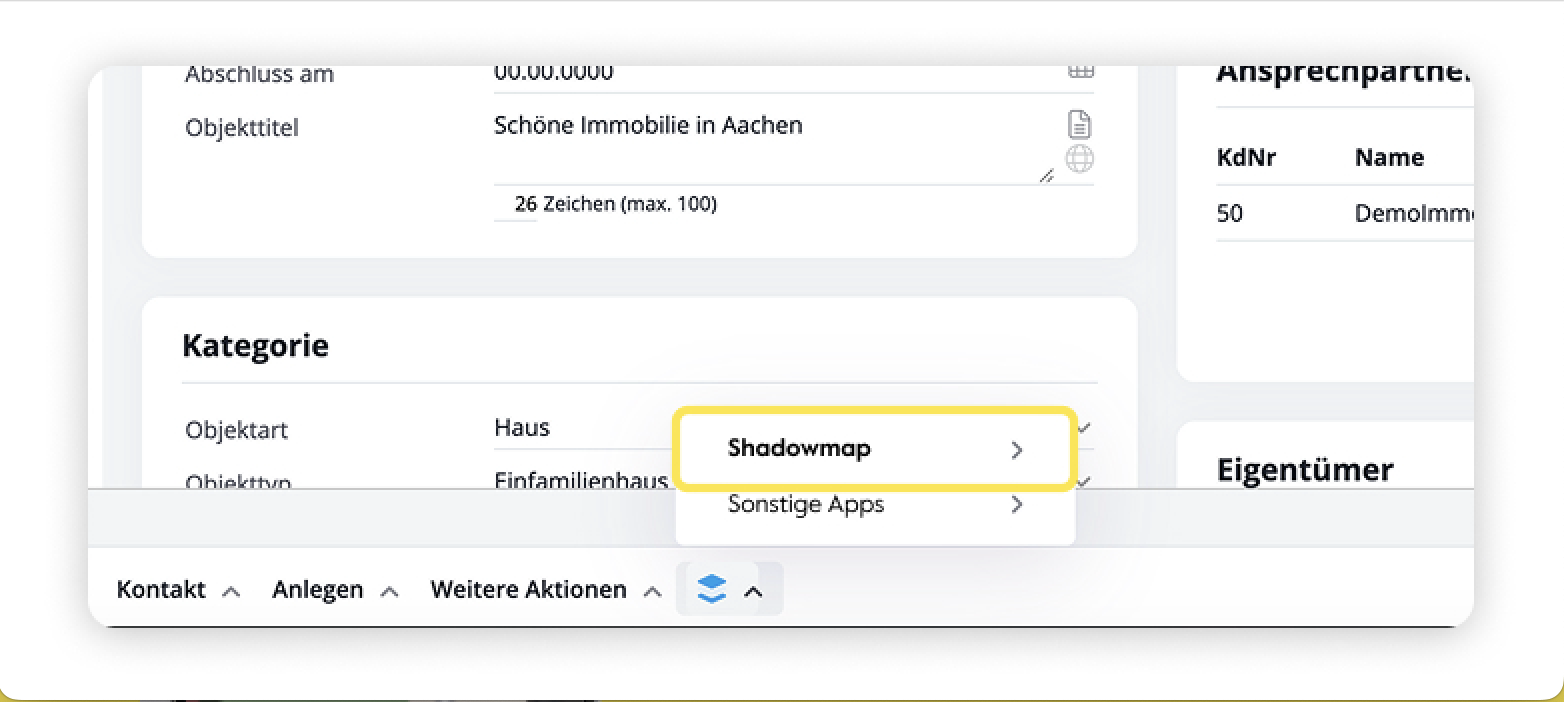
Open the desired property in onOffice and select “Shadowmap” from the property menu.
Step 2 – Start the sun simulation
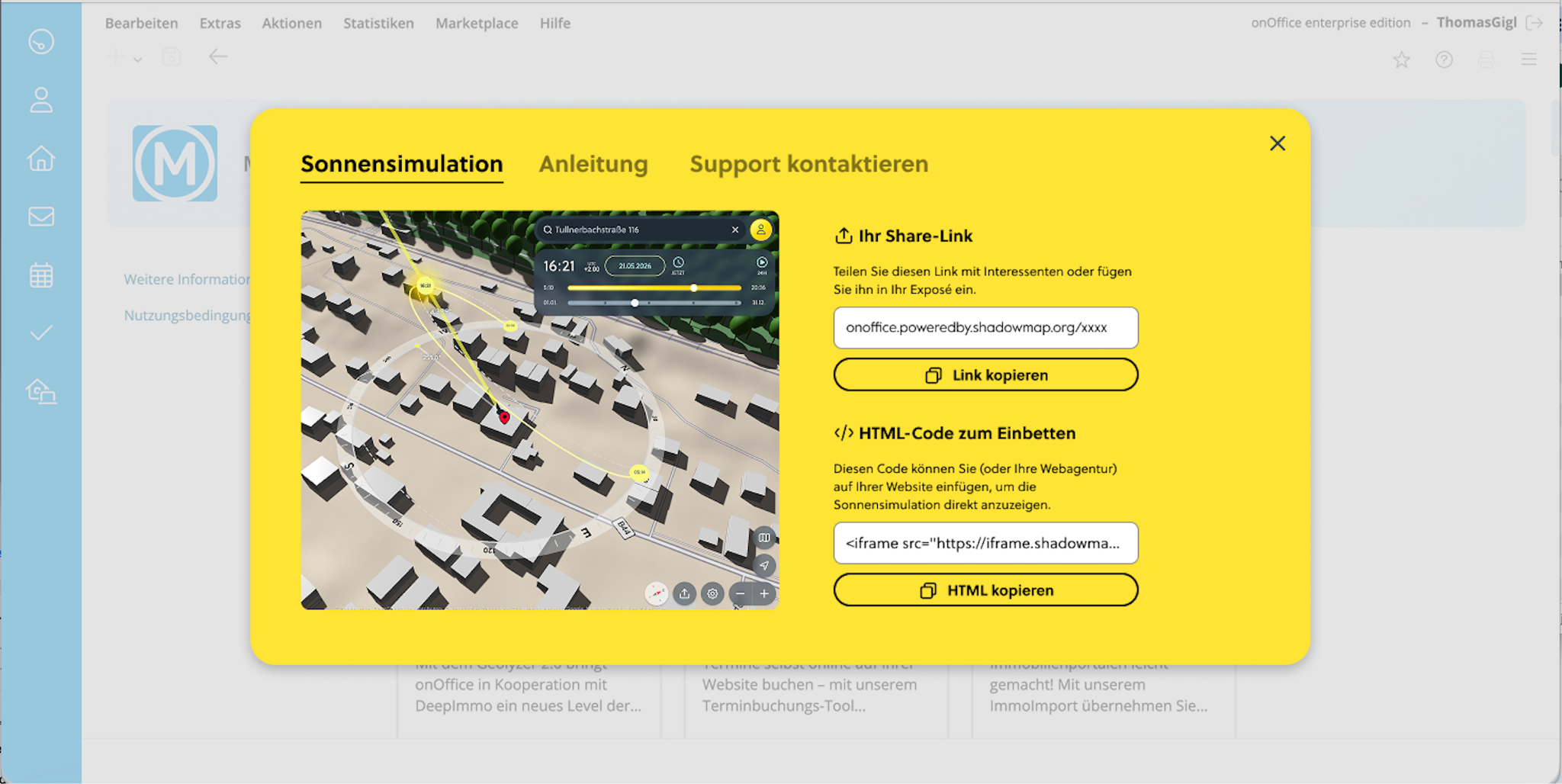
Once you open it, the interactive sun simulation appears. By entering a date and time, you can simulate the sun’s path and shading conditions for any given time.
Step 3 – Use the Sharing Link
In the right-hand pane of the interface, you’ll find the automatically generated sharing link. You can send this directly to prospective buyers or include it in your property listing.
Step 4 – Embed HTML Code
An HTML embed code (iFrame) is also available. This allows you to embed the sun simulation directly on your website or a property page.
Step 5 – Find Links in the Listing
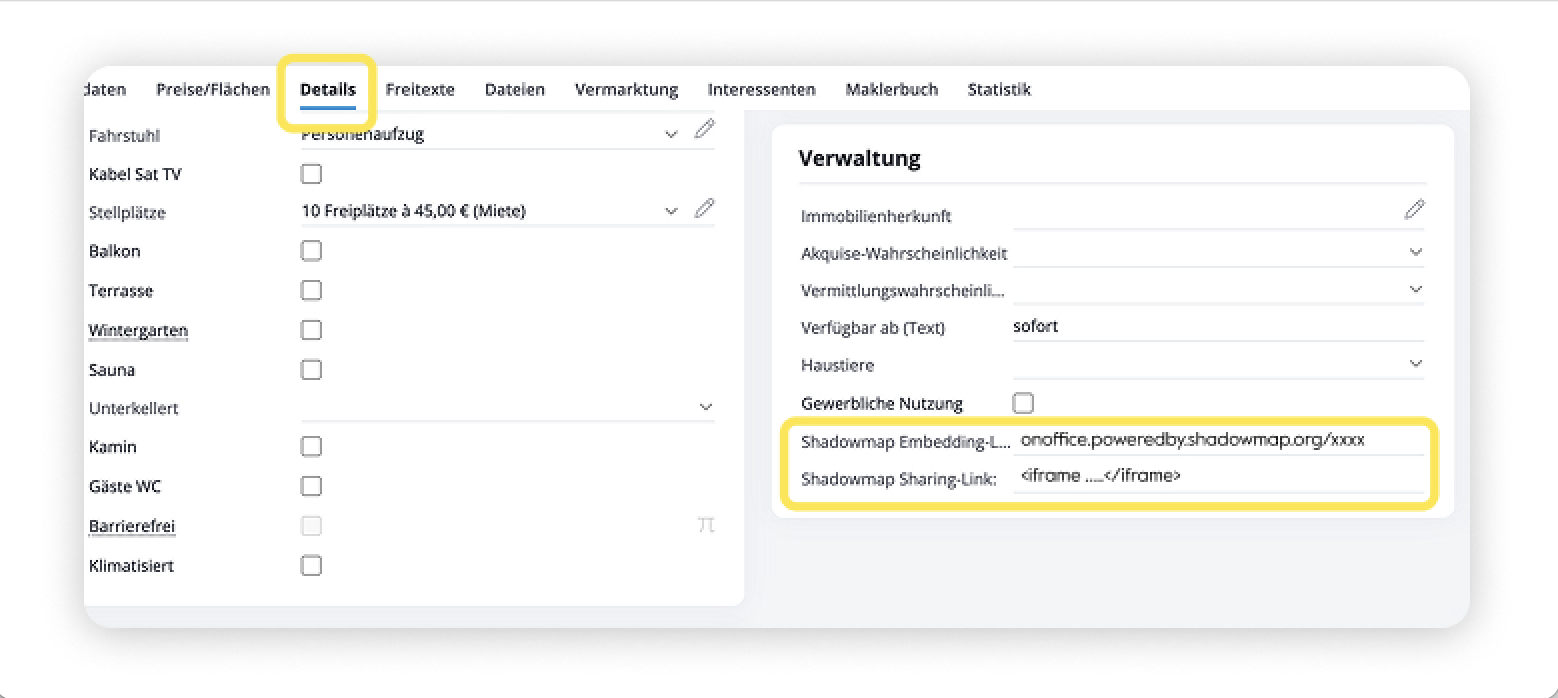
The sharing link and the HTML embed code are also saved directly in the property listing and can be accessed at any time in the “Details” tab.
Support
If you have any questions about shadowmap integration, we’re happy to help.
Email: business@shadowmap.org
Web: https://shadowmap.org
- Value added tax on marketplace purchases
- Assign debits via reference ID
- Provider overview
- Casafari - AI meta property search
- onpreo - Property acquisition
- Wordliner - Acquisition marketing software
- onOffice Services - DocuSign Connector - digital signatures
- onOffice Services - WKO Marketplace - Portal for joint business in Austria (MLS)
- onOffice Services - Zapier - Data exchange and automation
- PriceHubble Deutschland GmbH - Interactive property value analysis
- propform.io - Webforms
- PropNow - Digital quotation process
- PROPUP - Digital form & workflow management
- Residenture - Online auction platform
- onOffice Services - Gender API
- Sprengnetter property Valuation
- Sprengnetter - Real estate valuation in Europe
- timum - sightseeing organizer
- Total Render - Floor Plans Italy
- ViertelCheck - Information on the micro and macro situation
- finioo - Application folder
- Justhome - Real estate financing
- BOTTIMMO - Marketing software and digital acquisition
- ESYSYNC - Display systems
- FPRE - property analysis and valuation
- Geolyzer - infrastructure data
- immo-billie - Digital bidding process
- Immogrundriss - Floor plans & visualizations
- AreaButler - Interactive maps and AI assistant
- Kerberos compliance management systems
- KIM real estate valuation
- Lead Import
- Tenant check - credit check of prospective tenants
- MYVIVENDA - Print on Demand
- onOffice Services - PhotoDesigner
- onOffice Services - AI-Writer - AI for property texts
- Service not usable?
- Use service
- Unlock/lock provider
- Manage account
- Create account

Entry
Dashboard
Contacts
Properties
Email
Calendar
Tasks
Acquisition Cockpit
Audit-proof mail archiving
Automatic brochure dispatch
Billing
Groups
Intranet
Marketing Box
Multi Property module
Multilingual Module
onOffice sync
Presentation PDFs
Process manager
Project Management
Property value analyses
Enquiry Manager
Showcase TV
Smart site 2.0
Statistic Tab
Statistics toolbox
Success Cockpit
Time Tracking
Address from clipboard
Text block
Customer communication
External Tools
Favorite links
Calculating with formulas
Mass update
onOffice-MLS
Portals
Property import
Quick Access
Settings
Templates
Step by step