 Entry
Entry Dashboard
 Contacts
 Properties
 Email
Email Calendar
 Tasks
Tasks Acquisition Cockpit
 Audit-proof mail archiving
 Automatic brochure dispatch
 Billing
 Groups
 Intranet
 Marketing Box
 Marketplace
 Multi Property module
 Multilingual Module
 onOffice sync
 Presentation PDFs
 Process manager
 Project Management
 Property tracking
 Property value analyses
 Enquiry Manager
 Showcase TV
 Smart site 2.0
 Statistic Tab
 Statistics toolbox
 Success Cockpit
 Time Tracking
 Address from clipboard
 Text block
 Customer communication
 External Tools
 Favorite links
 Calculating with formulas
 Mass update
 onOffice-MLS
 Portals
 Property import
 Quick Access
 Settings
 Templates
 Step by step


You are here: Home / Additional modules / Marketplace / Provider overview / HalloCleo - Voice Notes via WhatsApp

Marketplace
HalloCleo – Voice Notes via WhatsApp
Introduction
Save yourself 1 hour a day and still document more than ever before.
Cleo is your WhatsApp assistant for onOffice. After every customer interaction, simply record a short voice message—Cleo automatically recognizes the contact and the property, and creates notes, tasks, and appointments directly in your onOffice. No typing. No copy-and-paste. No follow-up care required.
Why real estate agents sell more successfully with Cleo:
- 1 hour saved per day—on average. Time you spend on prospecting and closing deals instead of on CRM maintenance.
- Speaking Instead of Typing—More Detailed, Faster, More Honest. In the car after the tour, between two appointments, over coffee.
- Comprehensive documentation—after every client meeting, every detail is entered into onOffice. Nothing is lost anymore; nothing is forgotten.
- Better understanding of customers = more sales. Those who know their customers better close deals faster. Cleo helps you keep track of all your information.
- Full transparency—every note, every task, and every appointment is documented in onOffice and can be easily tracked. For the team, too.
Hosted securely in Germany. GDPR-compliant. Ready to go in 5 minutes.
Activation
You can easily activate HalloCleo here in the Marketplace.
Use
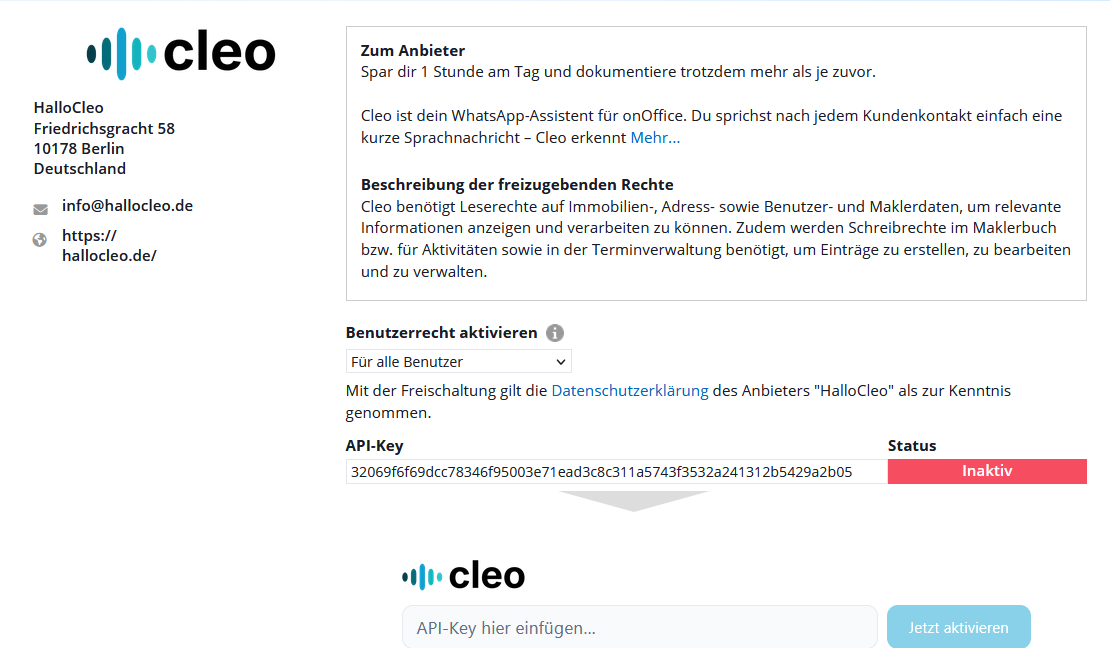
Step 1: Insert API Interface & Activate Cleo
To enable data exchange, Hallocleo must be authorized in your onOffice environment.
- Copy your personal API key from the onOffice settings.
- Paste it into the “cleo” section and confirm by clicking “Activate Now”.
Step 2: Navigate to the cleo Dashboard in OnOffice
Once activated, you can manage Hallocleo directly from within onOffice.
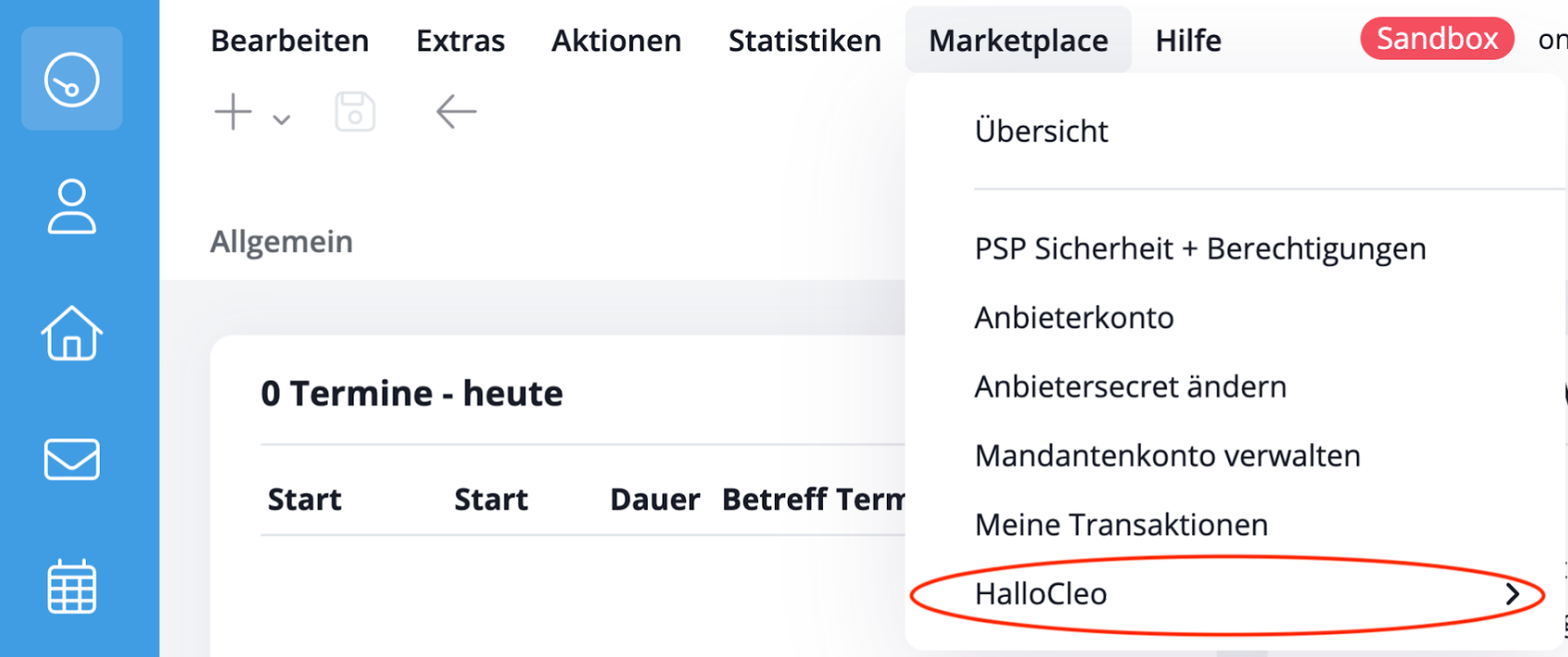
- Immediately after activation, click “Go to Service.”
- Alternatively, you can access the dashboard at any time via the menu: Marketplace → HalloCleo → Open HalloCleo or the action bar in the Contact or Property module.
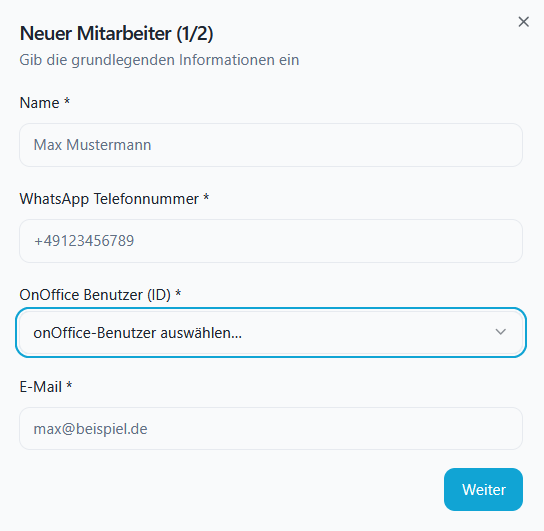
Step 3: Create & Configure Employees
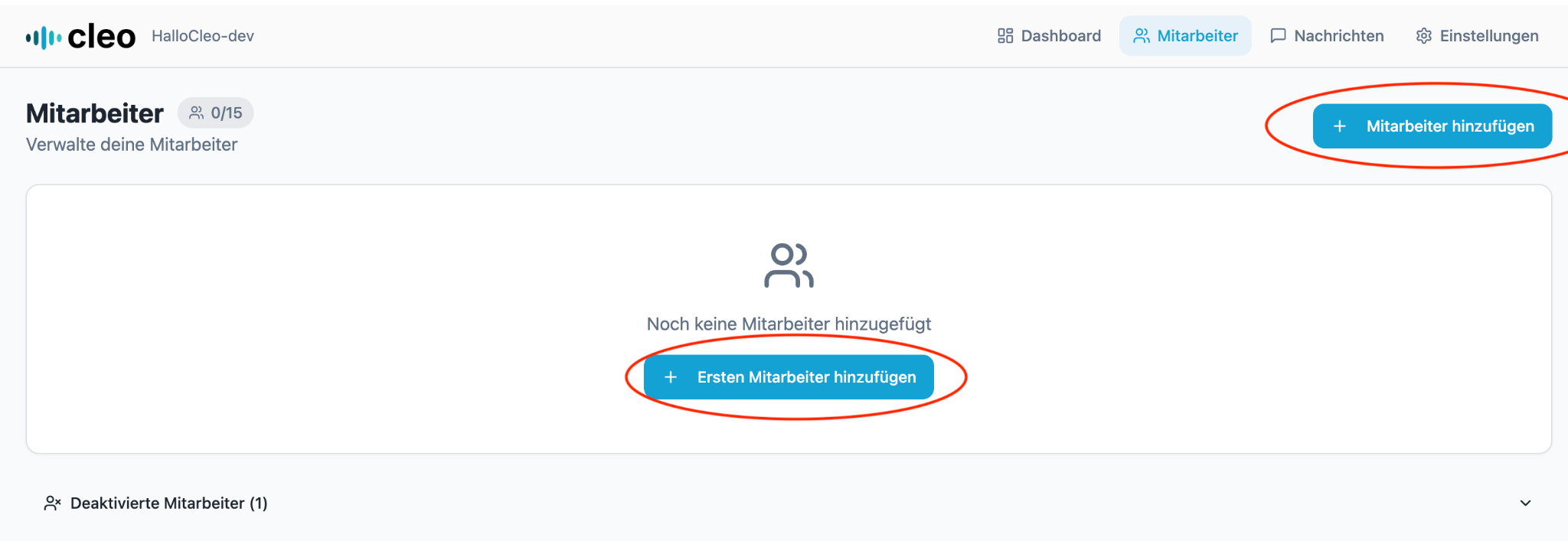
To ensure that the AI can correctly assign your voice messages, user profiles must be set up.
- On the dashboard, click “Add Employee”.
- Enter Master Data: Enter the name and the WhatsApp phone numberthat the employee uses for sending messages.
- onOffice integration: Select the desired onOffice user from the drop-down menu. If you’re unsure, you can also identify the desired employee based on the onOffice user ID (in parentheses after the employee’s name). You can find these under Tools → Preferences → Users.
- Optional integrations: You can also enable email or calendar integration (e.g., Outlook/Gmail).
Step 4: Save Cleo’s Number & First Test
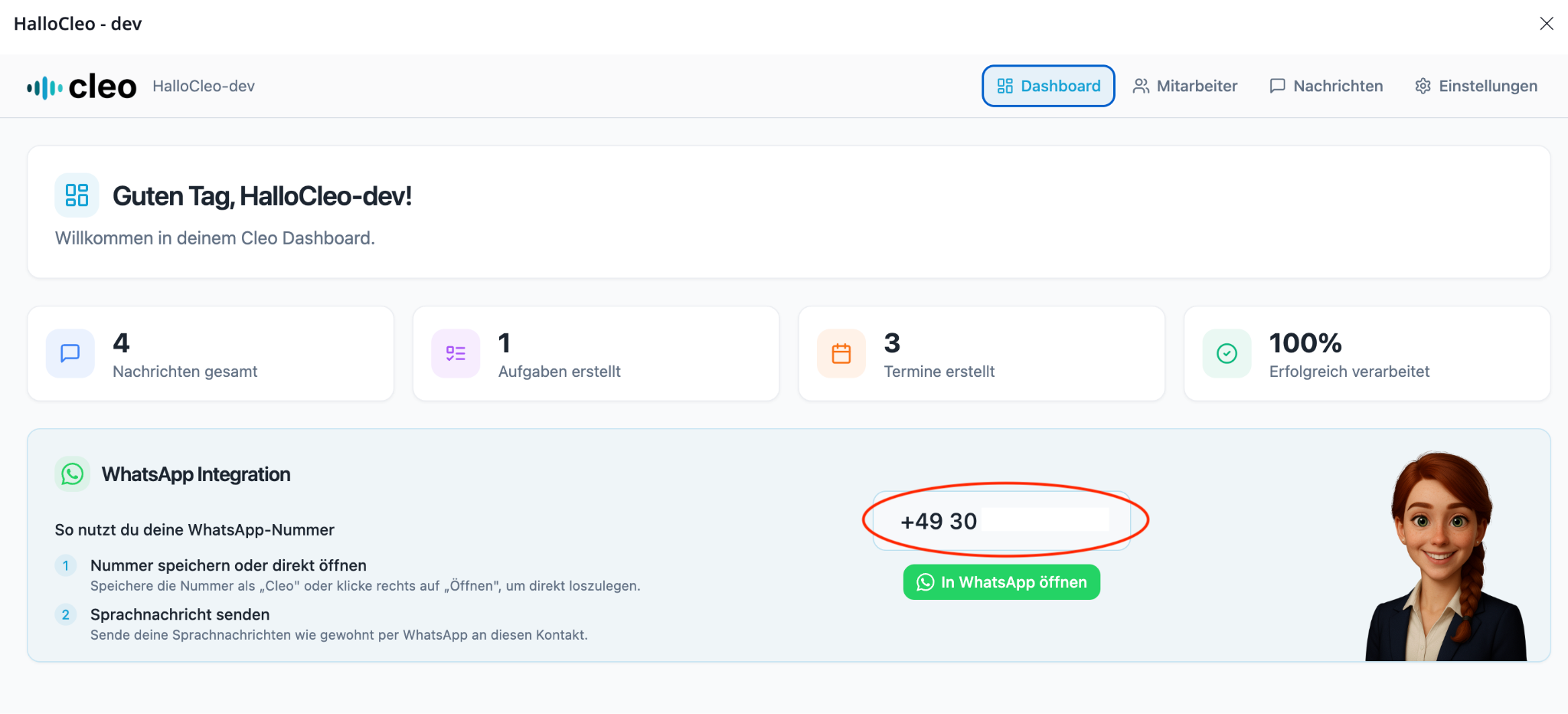
The final step takes place on your smartphone.
- Your personal WhatsApp integration number is displayed in the dashboard.
- Save this number as a contact (e.g., “Hallocleo AI”) in your cell phone.
- Send your first voice message to this contact. The AI automatically processes the message and records it in the onOffice activity log.
Step 4: Results Check in onOffice & Dashboard
After you send your first voice memo, the AI processes it in a matter of seconds and transfers the structured data directly to your CRM.
1. Monitoring in the Hallocleo Dashboard
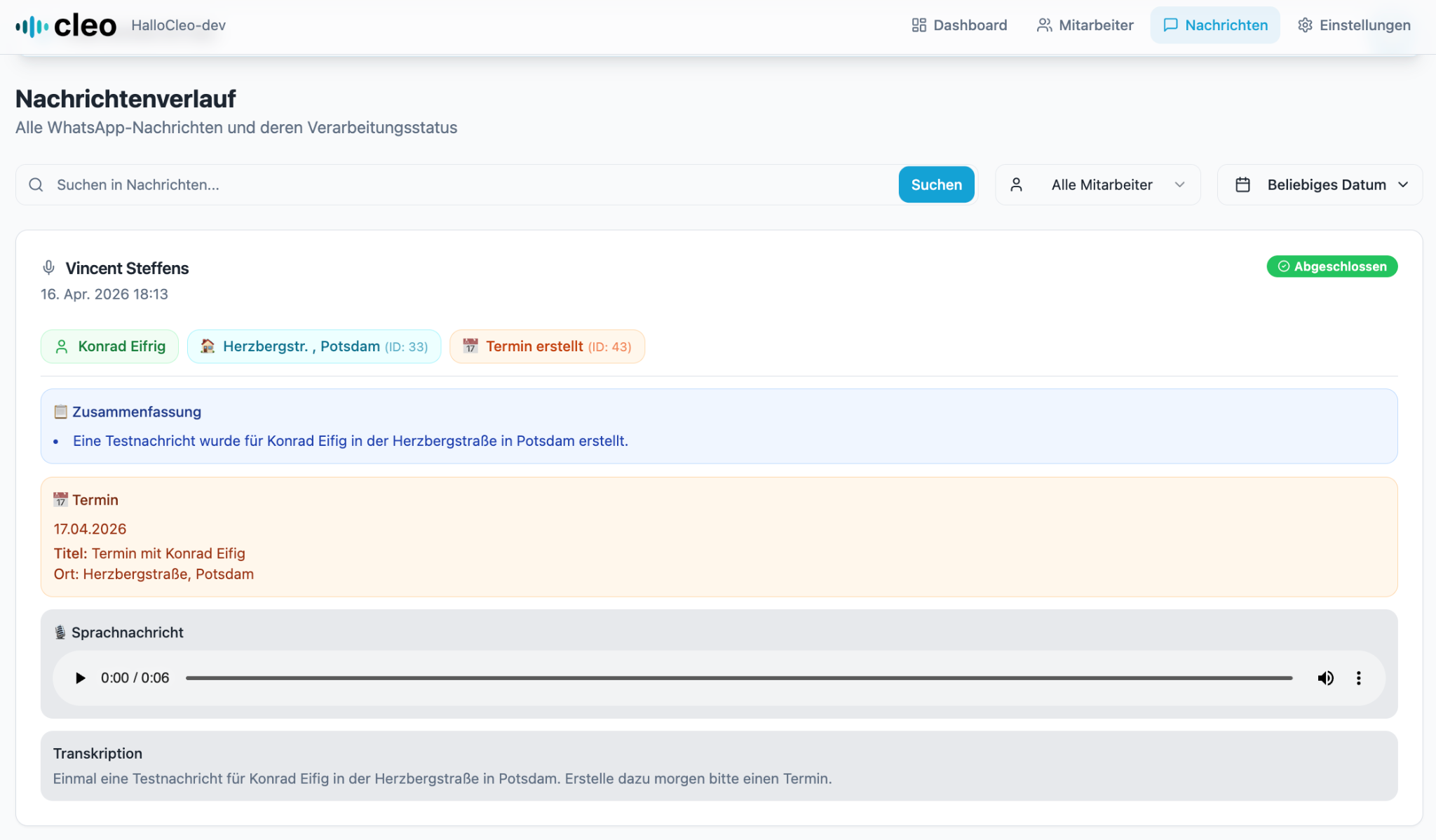
In the dashboard, under the “Messages” tab, you’ll see an overview of all processed voice memos.
- Status: This indicates whether the message was successfully transmitted to onOffice.
- Contents: You can review the transcript and the tasks or appointments extracted from it.
2. Automatic Entries in onOffice
Now switch to your onOffice Enterprise to see the result in real time. Hallocleo has been working behind the scenes for you:
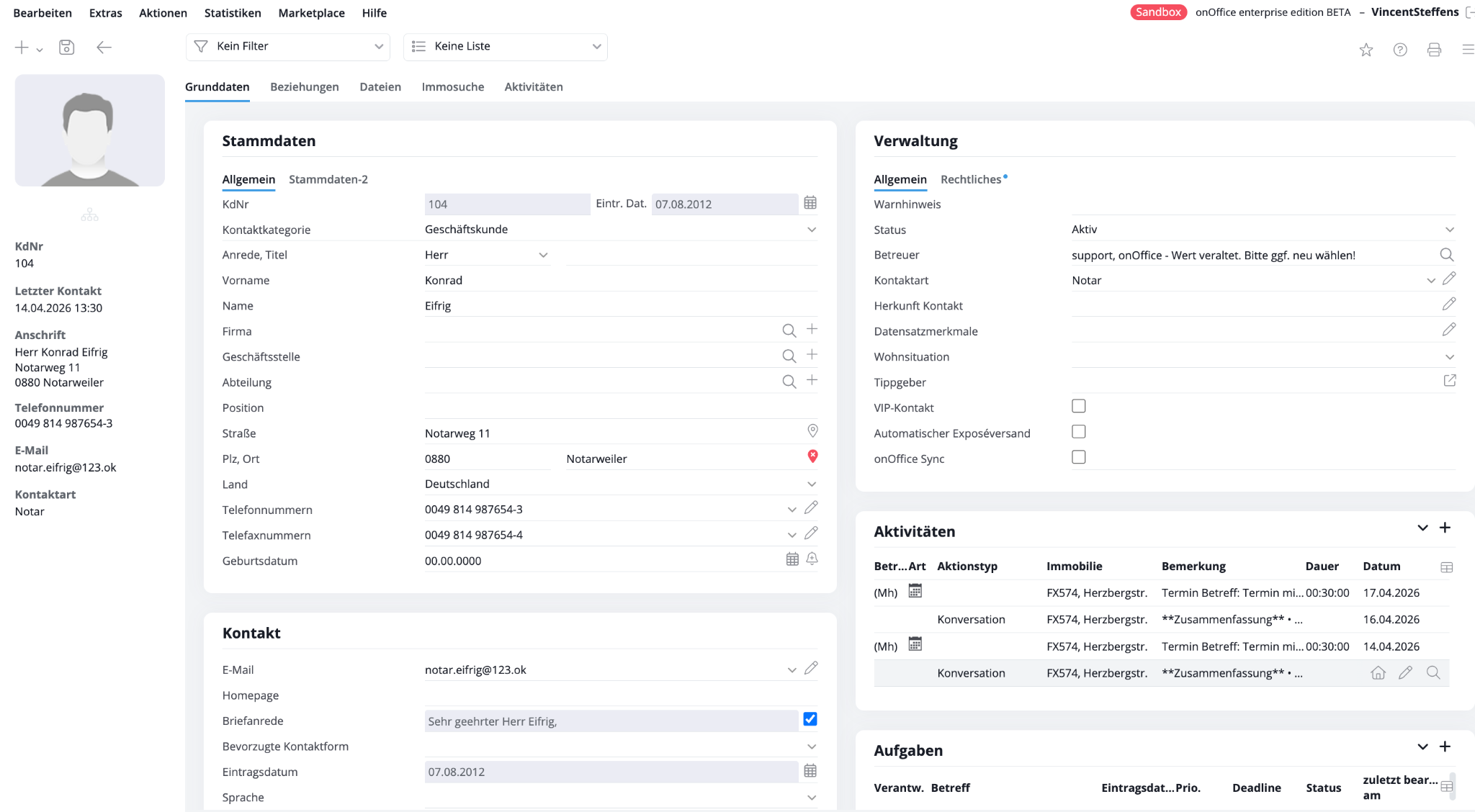
- Activity Log: The voice memo appears as a new activity directly next to the corresponding contact or property.
- Calendar: If you have recorded an appointment, it will now automatically appear in your onOffice calendar.
- Structured data: Contacts, property data, and tasks were recognized and sorted into the correct fields.