
 Entry
Entry Dashboard
 Contacts
 Properties
 Email
Email Calendar
 Tasks
Tasks Acquisition Cockpit
 Audit-proof mail archiving
 Automatic brochure dispatch
 Billing
 Groups
 Intranet
 Marketing Box
 Marketplace
 Multi Property module
 Multilingual Module
 onOffice sync
 Presentation PDFs
 Process manager
 Project Management
 Property tracking
 Property value analyses
 Enquiry Manager
 Showcase TV
 Smart site 2.0
 Statistic Tab
 Statistics toolbox
 Success Cockpit
 Time Tracking
 Address from clipboard
 Text block
 Customer communication
 External Tools
 Favorite links
 Calculating with formulas
 Mass update
 onOffice-MLS
 Portals
 Property import
 Quick Access
 Settings
 Templates
 Step by step


You are here: Home / Additional modules / Marketplace / Provider overview / onOffice Services - AI Assistant

Marketplace
onOffice Services – AI Assistant
Description
Whether you are a beginner or a long-time user – our AI Assistant accompanies you in your daily work with onOffice enterprise. Do you have a question about the software? The onOffice AI Assistant is at your side around the clock and provides immediate answers. His extensive pool of knowledge is based on our online help and various training videos.
✅ Guided onboarding
Especially useful for beginners in onOffice enterprise: All answers contain appropriate links to the online help and our training videos.
✅ 24/7 availability
Ask your questions in the chat at any time. Our AI Assistant provides immediately understandable explanations, proven best practice tips and clear step-by-step instructions.
✅ Continuous improvement
Our AI Assistant learns with every interaction and thus continuously improves its response quality. Your questions and the corresponding answers are stored anonymously and evaluated exclusively for training purposes. This means: Using them makes the AI Assistant even smarter and more precise.
By using the onOffice AI Assistant, you agree to this use of data and at the same time benefit from increasingly precise results.
What the onOffice AI Assistant cannot do:
- Answer complex questions from experienced users
- Report technical faults
In these cases, please contact our support team directly:
- Tel: +49 (0) 241 44686 122
- Mail: support@onOffice.com
Activation
Activate our AI Assistant now for free in the onOffice Marketplace to get immediate answers to your questions about onOffice enterprise!
Utilization:
After activation, you will find a new icon on the left-hand side of the module bar that will take you to the chat with the AI Assistant. Alternatively, you can access the chat via the menu bar under Marketplace >> onOffice AI Assistant >> onOffice AI Assistant .
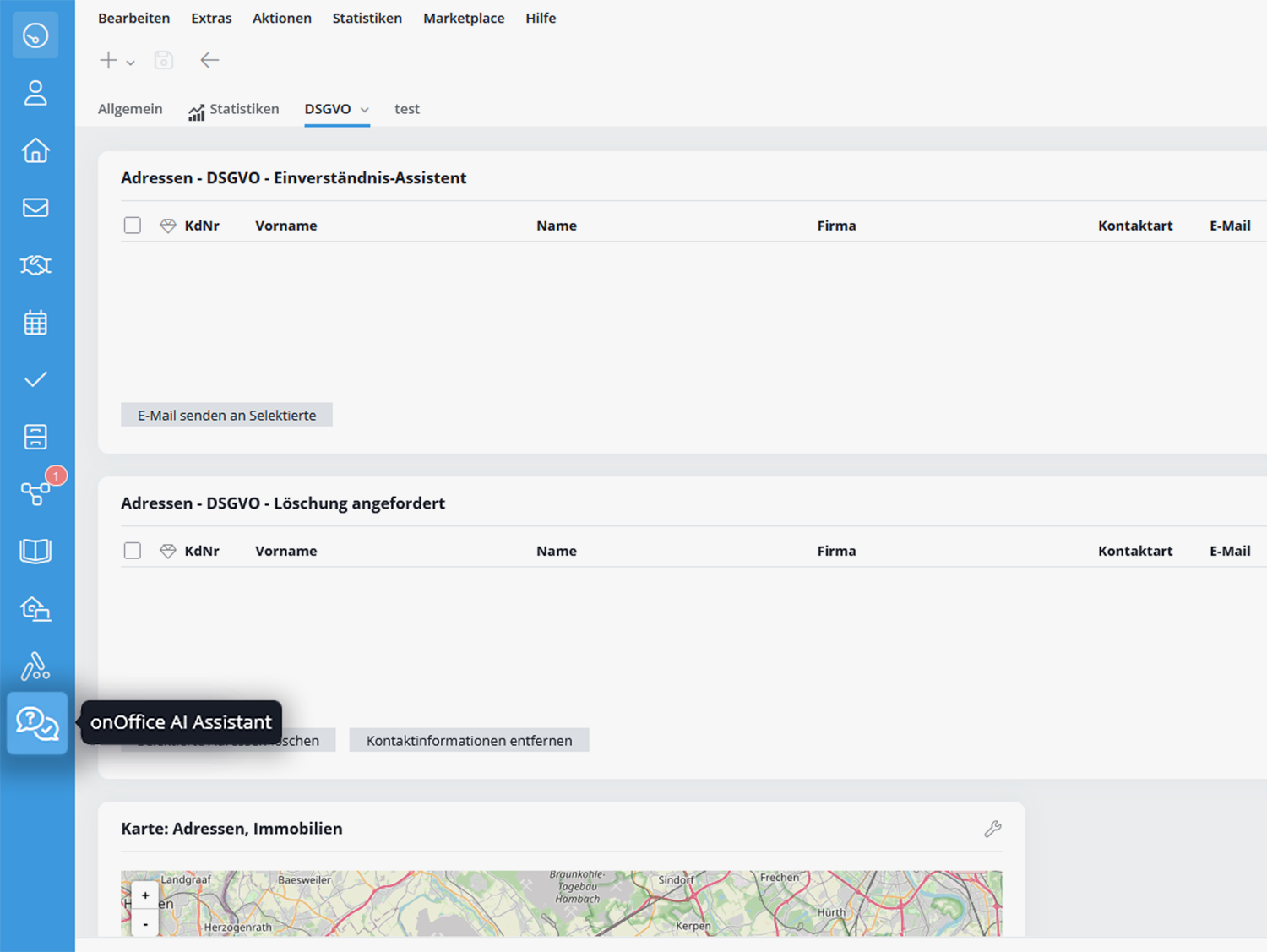
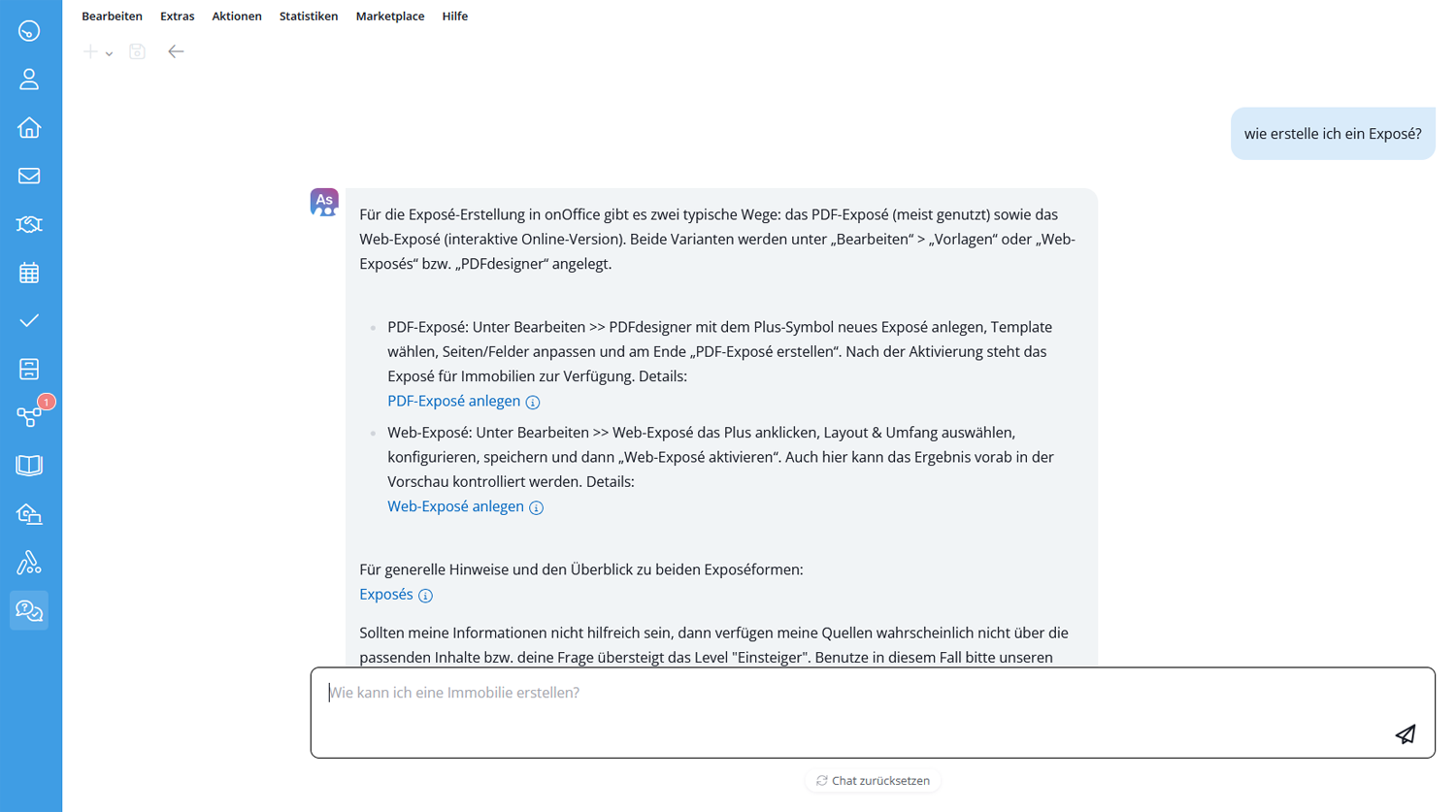
Using the onOffice AI Assistant is simple: Simply ask your question in the chat and you will receive suitable solutions within seconds. The corresponding entries to our online help and training videos are linked and can be opened with just one click if you require detailed information.
If you click on the “Optimize response (slower)” button, you may receive a better response, but the process will take longer.
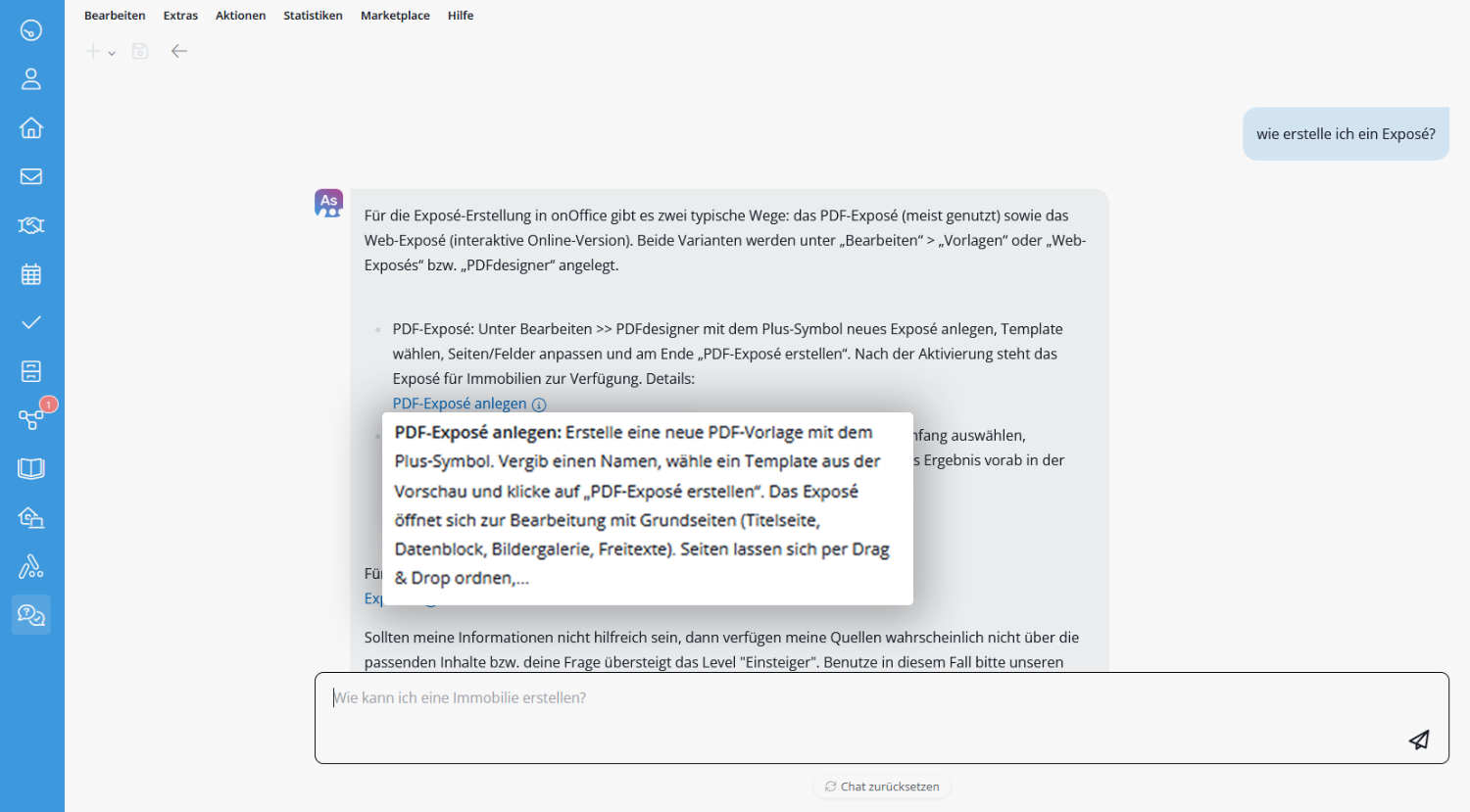
Mouse over the info icon next to the link text to get a short preview or explanation of the page that opens.
If you have a more complicated issue that the AI Assistant cannot help you with, or if you would like to report a fault, please contact our support team:
- Tel: +49 (0) 241 44686 122
- Mail: support@onOffice.com