


You are here: Home / Additional modules / Marketplace / Provider overview / AIXpose - AIXpose OÜ
Marketplace
AIXpose – AIXpose OÜ
Inhaltsverzeichnis
Description
Photos, floor plans, videos: A property’s visual appeal determines whether it receives requests. AIXpose is the platform for all visual marketing materials for your properties. Instead of hiring a photographer, a photo editing service, a floor plan service, and a video production company separately, you can get everything done in one place.
All it takes is one upload. You choose what you need, and you’ll get the results in just a few minutes.
All in one platform:
- Image editing and optimization: Exposure, colors, and perspectives are automatically corrected
- Digital Staging and Object Removal: Empty Rooms Are Furnished, and Distracting Objects Disappear
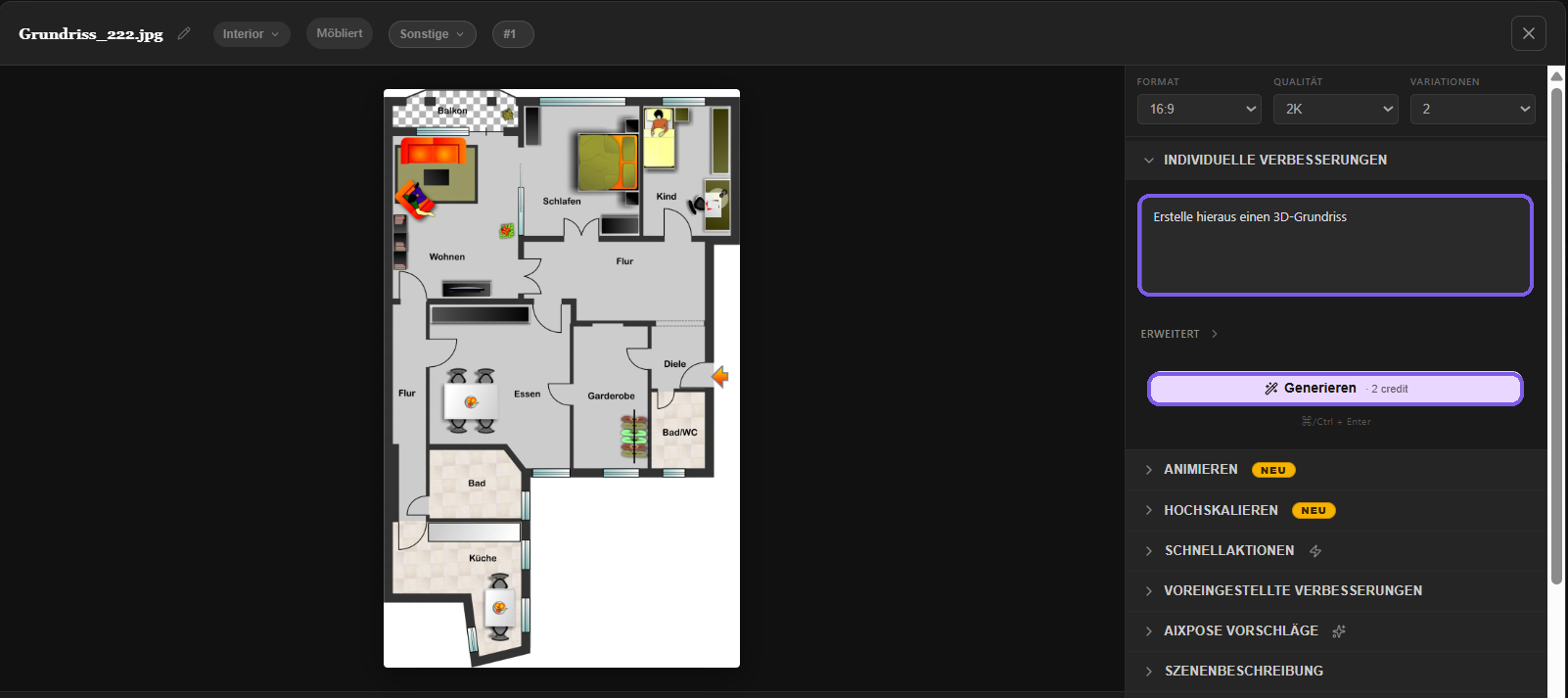
- Floor Plans as 2D and 3D Visualizations: Turning a Simple Sketch into a Sales-Boosting Presentation
- Property Videos with Your Own AI Designer: Choose a template, customize it, and get a finished video for portals and social media
Using it is just as easy as the upload itself: everything is done in the browser, with no software and no training required. For each property, you decide which services you want to use and pay only for those.
Try it for free now: Activate AIXpose here in the Marketplace and get your next property online in just a few minutes.
AIXpose on the onOffice Marketplace
Photos, floor plans, and property videos from a single upload. These instructions will guide you through the activation process and daily use.
1. Activation
You can activate AIXpose directly in the onOffice Marketplace. Once activated, the service will be available to all authorized users in your tenant. There’s nothing to set up and nothing to configure.
2. Open AIXpose
There are two ways to get in, depending on what you plan to do.
About the Marketplace Menu
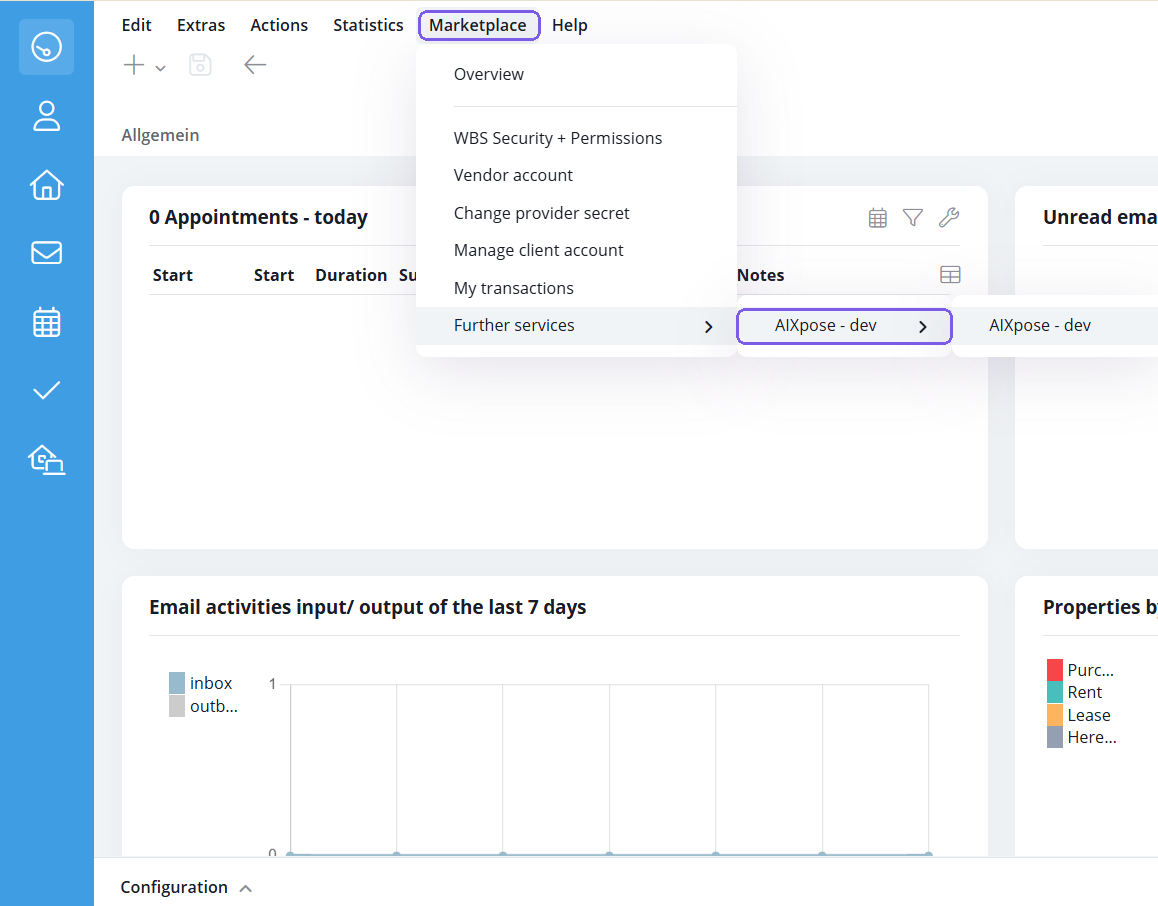
In the top menu, open Marketplace > More Services > AIXpose. You’ll be taken to your dashboard, where you can edit any project.
From a property
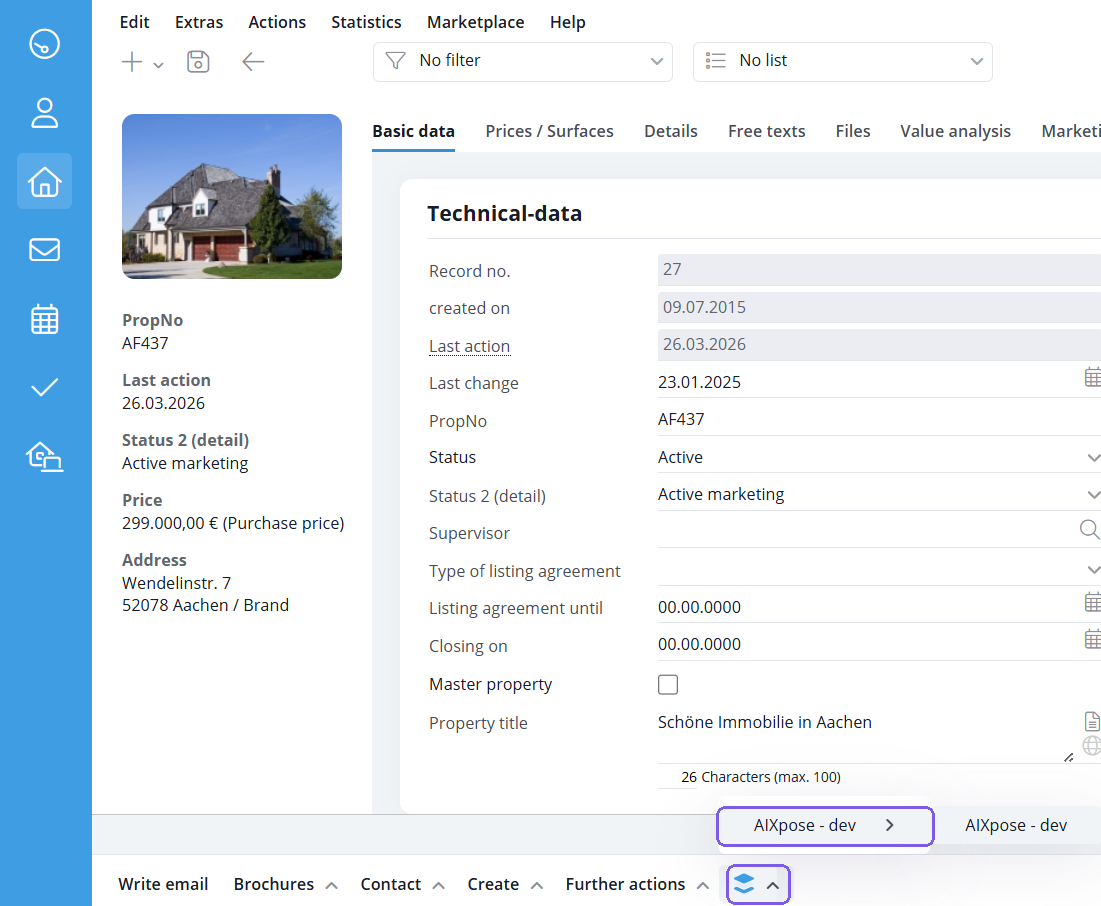
Open a property record and click AIXpose in the Marketplace widget at the bottom of the action bar. You’ll be taken directly to the project page for this property. This is the faster way to do it in everyday use because the property is already selected.
3. The Project View
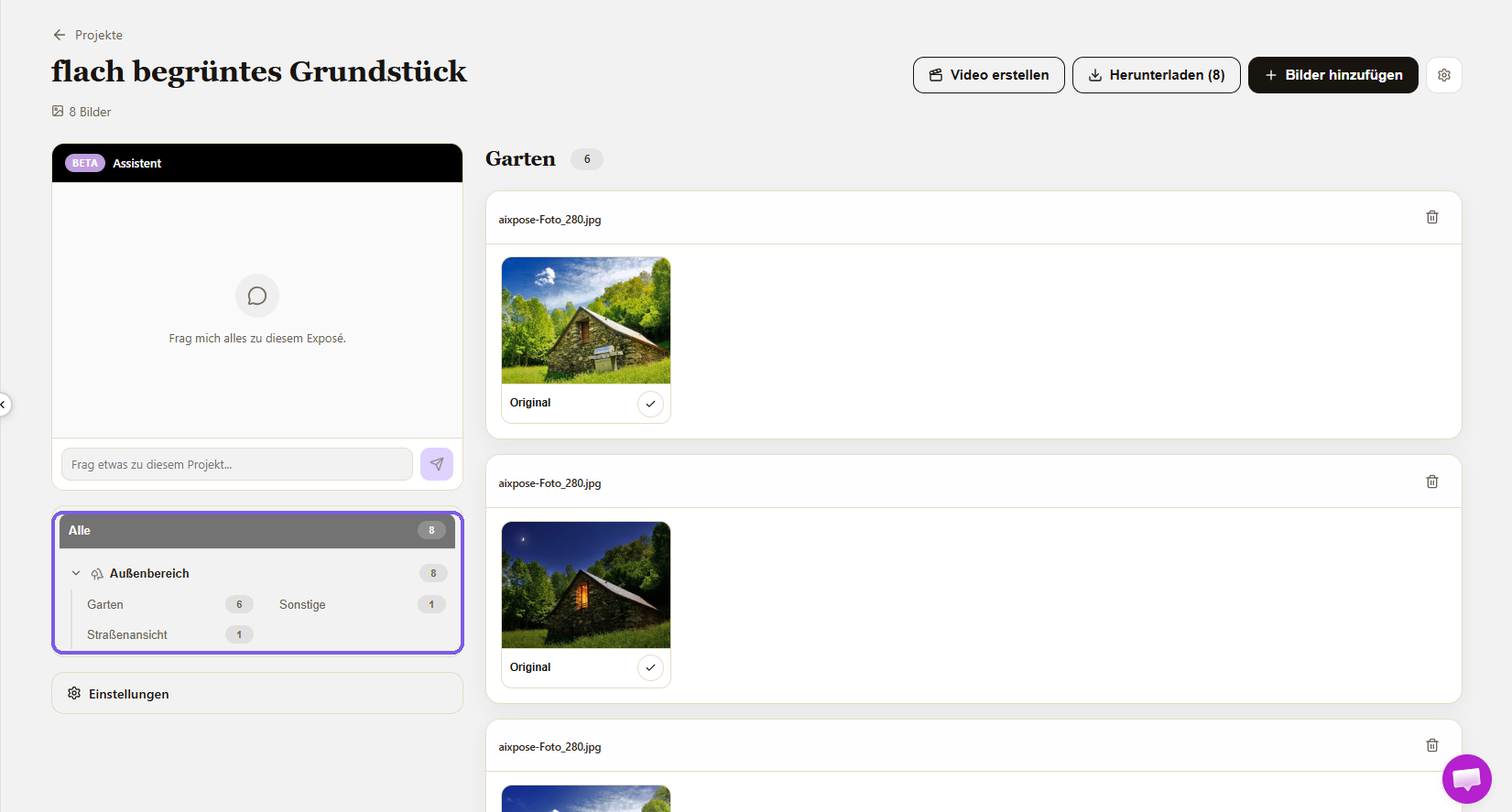
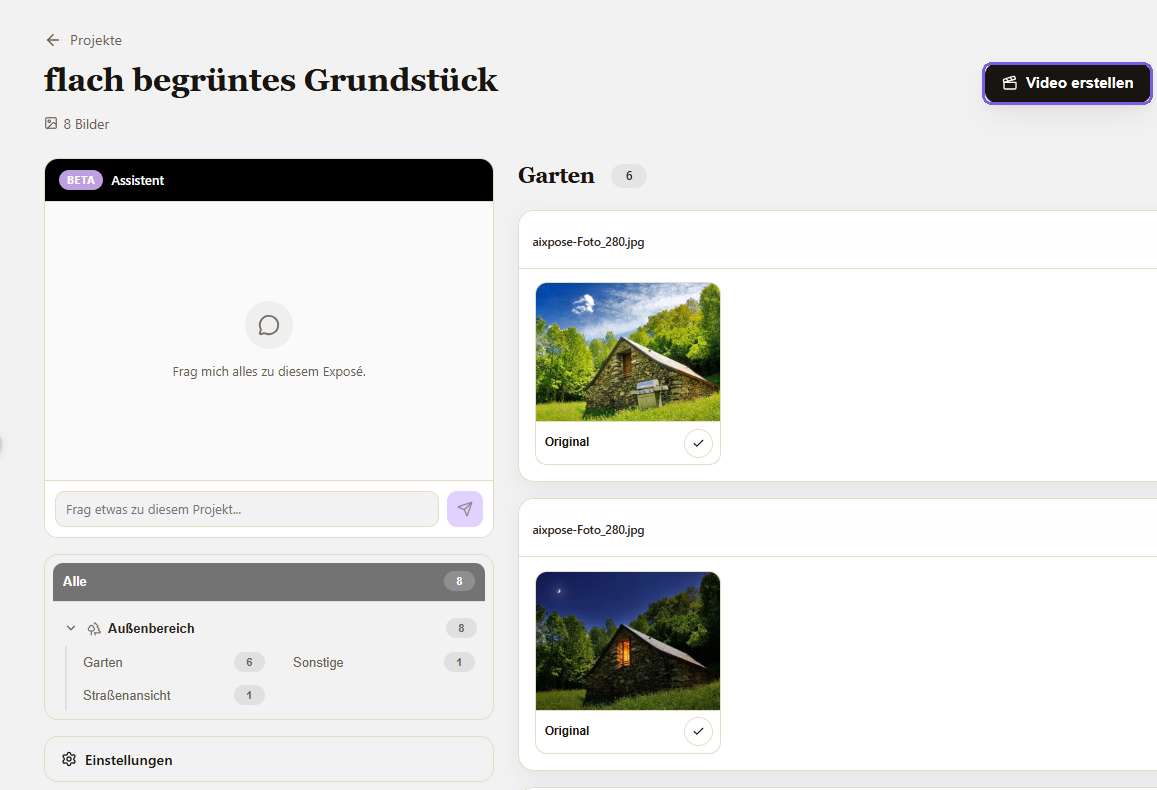
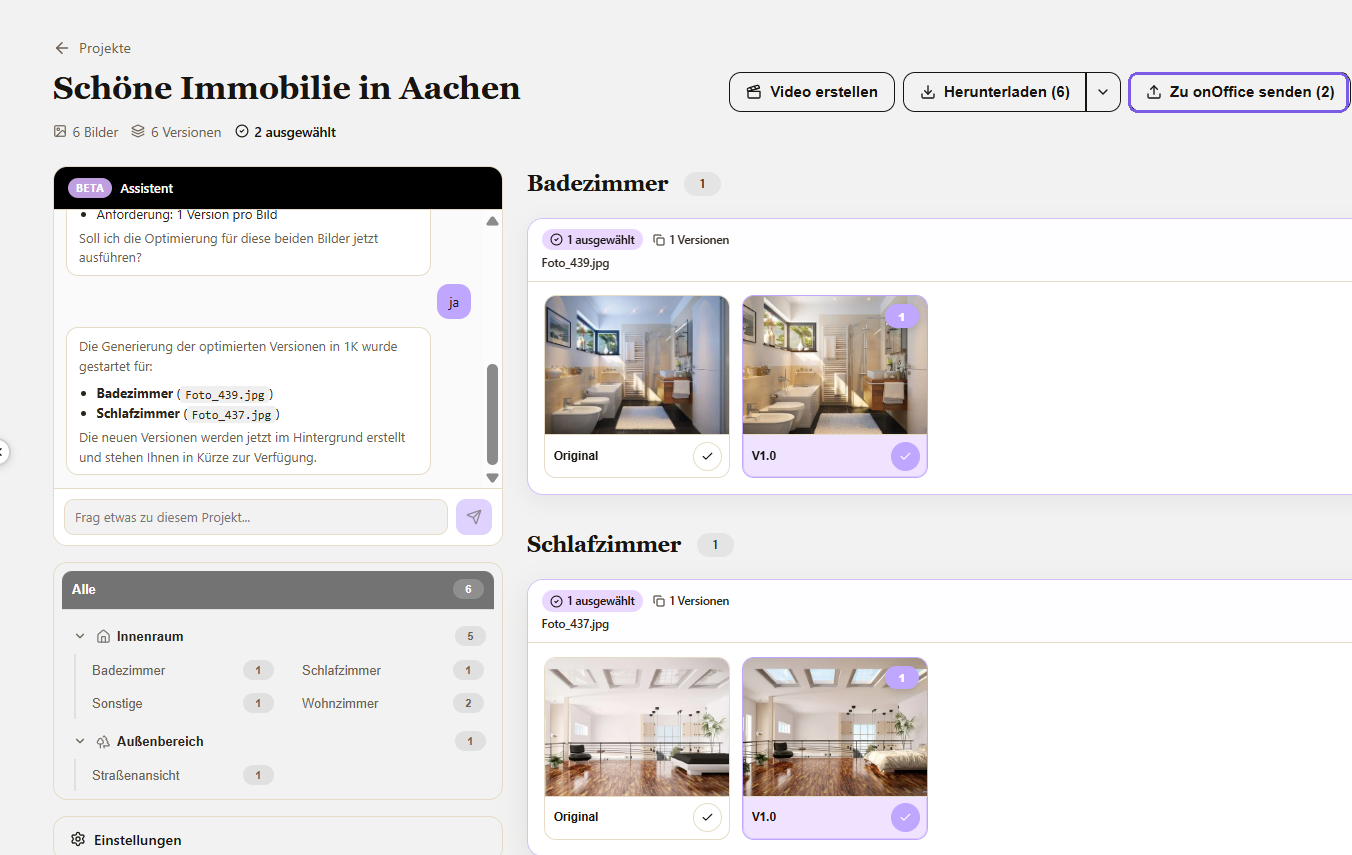
All images of a property are stored in a project. They have already been analyzed and sorted by where they were taken—such as the garden, a street view, the living room, or the bathroom.
4. Edit Images and Floor Plans
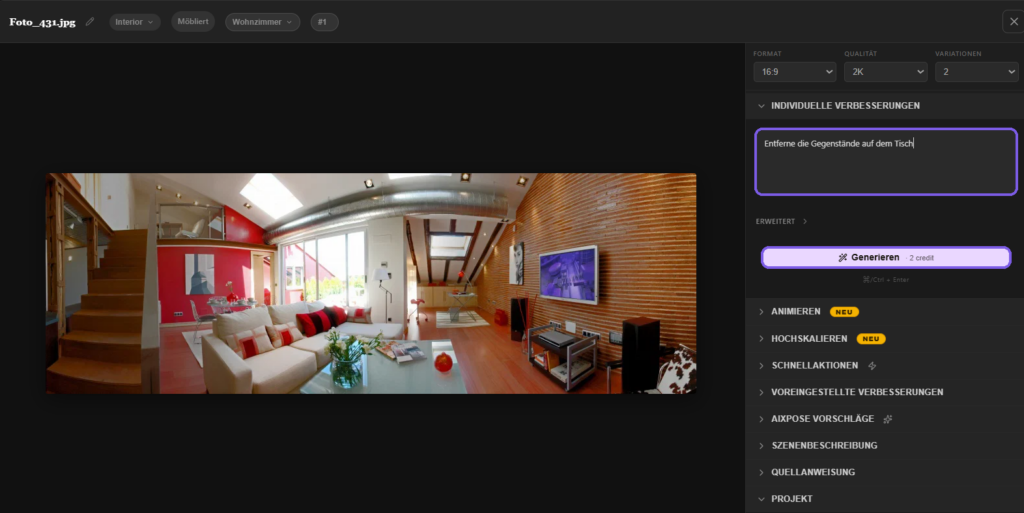
Click on an image to open the editor. In the Individual Improvements field, describe in your own words what should happen. There is no set selection: Corrections, touch-ups, removals, virtual staging, and floor plans are all handled through the same interface.
Floor plans work the same way. Upload a sketch or an existing plan and describe the result you want.
Each result appears in the project view next to the original, as a separate version. The original is never overwritten; you can compare versions and go back at any time.
5. Create a Video
In the project, click “Create Video.”
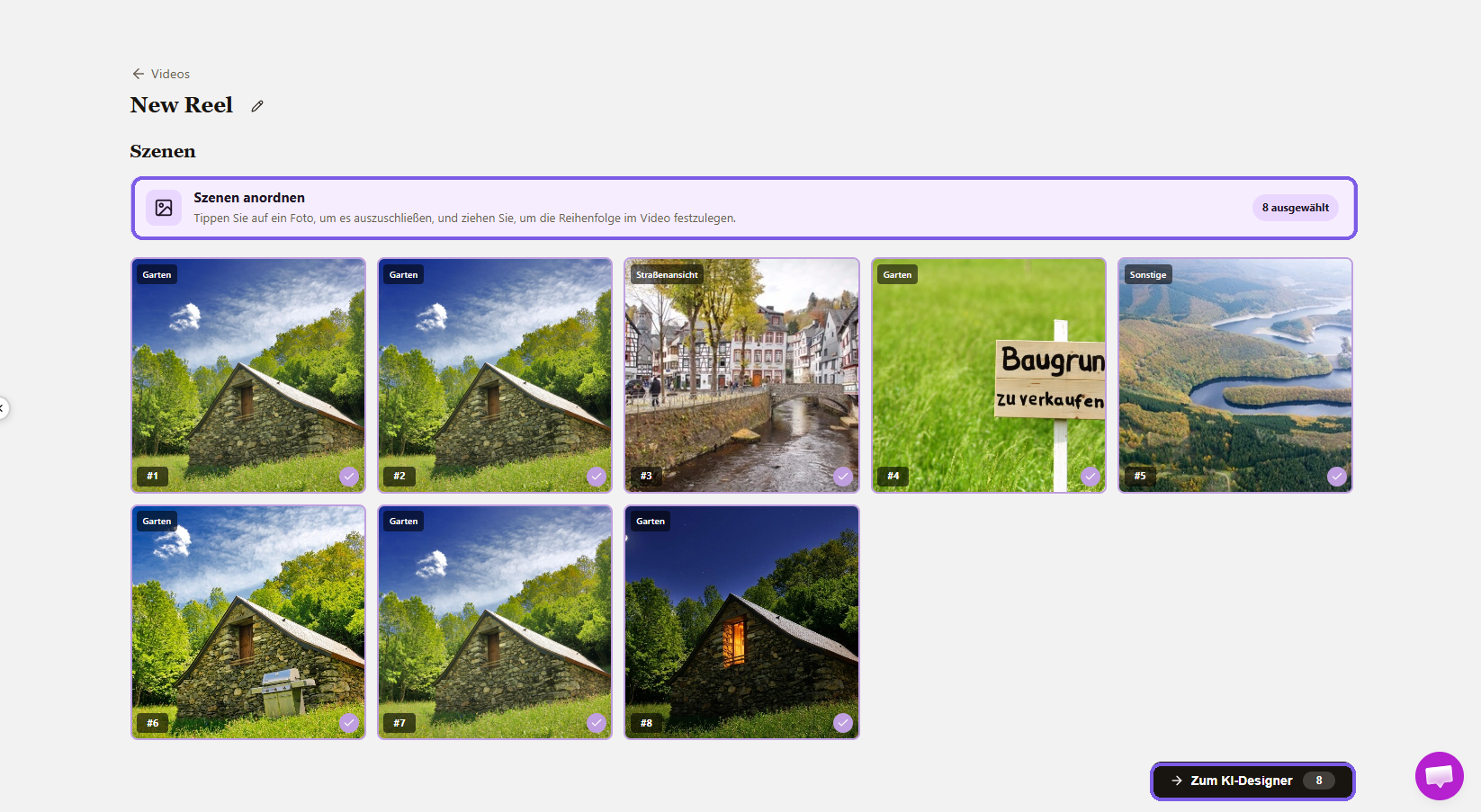
Arrange scenes
Tap a photo to exclude it, and drag to set the order. A video consists of up to twelve frames.
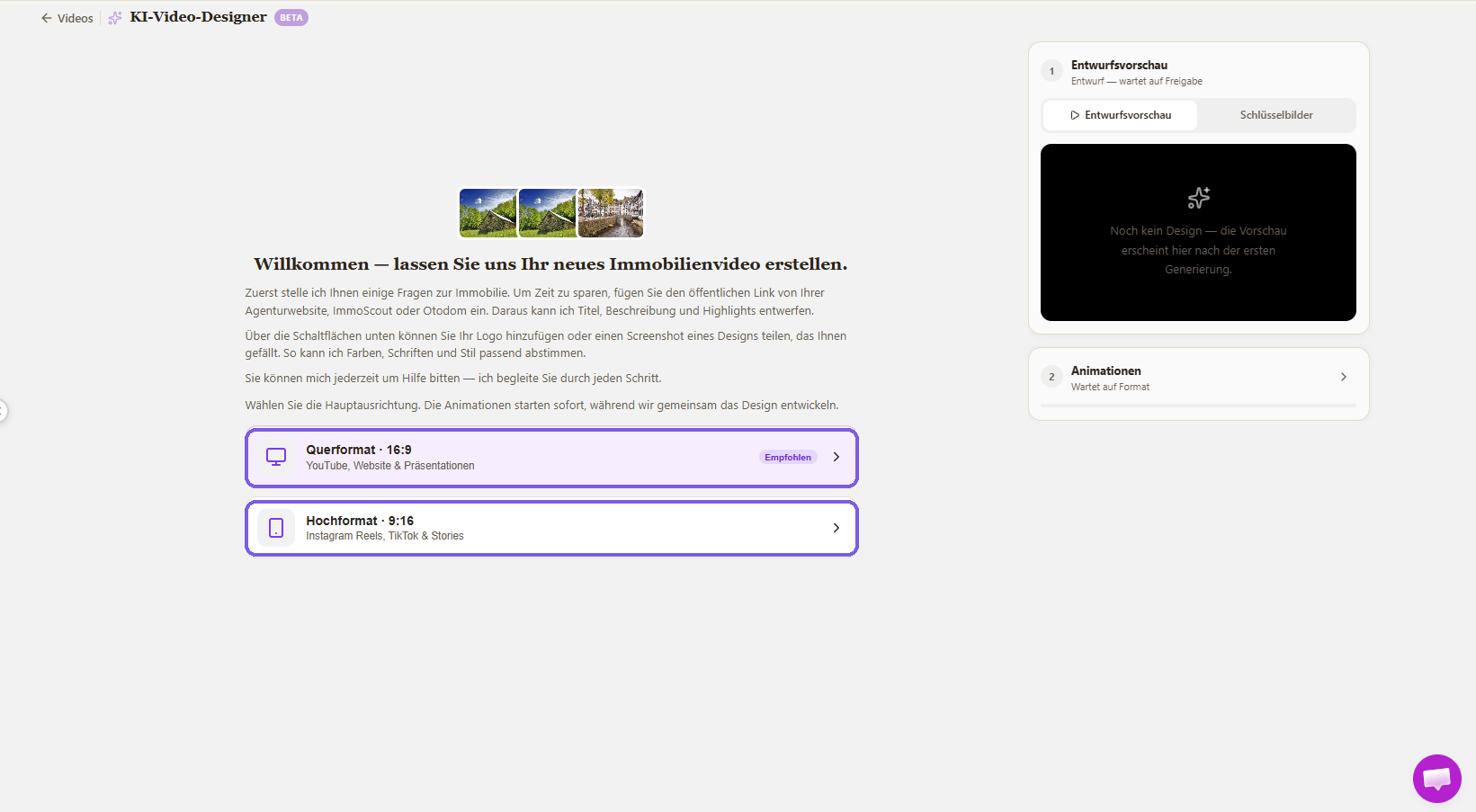
Choose Orientation and Design
16:9 landscape orientation for portals, websites, and presentations; 9:16 portrait orientation for Reels, TikTok, and Stories. The AI designer will then ask you a few questions about the property. You can paste the public link to your ad so that the title, description, and highlights can be created; add your logo; choose music and a voiceover; or appear in the video yourself. Once the design is finalized, render the video in the desired format.
6. Return results to onOffice
In the project, select the images you want to transfer and click “Send to onOffice.” They appear in the property record as usual.
Let’s Get Started Together
We offer a free introductory session in German and English, during which we’ll work with you to prepare your first property.
German: https://www.aixpose.art/de/demo/
English: https://www.aixpose.art/en/demo/
- Value added tax on marketplace purchases
- Assign debits via reference ID
- Provider overview
- onOffice Services - AI Studio - Cost management
- Casafari - AI meta property search
- onpreo - Property acquisition
- Wordliner - Acquisition marketing software
- onOffice Services - DocuSign Connector - digital signatures
- onOffice Services - WKO Marketplace - Portal for joint business in Austria (MLS)
- onOffice Services - Zapier - Data exchange and automation
- PriceHubble Deutschland GmbH - Interactive property value analysis
- propform.io - Webforms
- PropNow - Digital quotation process
- PROPUP - Digital form & workflow management
- Residenture - Online auction platform
- onOffice Services - Gender API
- Sprengnetter property Valuation
- Sprengnetter - Real estate valuation in Europe
- timum - sightseeing organizer
- Total Render - Floor Plans Italy
- ViertelCheck - Information on the micro and macro situation
- finioo - Application folder
- Justhome - Real estate financing
- BOTTIMMO - Marketing software and digital acquisition
- ESYSYNC - Display systems
- FPRE - property analysis and valuation
- Geolyzer - infrastructure data
- immo-billie - Digital bidding process
- Immogrundriss - Floor plans & visualizations
- AreaButler - Interactive maps and AI assistant
- Kerberos compliance management systems
- KIM real estate valuation
- Lead Import
- Tenant check - credit check of prospective tenants
- MYVIVENDA - Print on Demand
- onOffice Services - PhotoDesigner
- onOffice Services - AI-Writer - AI for property texts
- Service not usable?
- Use service
- Unlock/lock provider
- Manage account
- Create account

Entry
Dashboard
Contacts

Properties

Email

Calendar

Tasks

Acquisition Cockpit

Audit-proof mail archiving

Automatic brochure dispatch

Billing

Groups

Intranet

Marketing Box

Multi Property module
Multilingual Module

onOffice sync

Presentation PDFs

Process manager

Project Management

Property value analyses
Enquiry Manager

Showcase TV

Smart site 2.0

Statistic Tab

Statistics toolbox

Success Cockpit

Time Tracking

Address from clipboard

Text block

Customer communication

External Tools

Favorite links

Calculating with formulas

Mass update

onOffice-MLS

Portals

Property import

Quick Access

Settings

Templates

Step by step