
 Entry
Entry Dashboard
 Contacts
 Properties
 Email
Email Calendar
 Tasks
Tasks Acquisition Cockpit
 Audit-proof mail archiving
 Automatic brochure dispatch
 Billing
 Groups
 Intranet
 Marketing Box
 Marketplace
 Multi Property module
 Multilingual Module
 onOffice sync
 Presentation PDFs
 Process manager
 Project Management
 Property tracking
 Property value analyses
 Enquiry Manager
 Showcase TV
 Smart site 2.0
 Statistic Tab
 Statistics toolbox
 Success Cockpit
 Time Tracking
 Address from clipboard
 Text block
 Customer communication
 External Tools
 Favorite links
 Calculating with formulas
 Mass update
 onOffice-MLS
 Portals
 Property import
 Quick Access
 Settings
 Templates
 Step by step


You are here: Home / Additional modules / Marketplace / Provider overview / CoMakler - Document & Contract Management

Marketplace
CoMakler – Document & Contract Management
Description
Put an end to manual sorting, duplicate filing, and missing documents. Your CoMakler organizes your property documents using AI—in seconds.
Your CoMakler. Right in onOffice.
Documents arrive via email, as scans, or via WhatsApp. From the owner, the property manager, or the notary. And then what? Sort. Separate. Name. Black out. Check. Dock. And do the same thing again tomorrow. With an average of over 100 pages per property? It doesn’t have to be that way.
Your CoMakler will take care of that for you starting immediately. It automatically recognizes your documents. He knows what’s missing. He categorizes, labels, and files.
They can request any missing documents from the owner via a simple link. You share property documents with prospects, banks, or notaries through professional download sites.
All in your corporate design. Your logo, your colors, your employees—personalized down to the last detail.
No separate tool, no second storage location, no external cloud for sharing, no tools that raise privacy concerns. Everything is backed up, all in one place.
Your co-broker works directly in onOffice. Less paperwork, better overview. Minimal effort, maximum professionalism.
Activate, get started, be more productive.
Activation
You can easily activate CoMaklerhere in the Marketplace.
Utilization:
How to Get Started with CoMakler
CoMakler is your digital back-office solution for document management in onOffice. This quick guide walks you through the setup process and shows you the most important features—each accompanied by a video tutorial.
You can find complete step-by-step instructions in our Help section:
https://comakler.app/hilfe/dokumenten-tool
Prerequisite: onOffice access with admin privileges.
Setup
Step 1: Open CoMakler and go through the setup wizard
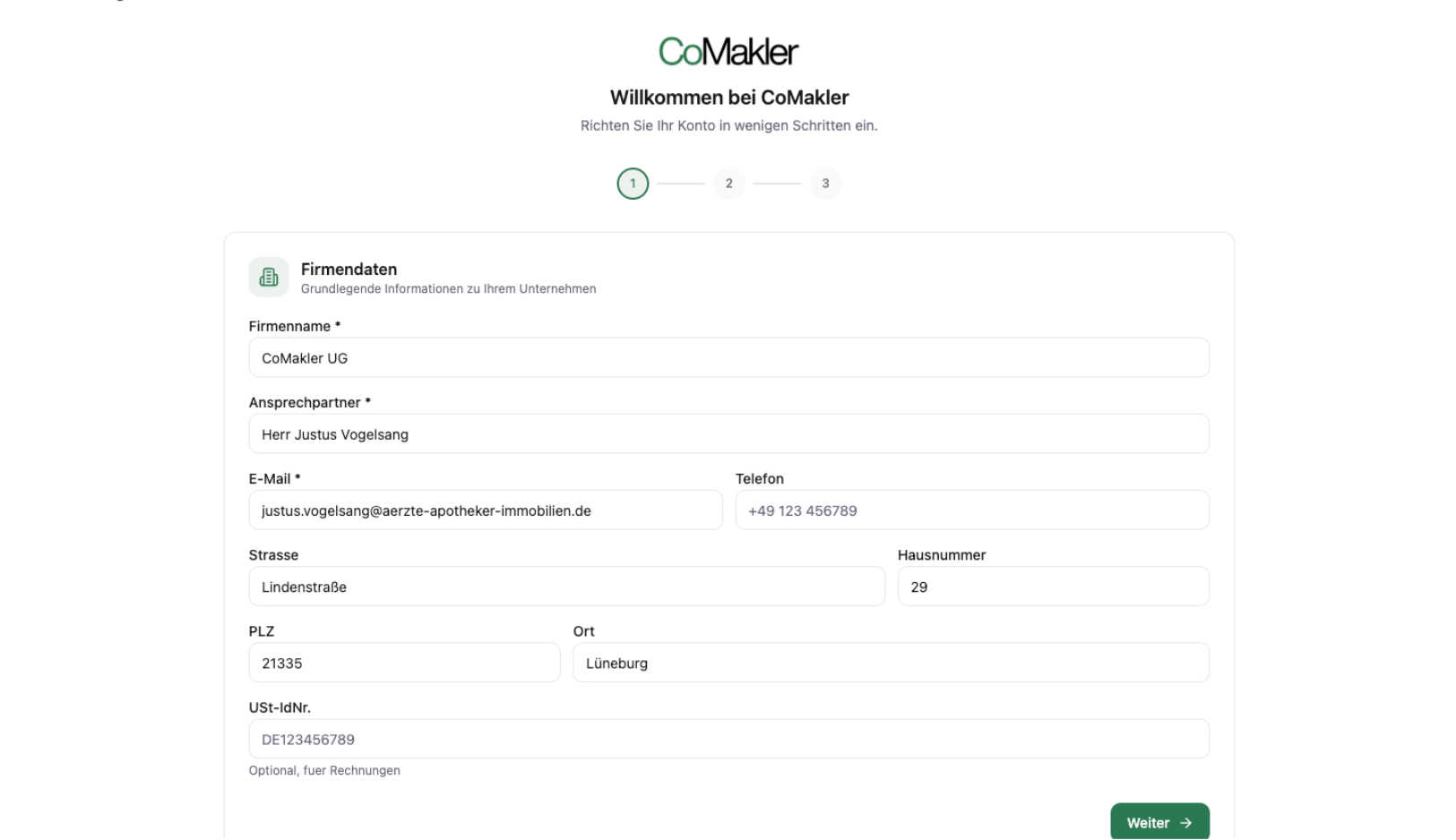
Immediately after activation, open any property listing in onOffice. The setup wizard will launch in the new “CoMakler” tab. It guides you through the configuration in three quick steps:
1. Company data is automatically retrieved from onOffice – check the company name, contact person, and email address, and optionally add a logo and VAT ID number.
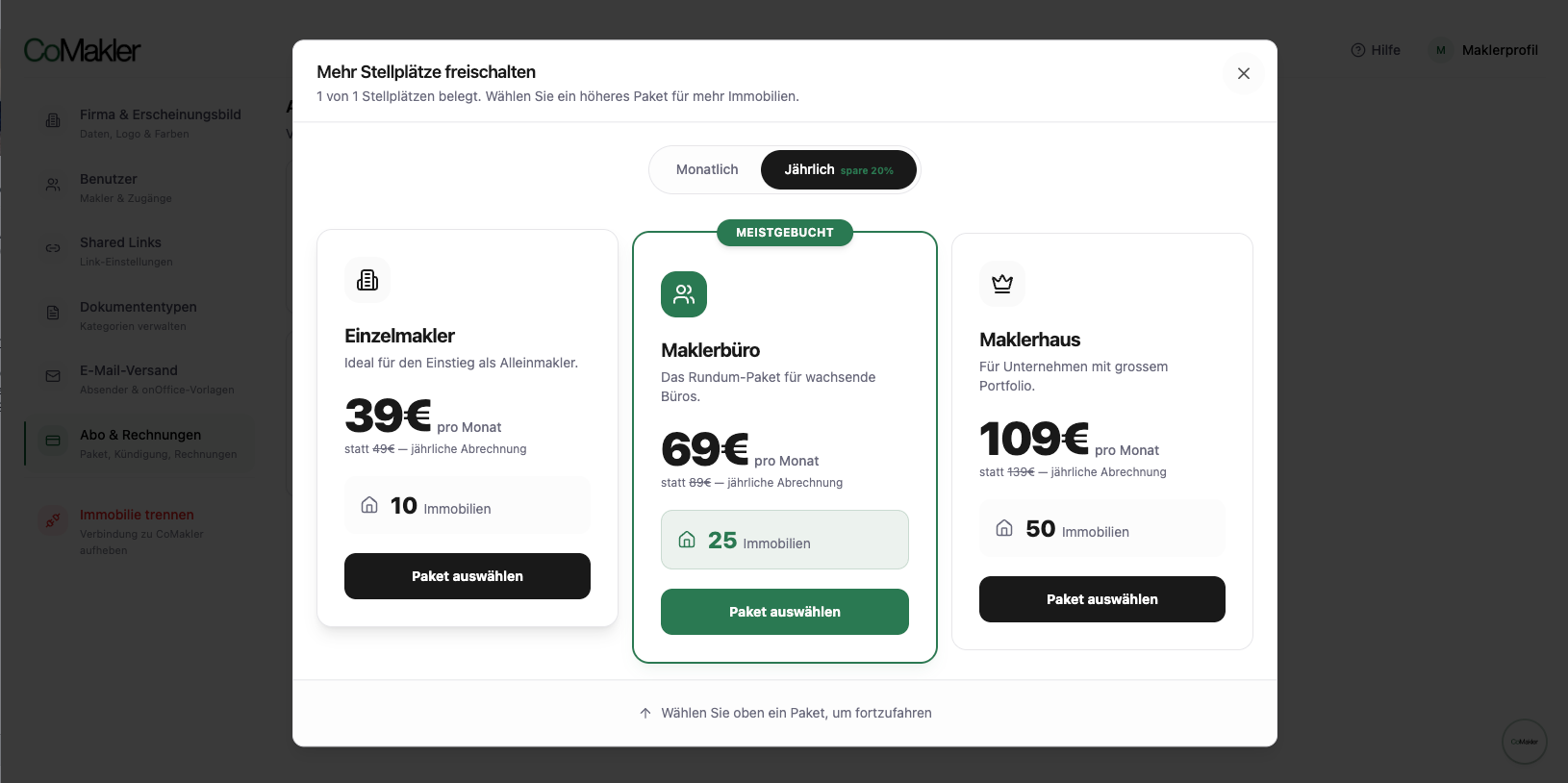
2. Select a package – from the free trial package (1 property) to the real estate agency package; toggle between monthly and annual billing.
Screenshot 5: Package selection with three options: Individual real estate agent (39 euros), real estate agency (69 euros, most popular), real estate firm (109 euros). Note regarding a free trial package with only one property.
3. Review the summary and confirm your subscription.
Step 3: Activate the first property
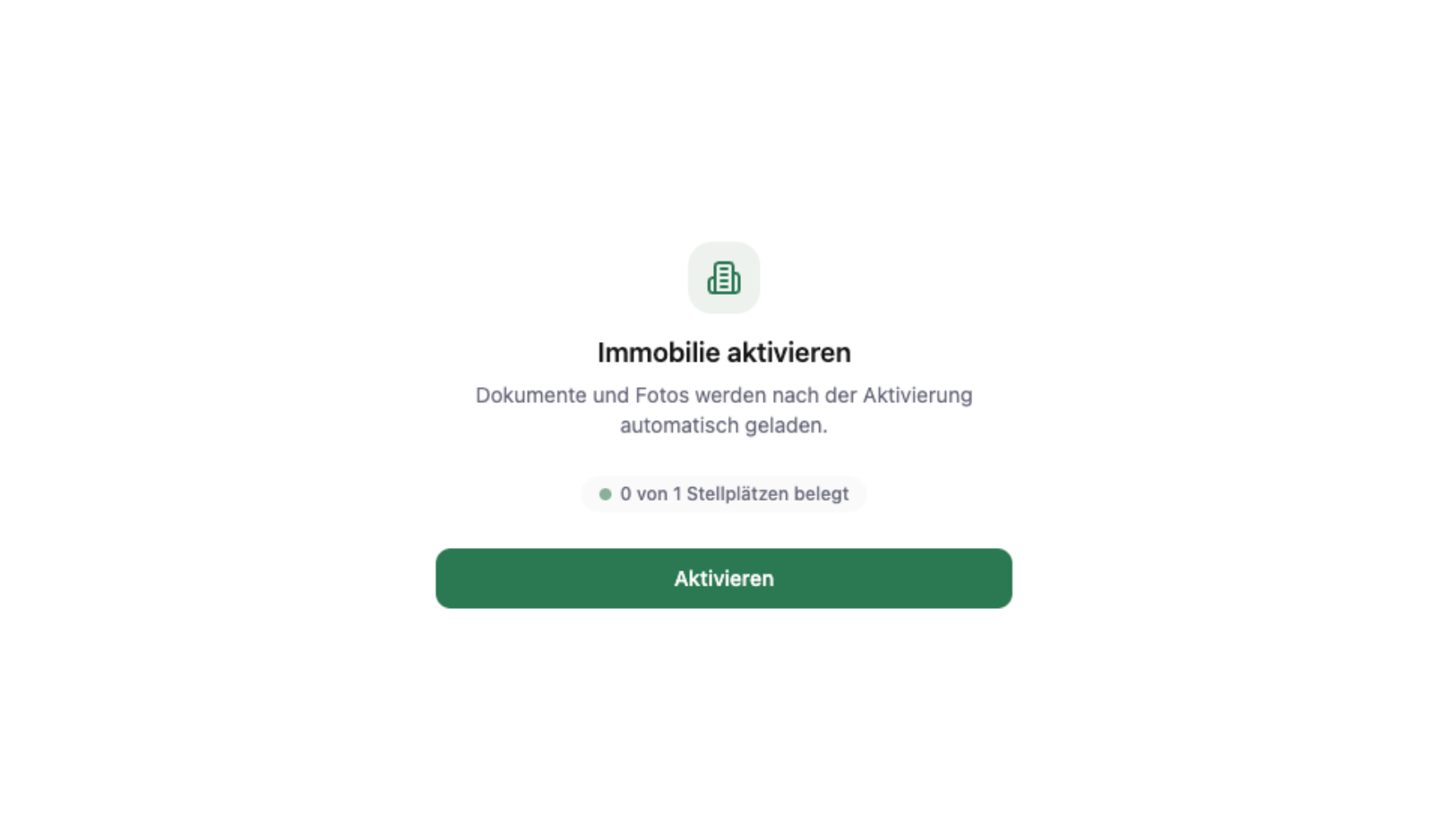
Open a property in onOffice and click “Activate” in the CoMakler tab. CoMakler automatically syncs all existing documents—usually in under 30 seconds.
Functions at a glance
Once setup is complete, the following core features will be available to you. Click on the video to see the feature in action.
1. Upload documents and synchronize them bidirectionally
CoMakler and onOffice continuously synchronize documents in both directions. Files uploaded manually are automatically synced to onOffice, and vice versa.
2. Split and Merge PDFs
Compiled PDFs are split by the AI into individual, categorized documents with the click of a button. If you want full control, set each breakpoint manually. Conversely, you can combine multiple documents into a single PDF.
3. AI Detection and Manual Review
The AI automatically detects over 65 document types and assigns them to the correct category. You can review uncertain suggestions in the card-style review view—with a preview, rationale, and a single click to confirm.
4. GDPR-compliant redaction
Personal data is permanently removed from the PDF—either automatically by AI or manually by selection. The original information can no longer be extracted from the redacted file.
5. Owner Portal and Upload Links
Create an upload link that allows owners and prospects to upload documents in compliance with the GDPR—without needing their own account. Uploaded files are automatically assigned to the correct property and added to onOffice.
6. Settings: Email Account, Real estate agent, and Configuration
Connect your email account (SMTP settings) so you can send documents directly from CoMakler. In the settings, also review all real estate agents synchronized from onOffice and customize the system to your preferences.
7. Configuration: Custom Categories and Naming Scheme
Define your own document categories, disable any default types you don’t need, and specify the naming scheme. The AI learns on the fly.
Do you need more details?
Go to the full Help section: https://comakler.app/hilfe/dokumenten-tool